Summary
This article compares Responsive Addons for Elementor and Qi Addons for Elementor.
Both of these Elementor addon plugins expand design options. It highlights differences in widget libraries, templates, ease of use, styling depth, performance, and ideal use cases to help you decide which best fits your website goals.
Looking for additional addons for Elementor to help you build the website of your dreams?
Elementor is a popular page builder for WordPress. It is easy to get started with, and you do not need to code anything yourself. To expand Elementor’s design flexibility, plugins like Responsive Addons for Elementor and Qi Addons for Elementor were introduced.
In this article, we will compare Responsive Addons for Elementor vs Qi Addons for Elementor, so you can feel more confident in your choice of plugin for your website.
Let’s jump in.
- Comparison at a Glance: Responsive Addons vs Qi Addons for Elementor
- What is Responsive Addons for Elementor?
- What is Qi Addons for Elementor?
- Responsive Addons for Elementor vs Qi Addons for Elementor Comparison
- Comparing Widget Library
- Performance Test Between RAE and Qi Addons for Elementor
- Templates Library Comparison
- Theme Builder
- Customization & Styling
- Support Comparison
- Integrations & Compatibility
- Pricing
- Frequently Asked Questions (FAQ)
- Conclusion
Comparison at a Glance: Responsive Addons vs Qi Addons for Elementor
Short on time? We’ve put together a quick comparison below so you can instantly see which plugin fits your needs.
| Feature | Responsive Addons for Elementor (RAE) | Qi Addons for Elementor |
|---|---|---|
| Widget Library | 80+ free widgets with performance-optimized code | 60+ free widgets (100+ with Pro) |
| Ready-to-Use Templates | 150+ Elementor templates | Limited templates |
| Theme Builder | Full Theme Builder functionality (headers, footers, etc.) | Available in Pro |
| Styling & Customization | Strong styling and responsive controls, device-specific controls | Flexible & customizable |
| Performance Aspect | Lightweight and optimized. Disable widgets that you do not utilize | Lightweight & on-demand loading |
| Marquee | Built-in marquee scrolling widget available | Text/Image marquee available |
| Best For | Excellent for business sites, blogs, landing pages, etc. | Great for creative layouts |
| Free VS Premium | All versatile widgets are free to use | Many features in Pro |
| Unique Strength, Dependability | Large widget library, offers a good template library | Strong design-focused widgets |
Responsive Addons for Elementor is the Best Elementor Addons plugin – Get it for free!
What is Responsive Addons for Elementor?
📢 My Real-World Test Results:
- Number of widgets: 80+
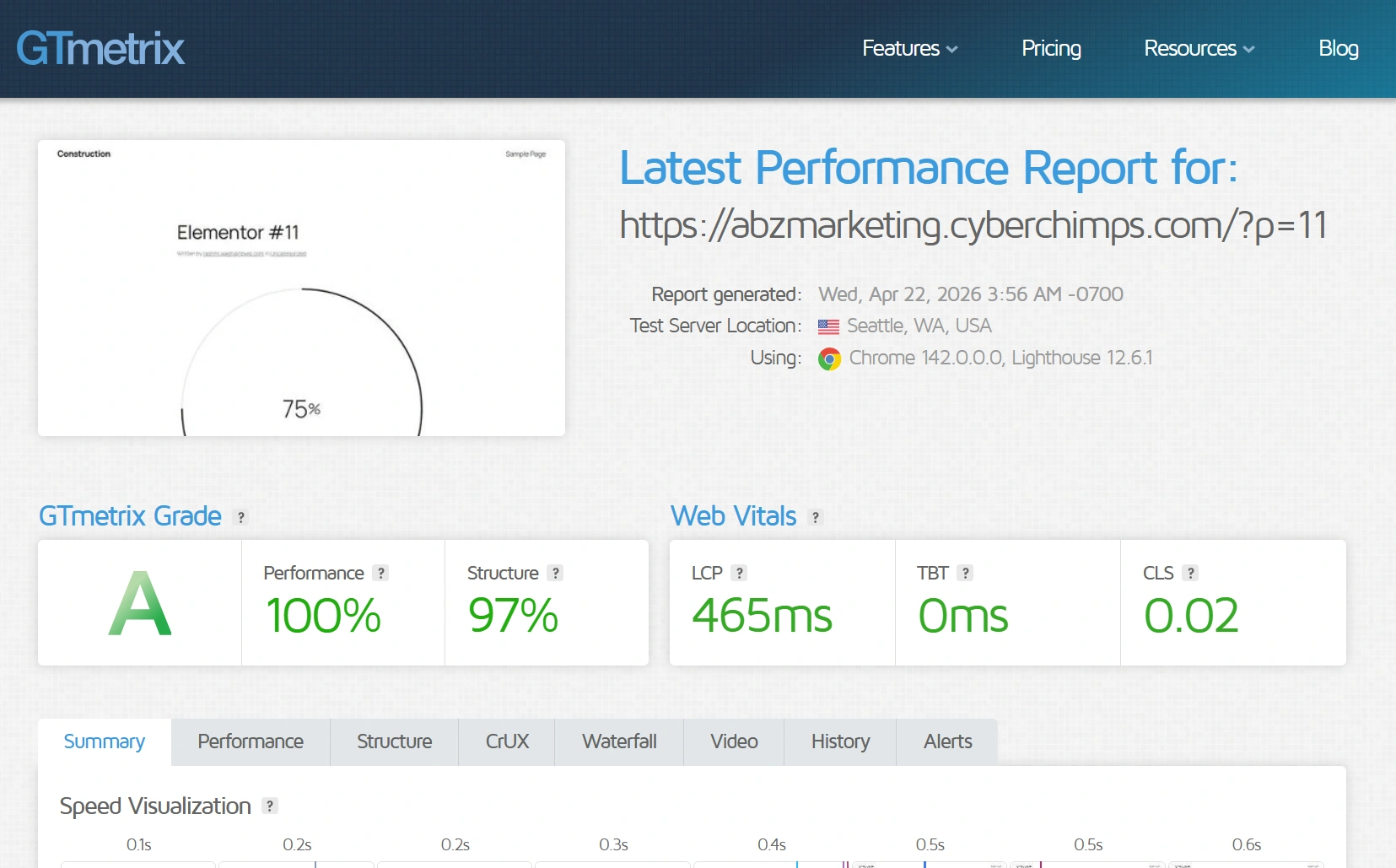
- GTmetrix Performance Score: 100%
- Includes Cross-site Copy-paste feature
- 5+ Extensions like Scroll animations, Sticky Section, Page Duplicator, & more.
- Save design time with 100+ Premium-grade Starter templates
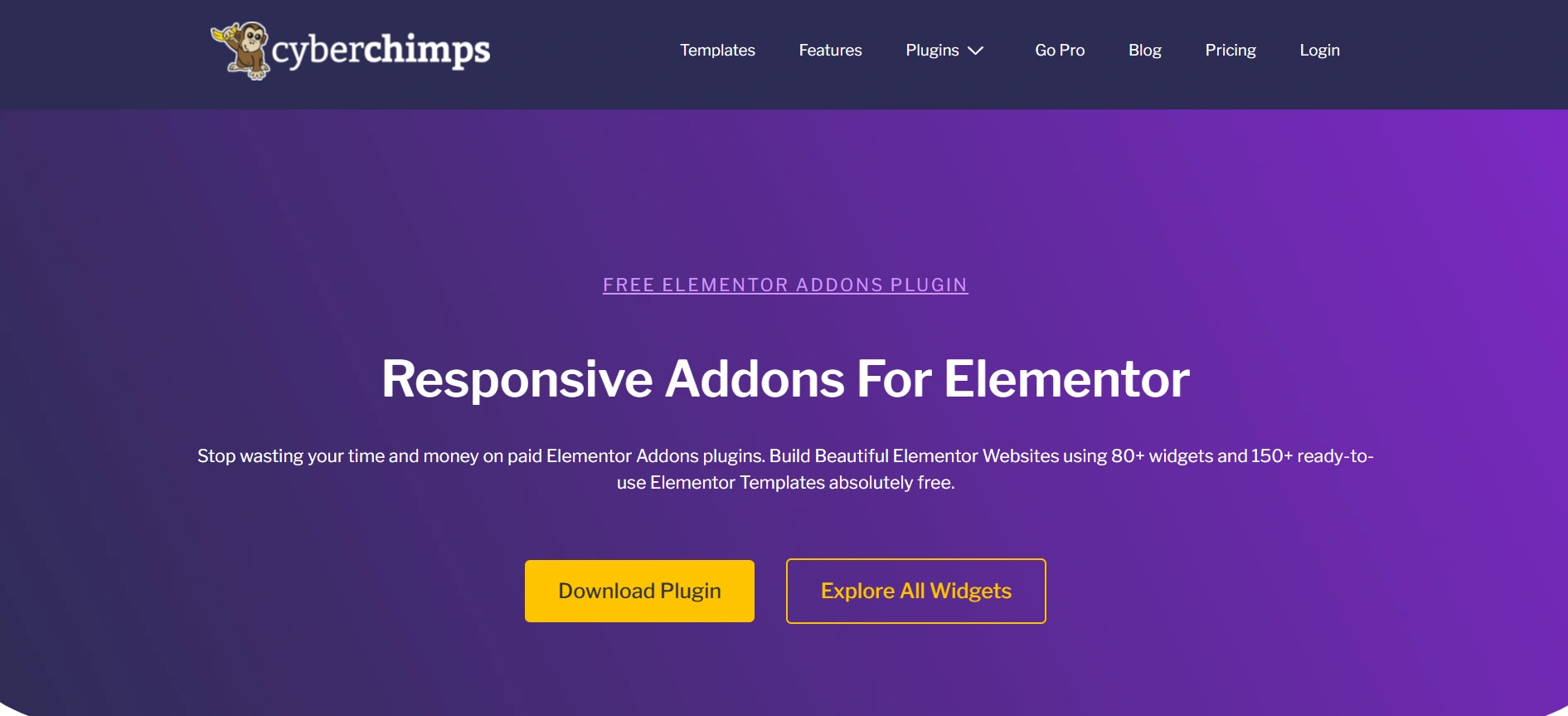
Responsive Addons for Elementor is a robust Elementor add-on. It focuses on helping users create visually beautiful and professionally designed layouts quickly.
WordPress helps you in laying the foundation for your website, whereas Elementor gives you an additional creative hand. Then comes Responsive Addons for Elementor, which upgrades your designing tools for better.
The plugin emphasizes ease of use, pre-built templates, and a great number of widgets that can fit business websites, blogs, landing pages, and WooCommerce stores.
Key features of Responsive Addons for Elementor
- 150+ Starter Templates: Professionally designed, fully editable site templates that enable you to create complete sites faster while providing a unified style across all pages.
- 80+ Elementor Widgets: Add capabilities for building pages with performance-tested widgets that fit business pages, blogs, landing pages, and WooCommerce layouts.
- Lightweight Performance: Developed using optimized code in a clean environment to help ensure fast loading speed and a great browsing experience on any device.
- Theme Compatibility: Fully compatible with any WordPress theme and designed to function best with the Responsive Theme.
- User-Friendly Workflow: Intuitive drag-and-drop environment to help any user design and customize pages with ease.
- Fewer Plugins Needed: Provides all of the basic tools and built-in functionality to help you use fewer extra plugins from third parties.
- Duplicator: You can copy any page type with one click using RAE Duplicator.
- Sticky Section: If you want a specific section to stay on the screen, you can use the feature of Sticky Section available in RAE.
- Particle Background: You can add appealing particle backgrounds.
- Cross-Site Copy Paste: Lets you replicate elements from one website to another.
- Theme Builder: The Theme Builder allows you to create website elements that are typically controlled by a theme. You can create headers, footers, 404 page, and many more.
Pros and Cons of Responsive Addons for Elementor
| Pros | Cons |
| Plugin is free. It includes a wide set of 80+ widgets for a variety of sites. | Can only be used with Elementor, not other page builders. |
| Compatible with all major WordPress themes. | Has fewer creativity widgets compared to Qi Addons. |
| Simple and easy to use for new users with a user-friendly dashboard and workflow. | |
| Heavy customizations available for headers, footers, archives, and WooCommerce pages. | |
| SEO-oriented widgets can help improve search visibility. |
User Experience And Interface
Responsive Addons for Elementor offers a clean, intuitive dashboard that integrates right into the Elementor interface.
Widgets are clearly categorized for easy access and customization for beginners who may be confused by the usual unlimited options.
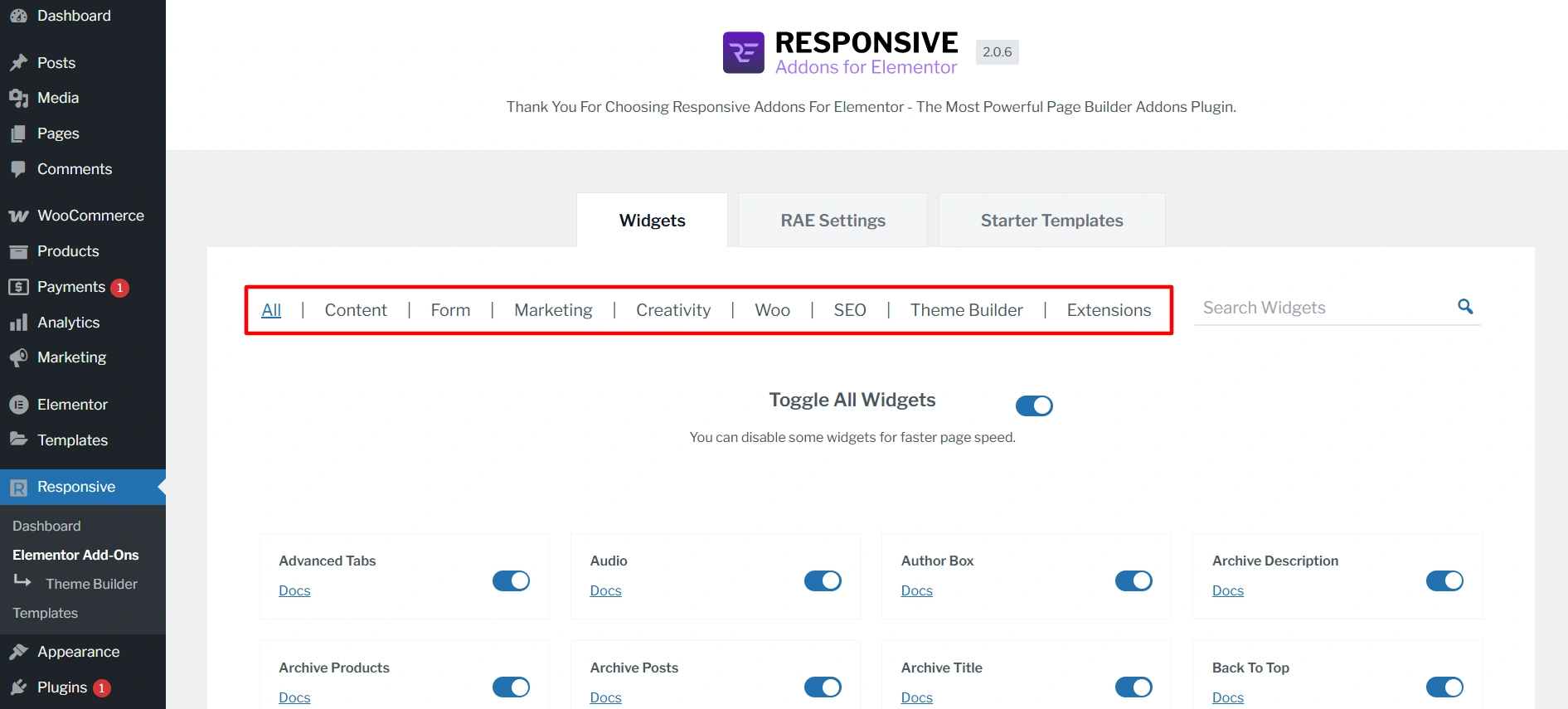
The plugin maintains efficiency, clarity, and simplicity, making it an appealing choice for business users, freelancers, and agencies.
What is Qi Addons for Elementor?
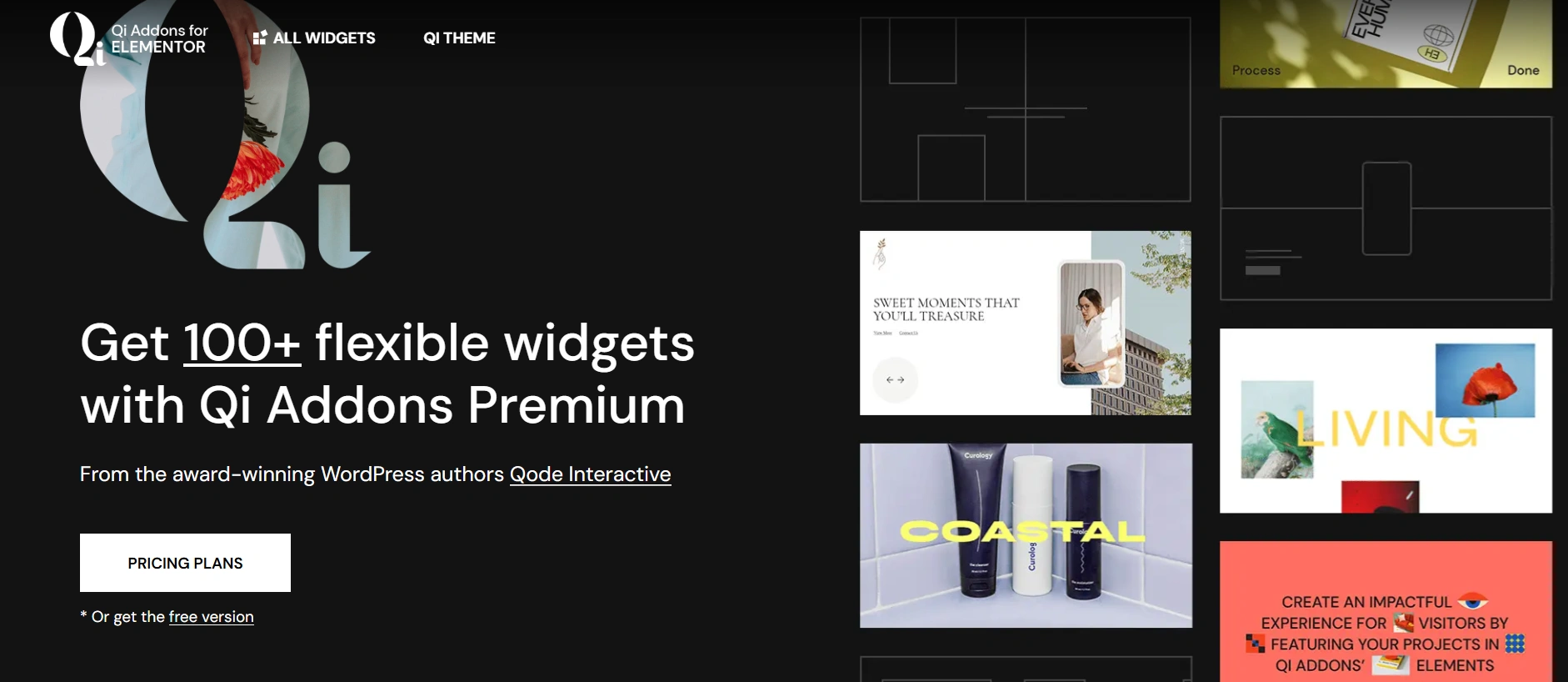
Qi Addons for Elementor is a fully-featured Elementor addons plugin by Qode Interactive. The plugin is designed to boost the visual aspect of Elementor’s design abilities by offering very creative and stylish widget options.
This plugin is extremely popular among designers, creatives, and those wanting polished, high-end designs for their portfolios. Qi Addons comes with free and premium widget collections to give you a wide range of possibilities to create based on need and the complexity of the project.
Key Features of Qi Addons for Elementor
- 100+ Creative Widgets: Offers a wide variety of beautiful-focused widgets for portfolios, businesses, blogs, and online shops.
- Modern & Advanced Visual Effects: Includes the ability to apply motion, hover, and scroll-based effects to build visual interest.
- Portfolio & Showcasing Widgets: A full suite of widgets for galleries, sliders, masonry grids, and click-to-expand project displays.
- Typography & Design Controls: Ultimate control over font, spacing, and style all within the Elementor panel.
- Custom Block & Template Compatible: All custom widgets are compatible with Elementor templates and the reusable blocks feature for an innovative, time-saving workflow.
Pros and Cons of Qi Addons for Elementor
| Pros | Cons |
| Wide range of widgets suitable for visual storytelling and portfolio sites. | Some advanced widgets and effects are only available in the Pro version. |
| Good focus on animations, design quality, and style. | Slightly steeper learning curve for beginners. |
| Adds unique layouts not offered in standard Elementor widgets. | It can affect performance if too many widgets are used |
| Great for modern business agencies and personal brand sites. | You may want to add optimization plugins to achieve good performance scores. |
| Great portfolio and gallery customization. | Lacks easily usable full site templates compared to Responsive Addons. |
User Experience and Interface
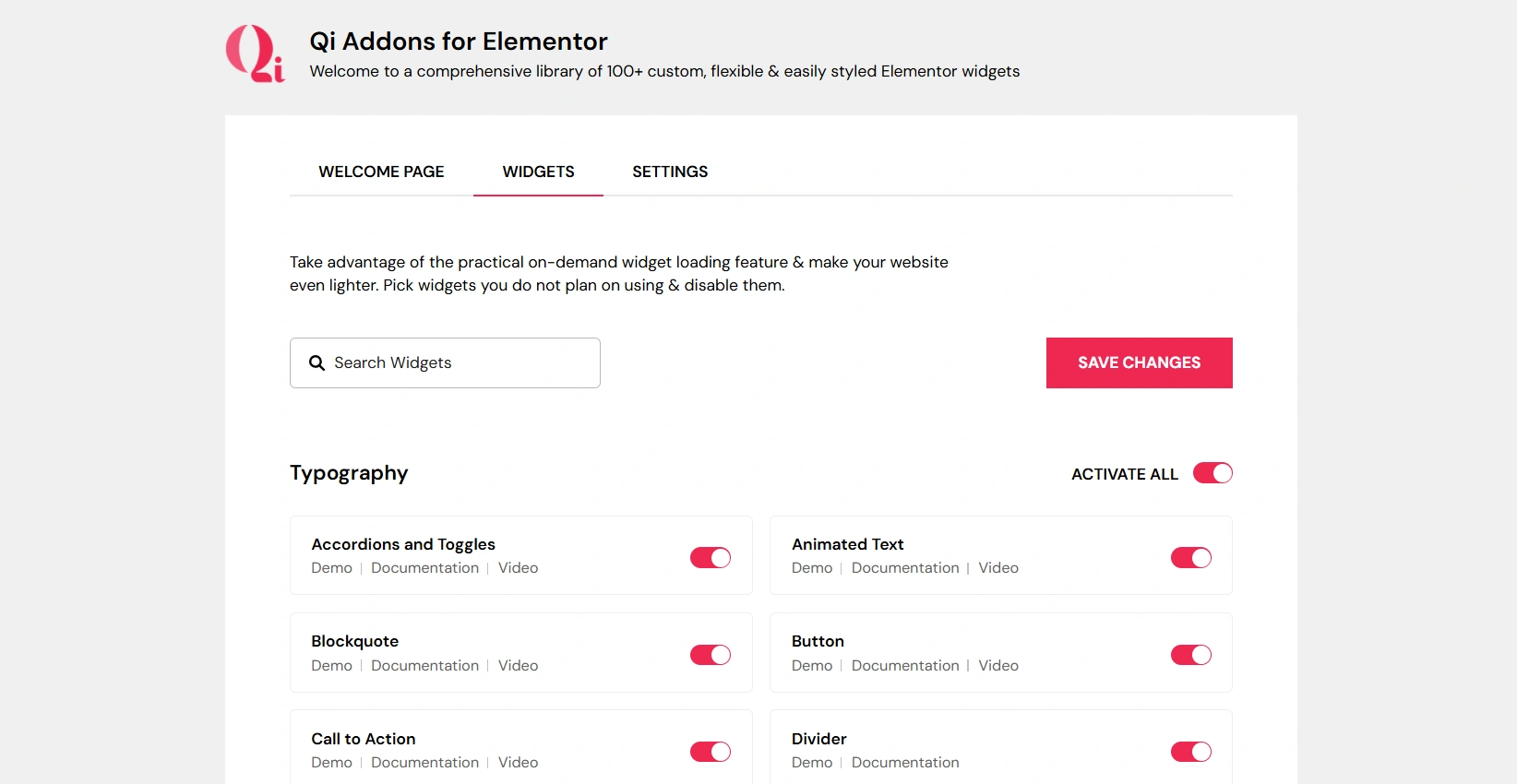
Qi Addons for Elementor fit seamlessly in the Elementor editor with widget previews, icons, and grouped categories that make navigation easy. However, the Qi widgets’ styling panels provide layers of adjustments, animation controls, and detailed typography adjustments.
Qi Addons is beneficial for those who appreciate the creative, visual detail, and animated effects when designing a website. Qi Addons is ideal for someone who prefers to fine-tune visuals rather than make basic adjustments based on style.
Responsive Addons for Elementor vs Qi Addons for Elementor Comparison
| Feature | Responsive Addons for Elementor | Qi Addons for Elementor |
| Widget Library | 80+ Free Widgets | 60+ Free Widgets (More in Premium) |
| Ready Templates | 150+ Responsive Starter Templates | 150+ templates, mainly focusing on widget utility |
| Ease of Use | Very beginner-friendly | Better for experienced designers |
| Styling Options | Simple and functional interface | Very advanced and design-oriented usage |
| Performance | Lightweight and performance optimized | Too many widgets might affect the performance |
| Support & Documentation | An active community provides detailed documentation with fast support | Good documentation and video tutorials but it may resolve the queries slower |
| Ideal For | Beginners, business sites, blogs, landing pages, WooCommerce | Creative websites, portfolios, agencies |
| Pricing | Free with optional upgrades | Free with premium upgrades on essential widgets |
Comparing Widget Library
Responsive Addons Widget Library
Responsive Addons for Elementor features 80+ widgets that prioritize effectiveness and usability. This includes content elements, interactive features, and business-focused design elements.
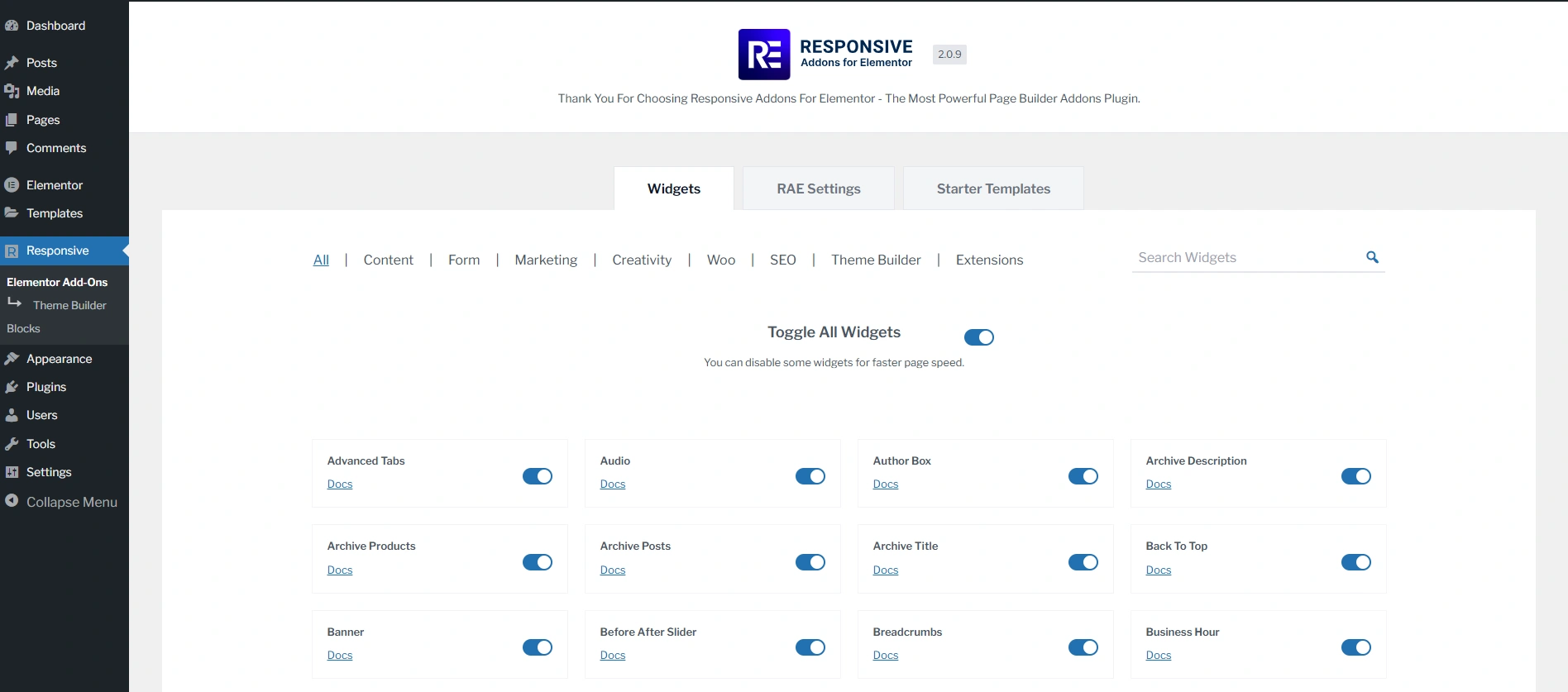
Examples of major widget types:
| Category | Widgets Available |
| Content | Advanced Tabs, Audio, Back to Top, Content Switcher, Content Ticker, Fancy Text, Feature List, Google Map, Icon Box, Logo Carousel, Media Carousel, Multi Button, Nav Menu, Portfolio, Post Carousel, Posts, Price Box, Price List, Pricing Table, Progress Bar, Slider, Table Of Contents, Team Member, Video |
| Form | Contact Form Styler, Gravity Forms Styler, MailChimp Styler, Search Form, WP Form Styler |
| Marketing | Author Box, Banner, Business Hours, Button, Call To Action, Facebook Feed, Login/Register, Modal Popup, Reviews, Site Logo, Sticky Video, Testimonial Slider, Twitter Feed |
| Creativity | Before After Slider, Countdown, Data Table, Divider, Dual Color Header, Flip Box, Image Gallery, Image Hotspot, Lottie, Offcanvas, One-Page Navigation, Stacking Cards, Timeline |
| WooCommerce | Menu Cart, Product Carousel, Product Category Grid, WC Products, WC Add To Cart, WC Breadcrumbs, WC Checkout |
| SEO | Breadcrumbs, FAQ |
| Theme Builder | Archive description, Archive Products, Archive Posts, Archive Title, Featured Image, Product Content, Product Data Tabs, Product Images, Product Meta, Product Price, Product Rating, Product Related, Product Short Description, Product Stock, Product Title, Product Upsells, Product Additional Info, Post Comments, Post Content, Post Excerpt, Post Info, Post Navigation, Post Title |
| Extensions | Particle Backgrounds, Sticky Section |
These widgets are developed to fit modern website design conventions without burdening the page builder. It also utilizes clean code to ensure fast loading speeds.
Qi Addons for Elementor Widget Library
Qi Addons for Elementor offers an extensive assortment of creative and visually innovative widgets, many of which emphasize animation, motion effects, and typography styling.
Here’s a list of free widgets:
| Category | Widgets Available |
| Typography | Accordions and Toggles, Animated Text, Blockquote, Button, Call to Action, Divider, Drop Caps, Highlighted Text, Horizontal Tabs, Icon with Text, Info Button, Message Boxes, Section Title, Typeout Text, Vertical Tabs |
| WooCommerce | Add to Cart Button, Product Category List, Product List, Product Slider |
| Business | Banners, Blog Carousel, Blog List, Clients Carousel, Clients List, Info Box, Interactive Banners, Pricing List, Pricing Table, Team, Testimonials, Testimonials Carousel, Working Hours |
| Showcase | Before/After Comparison Slider, Cards Slider, Countdown, Dual Image with Content, Image Gallery, Image Slider, Item Showcase, Masonry Image Gallery, Pinterest Image Gallery, Timeline Showcase |
| Creative | Cards Gallery, Device Frame Carousel, Device Frame Slider, Interactive Links, Parallax Image Showcase, Preview Slider, Slider Switch, Text Marquee |
| SEO | FAQs, How-to Schema, Table of Contents |
| Infographics | Counters, Graphs, Horizontal Progress Bar, Pie and Donut Charts, Process, Radial Progress Bar, Vertical Progress Bar |
These widgets are visually appealing. But they might take some additional time and experience to become comfortable with, especially for non-technical users.
Performance Test Between RAE and Qi Addons for Elementor
Performance Test Result of Responsive Addons for Elementor
For the Responsive Addons performance test, I have installed only the RAE plugin on a vanilla website. After that, I added a countdown widget and conducted the performance test using GTmetrix.

Performance Test Result of Qi Addons for Elementor
Similarly, for the Qi Addons performance test, I have installed just the Qi Addons plugin on a vanilla website. After that, I added a progress widget and conducted the performance test using GTmetrix.
Templates Library Comparison
Responsive Addons Templates Library

Responsive Addons for Elementor includes a comprehensive range of 150+ pre-designed Responsive Starter Templates. These are specifically designed for business sites, blogs, personal portfolios, corporate sites, non-profit sites, and WooCommerce store layouts.
Users can select and install entire layouts right away and customize them with Elementor without any trouble.
Qi Addons for Elementor Templates Library
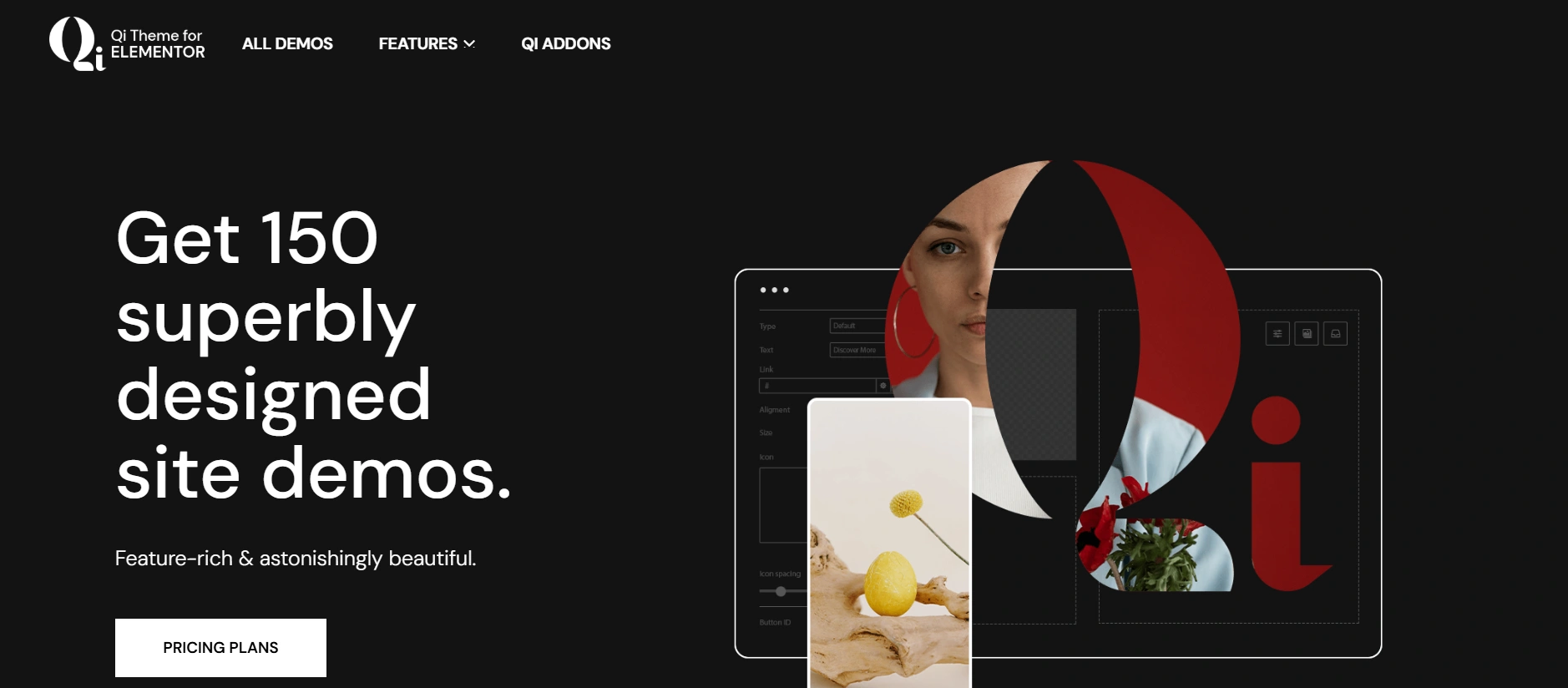
The Qi Addons for Elementor provide a wide variety of 150+ site demos to choose from the Qi Theme.
Note: Qi’s template library is derived mainly from the Qi Theme demo library, while Responsive Addons contains fully importable starter templates directly within the plugin.
Theme Builder
Responsive Addons For Elementor
Responsive Addons for Elementor features an advanced Elementor theme builder that allows users to customize every aspect of their website.
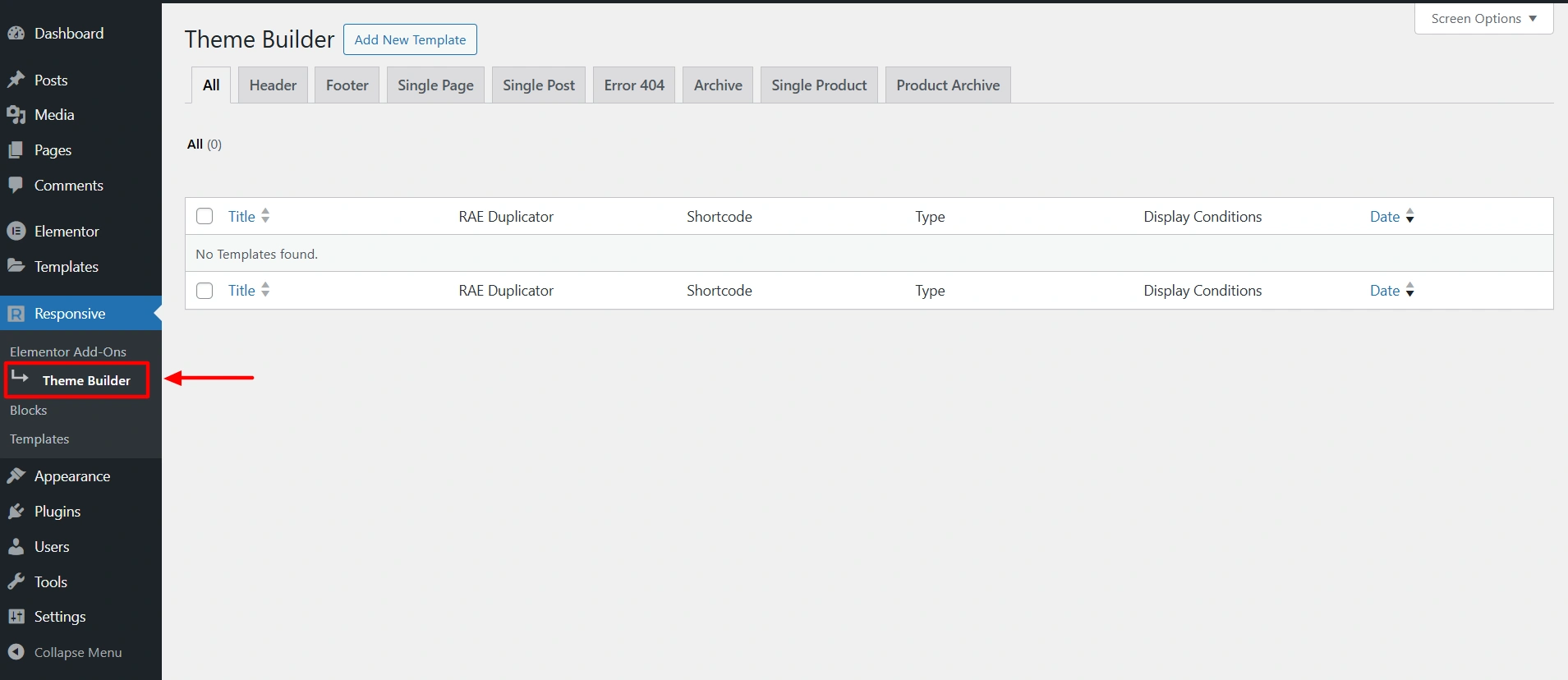
RAE Theme Builder integrates seamlessly with popular themes like Responsive, Kadence, etc, enabling enhanced setup such as creation of headers, footers, single post templates, and archive posts or pages, and much more.
It also provides the access to add a new template or edit the existing one.
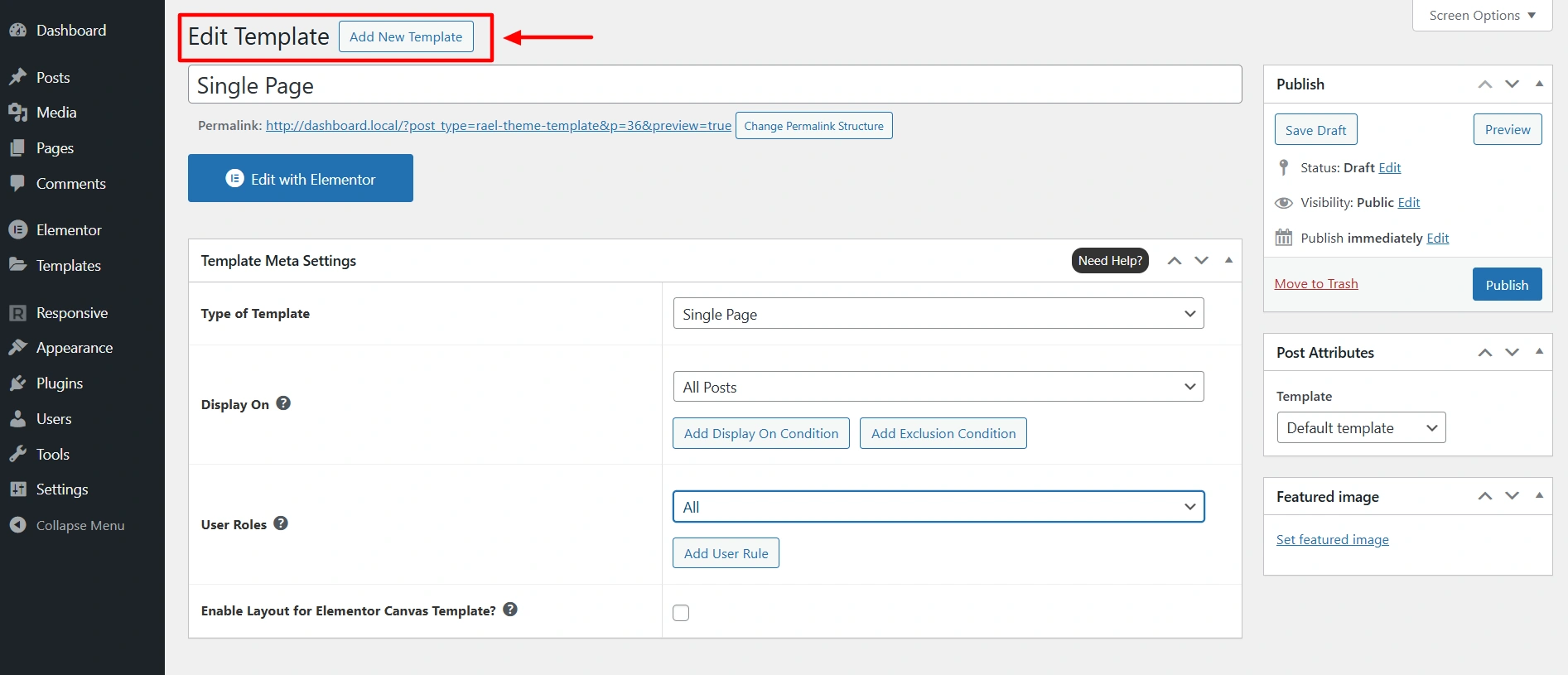
While editing the template, the RAE Theme Builder provides template settings such as, type of template, display on settings, and user roles.
Qi Addons for Elementor
Theme builder is included in the premium version of Qi Addons for Elementor. Once you purchase the pro version you can build theme parts like header, footer, 404 page, single pages, and more.
Customization & Styling
Both Responsive Add-ons for Elementor and Qi Add-ons for Elementor offer users the visual styling options without coding. But the different levels of depth and complexity change the type of user that each one will suit.
Responsive Addons Customization & Styling
- Simple Styling Controls: Responsive Addons for Elementor offers simple design controls that are readily comprehensible.
- Simple Layout Adjustments: Users will be able to make basic visual adjustments easily using adjustable sliders, rings, etc.
- Low Learning Curve: Users can start from day one with responsive-elements without needing prior design experience.
- Built for Beginners: Perfect for someone to create a clean layout without spending too much time on design controls.
Qi Addons for Elementor Customization & Styling
- Advanced Styling: Enables fine visual adjustments and sophisticated dynamic designs, such as typography and other effects.
- Granular Control Over Design: Every stylistic element may be customized at the micro, pixel-perfect level.
- Slightly Higher Complexity: Some learning and experimentation may be required in order to take advantage of the comprehensive customization.
- Suitable for Experienced Users: Ideal for a designer who wants to create highly artistic or branded visual styles.
Support Comparison
Support Forum
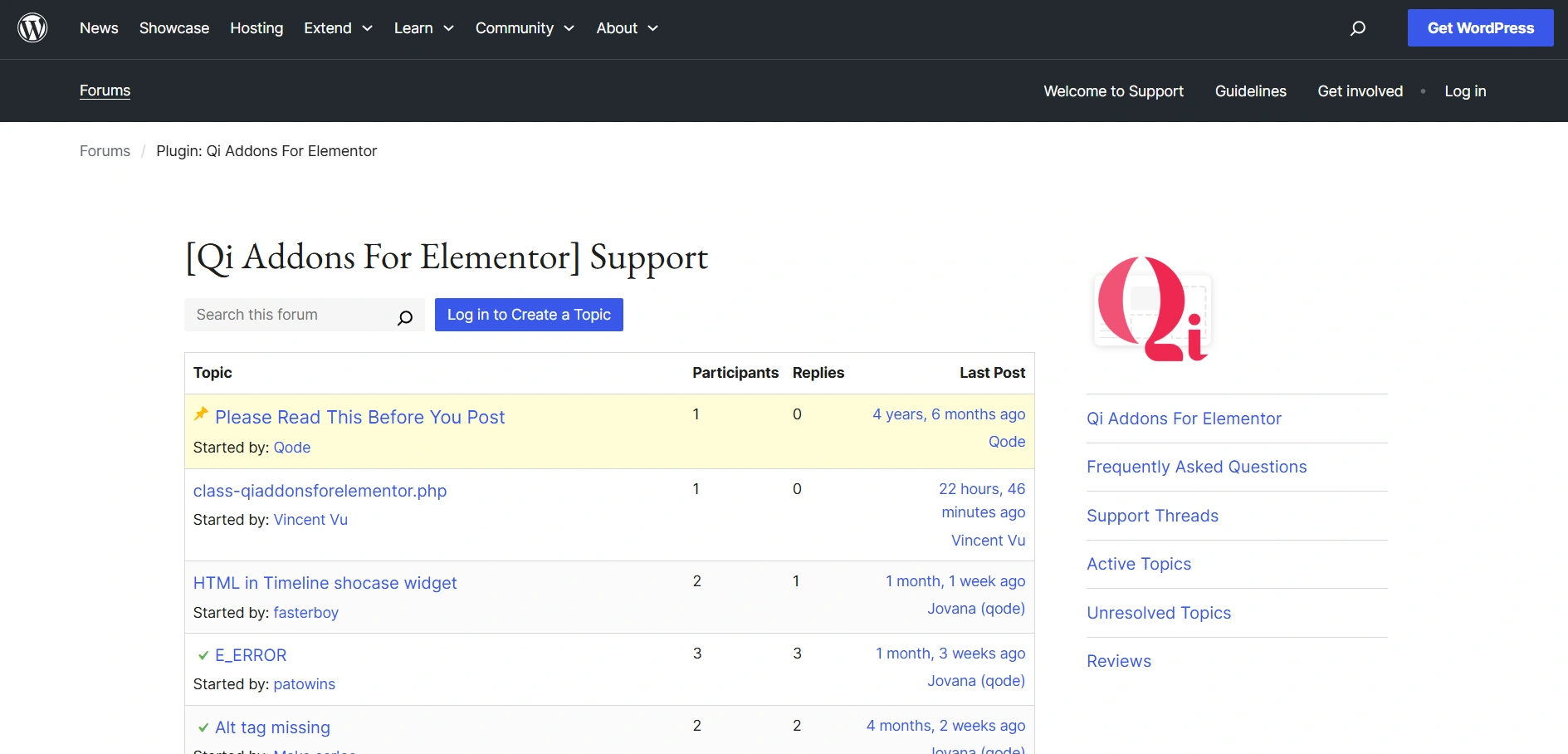
Responsive Addons for Elementors has a very engaged and timely presence on the WordPress.org support forum. Questions tend to get a solution-oriented reply pretty quickly.
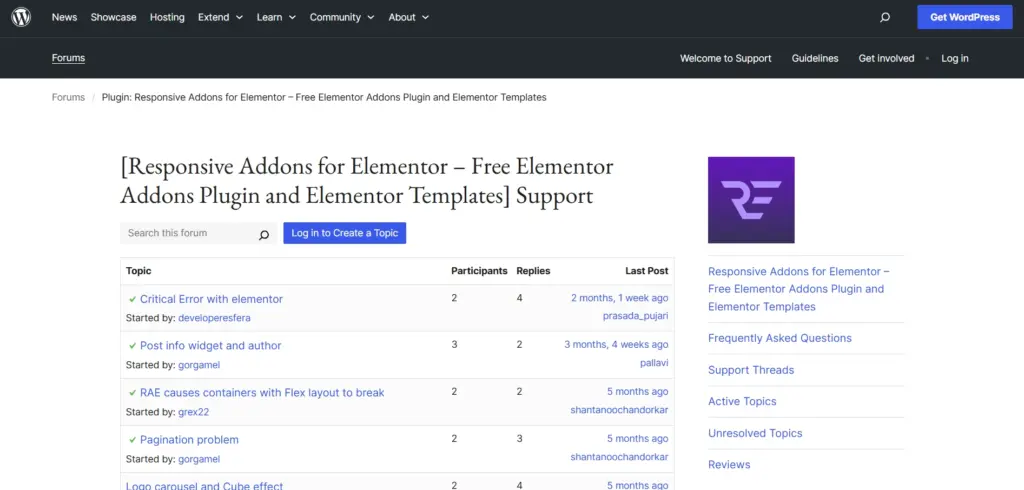
Qi Addons also supports the WordPress.org forum with their changes. However, the median time to respond is significantly slower. Most users find themselves having to follow up on older messages.
Documentation & Tutorials
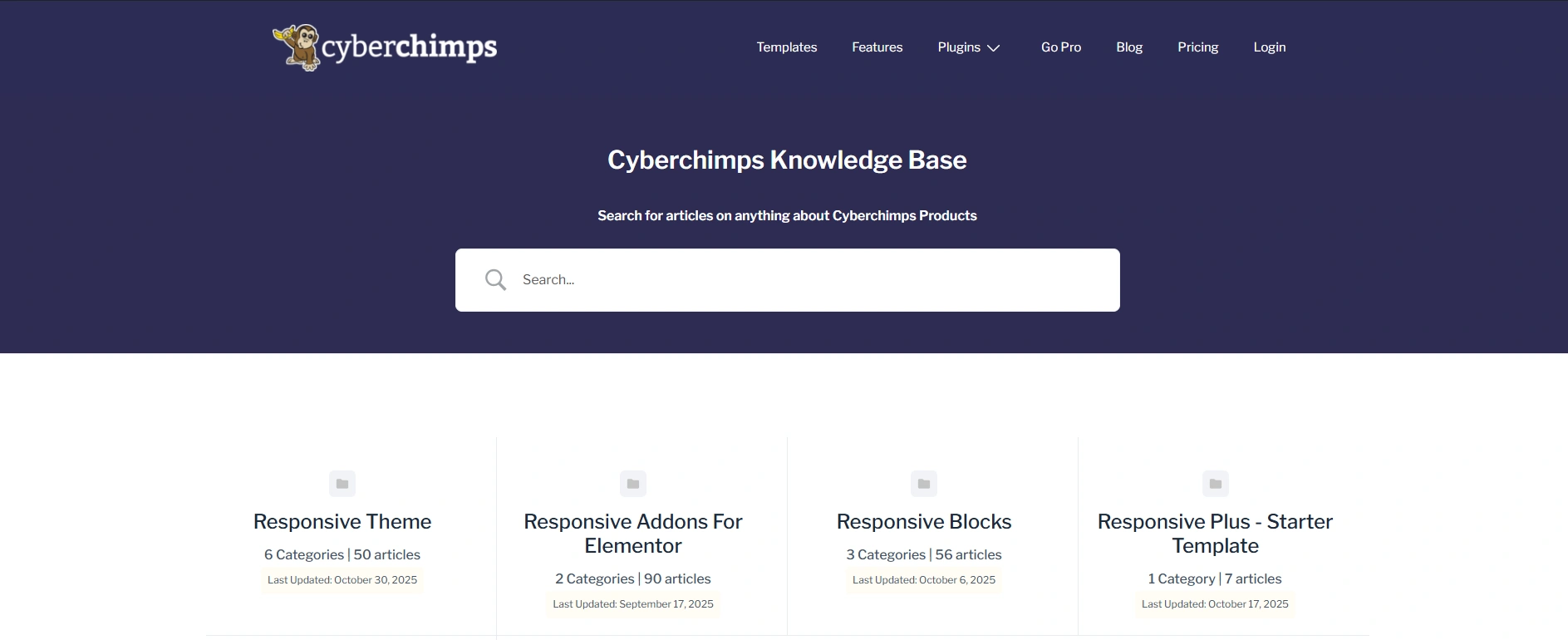
The plugin provides clear documentation and steps for those who want to learn how to customize a widget or set up a template. This makes it very simple, even for inexperienced designers, to learn quickly.

Qi has sufficient documentation and tutorials that are straightforward. Their documentation assumes some design experience and may be frustrating for someone who is new to these skills. As a result, the learning curve is steeper for beginners.
Integrations & Compatibility
Third-Party Plugin Support
Responsive Addons integrates efficiently with popular plugins like WooCommerce, Contact Form 7, WPForms, and SEO plugins, giving you a good, reliable experience.
Qi Addons also integrates with popular third-party plugins, but some extensive design or animation capabilities may need adaptation.
Theme Compatibility
Responsive Addons works well with all themes that are Elementor-friendly, and will offer the best visual consistency with the Responsive Theme.
Qi Addons is compatible with most themes built with Elementor, but is most compatible with Qode Themes, as its design style fits better.
Cross-Browser Performance
Responsive Addons is optimized to perform consistently across all popular browsers, without layout shifting or delayed rendering.
Qi Addons also performs consistently across all major browsers, but to maintain quality performance with a heavy visual effect, it may need to be further optimized.
Pricing
Price is a crucial indicator when weighing up Elementor addons plugins to see which delivers more long-term value for your money. You are considering a plugin not just as an initial cost, but as a plugin that will need to be easily scalable and sustainable for the life of your website.
Responsive Addons for Elementor Pricing Plans
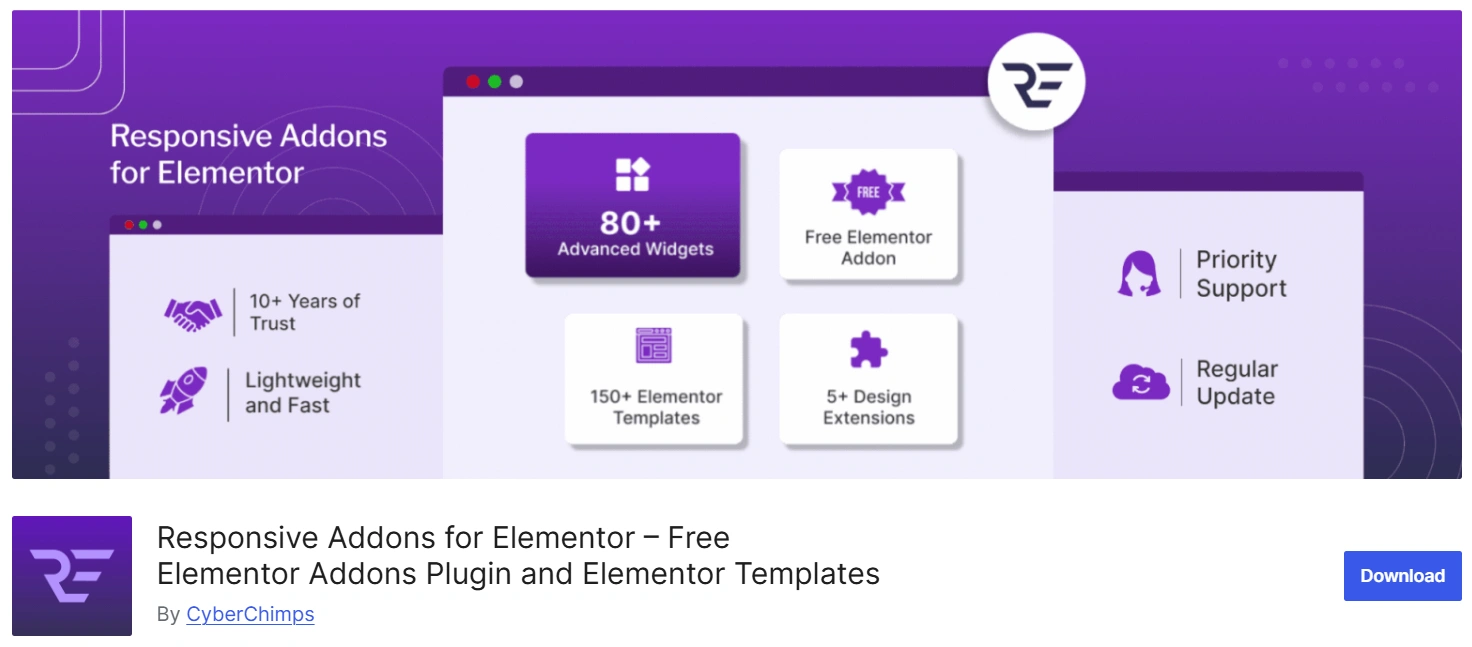
Responsive Addons for Elementor is available to download from the WordPress plugin repository. The best part about Responsive Addons for Elementor? All the advanced widgets, features, and starter templates come at an affordable price!
This makes Responsive Addons for Elementor incredibly affordable yet powerful with no drawbacks. Anyone can customize their Elementor website without a hefty subscription.
Qi Addons for Elementor Pricing
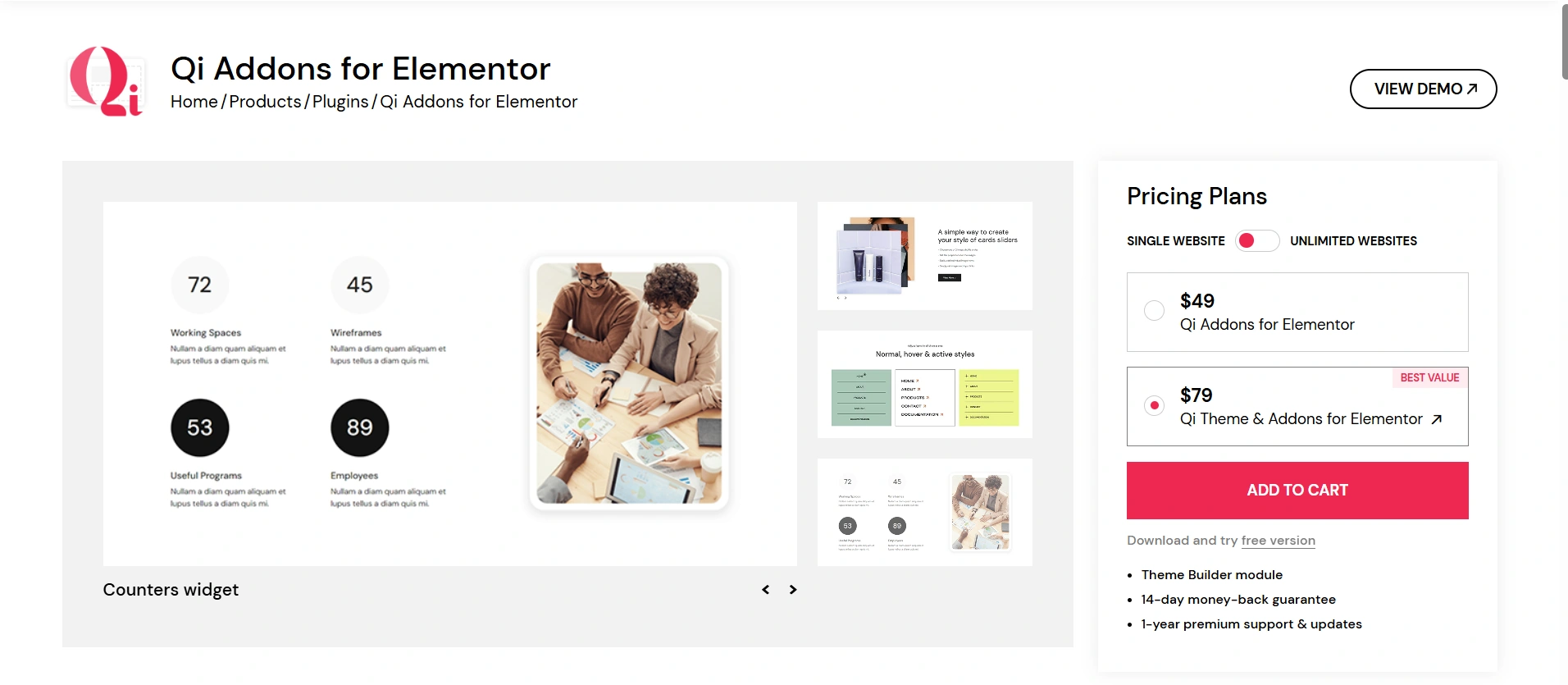
Qi Addons for Elementor offers both a free version and a premium (Pro) version. The free version is equipped with a limited selection of add-ons, while the Pro version opens up 100+ advanced widgets, premium design elements, and a longer style control area.
Qi Addons Pro is available with a yearly and a lifetime plan. This means that in order to tap into all the creative and interactive features offered in this add-on, you will have to upgrade to the premium version.
Here’s a detailed pricing plan for Qi Addons for Elementor:
Frequently Asked Questions (FAQ)
Yes, both plugins function with any Elementor-compatible theme, however, Responsive Addons works very well with the Responsive Theme.
Responsive Addons for Elementor is easier to understand and includes full site templates, which make it friendly for beginners.
Qi Addons for Elementor has more artistic and animated widgets and is a better fit for a heavy design portfolio.
Responsive Addons is lighter and performs better.
Yes, you can even run both plugins at the same time, but do not use similar widgets to avoid redundancy or confusion.
No, both plugins work with the free version of Elementor.
Conclusion
Both plugins allow you to build upon Elementor, but they have different strengths. If you want a fast workflow while maintaining clean design controls, Responsive Addons for Elementor is more optimal.
Designers who prefer visuals that are heavy with animation may prefer Qi Addons.
For the best performance with a more productive building experience, we recommend using Responsive Addons for Elementor with the Responsive Theme.
If you enjoyed this article, then do consider reading:
- What is a WordPress Plugin – A Detailed Guide for Beginners
- How To Add Related Posts in WordPress Using Theme
- What Are Starter Templates? Ultimate Beginners Guide
Get on your website designing journey with Responsive Addons for Elementor today!