
↓ Skip to Main Content
Cyberchimps Logo

Main Navigation

  • Pro
  • Starter Templates
    • Free Templates
    • Premium Templates
  • Pricing
  • Login
Get Started
Cyberchimps Logo

Off Canvas Menu

  • Pro
  • Starter Templates
    • Free Templates
    • Premium Templates
  • Pricing
  • Login

Modules & Settings

9
  • AI Suite in Responsive Pro
  • How to White Label Responsive Theme
  • Usage Tracking Policy
  • Create a Mega Menu with the Responsive Pro
  • Custom Fonts
  • WooCommerce Module
  • Site Builder
  • How to Connect to New License If I Am An Old Responsive Pro User
  • Your Site Doesn’t Have A Default Kit

WooCommerce

5
  • Product Catalog
  • WooCommerce Product Catalog Options
  • WooCommerce Cart Options
  • WooCommerce Single Product
  • WooCommerce Module Overview
View Categories
  • Home
  • Docs
  • Responsive Plus - Starter Template
  • WooCommerce
  • WooCommerce Single Product

WooCommerce Single Product

The Responsive Theme gives you various options to fully customize the look and feel of your single product pages. 

From adjusting content width and image display to reorganizing product details, sidebars, and floating bars, you have complete flexibility to design product pages that are both user-friendly and conversion-focused.

So, let’s explore the various settings.

Layouts

General Settings

Layouts

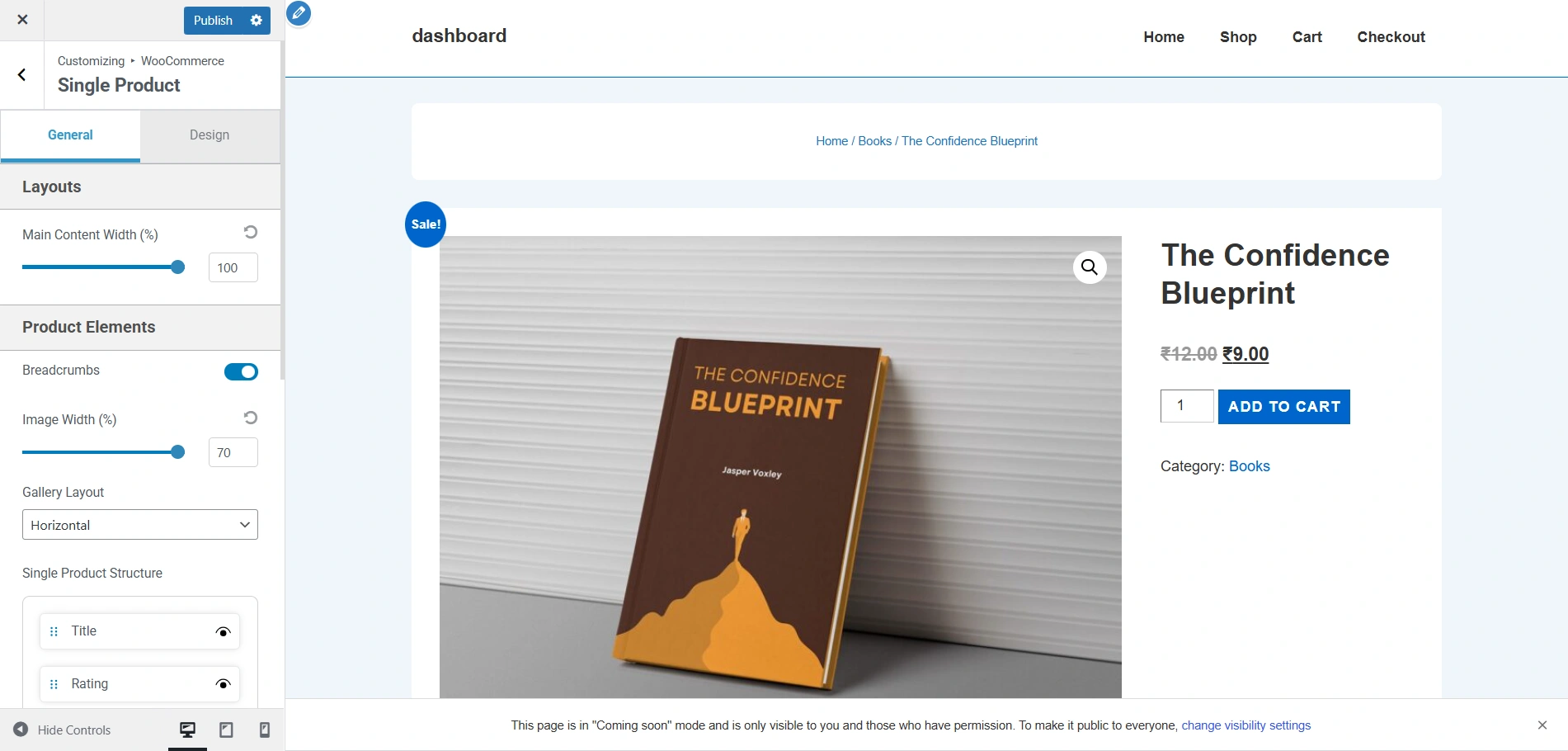
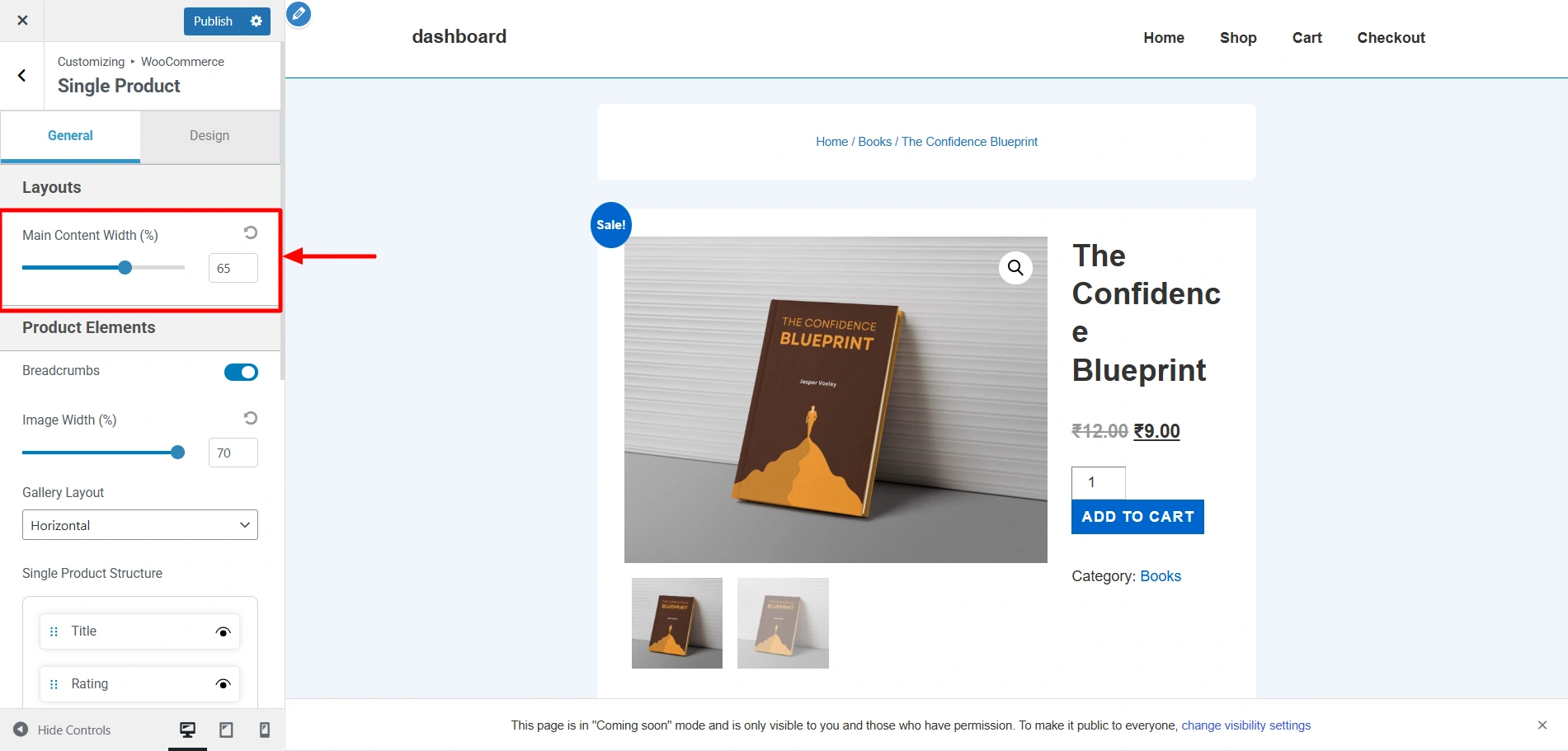
  • Main Content Width: Using this option, you can control the width of the main visible content on your single product page using the slider.

This is how the single product page looks now. These are the default settings.
single product page

Now, if you decrease the main content width to 65%, the content width considerably shrinks like so.
single product page later
Product elements

Product Elements

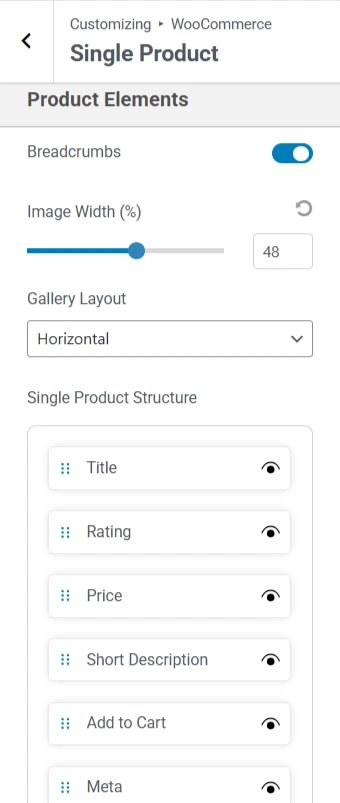
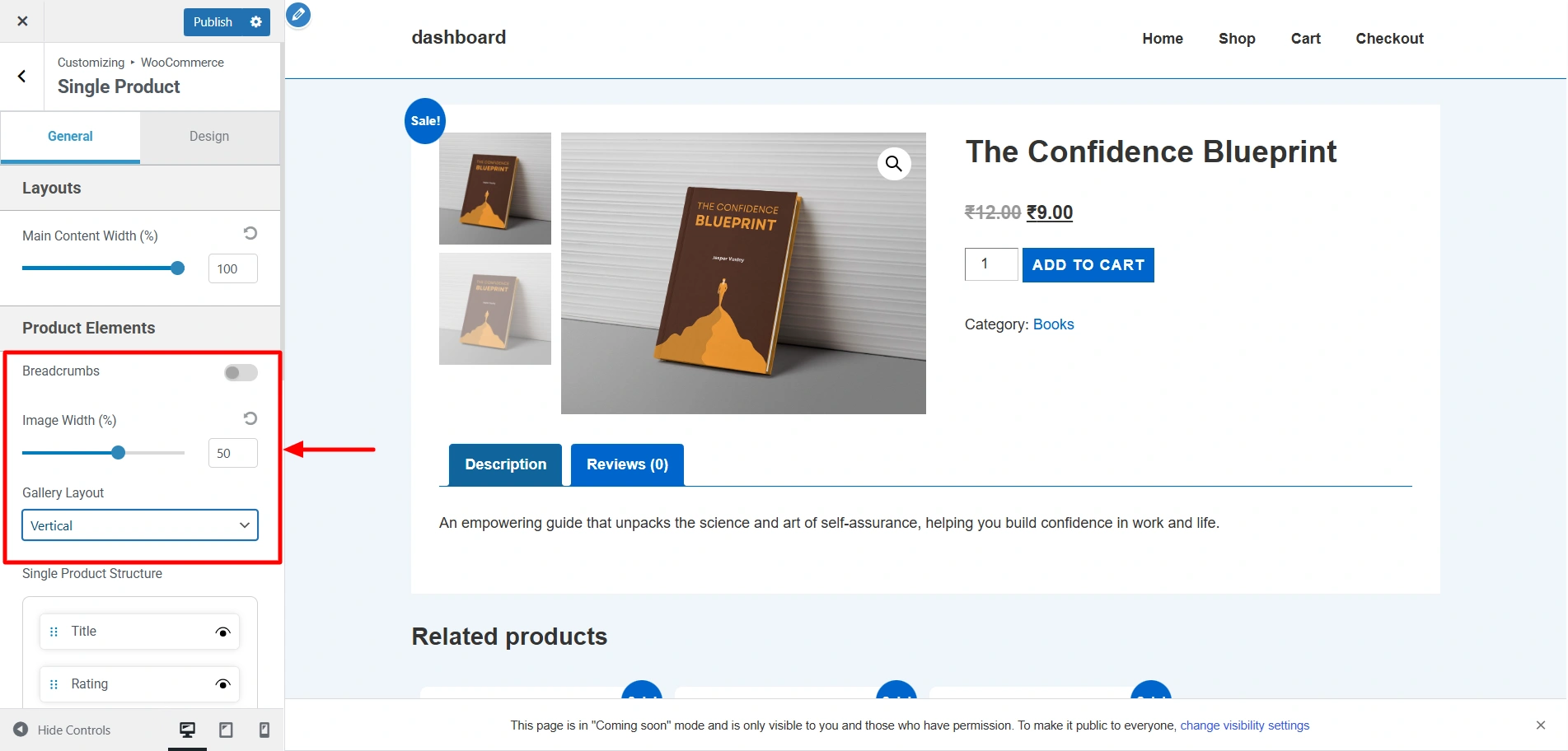
  • Breadcrumbs: Enabling or disabling the toggle determines whether the breadcrumbs are visible or not.
  • Image Width: Using the slider, you can adjust the width of the product image area
  • Gallery Layout: Using these option, you can choose how the product images are visible, i.e., horizontally or vertically.
  • Single Product Structure: This drag-and-drop section lets you reorder or toggle different product page elements, such as title, rating, meta, and more. Each element can be shown/hidden by clicking the eye icon.

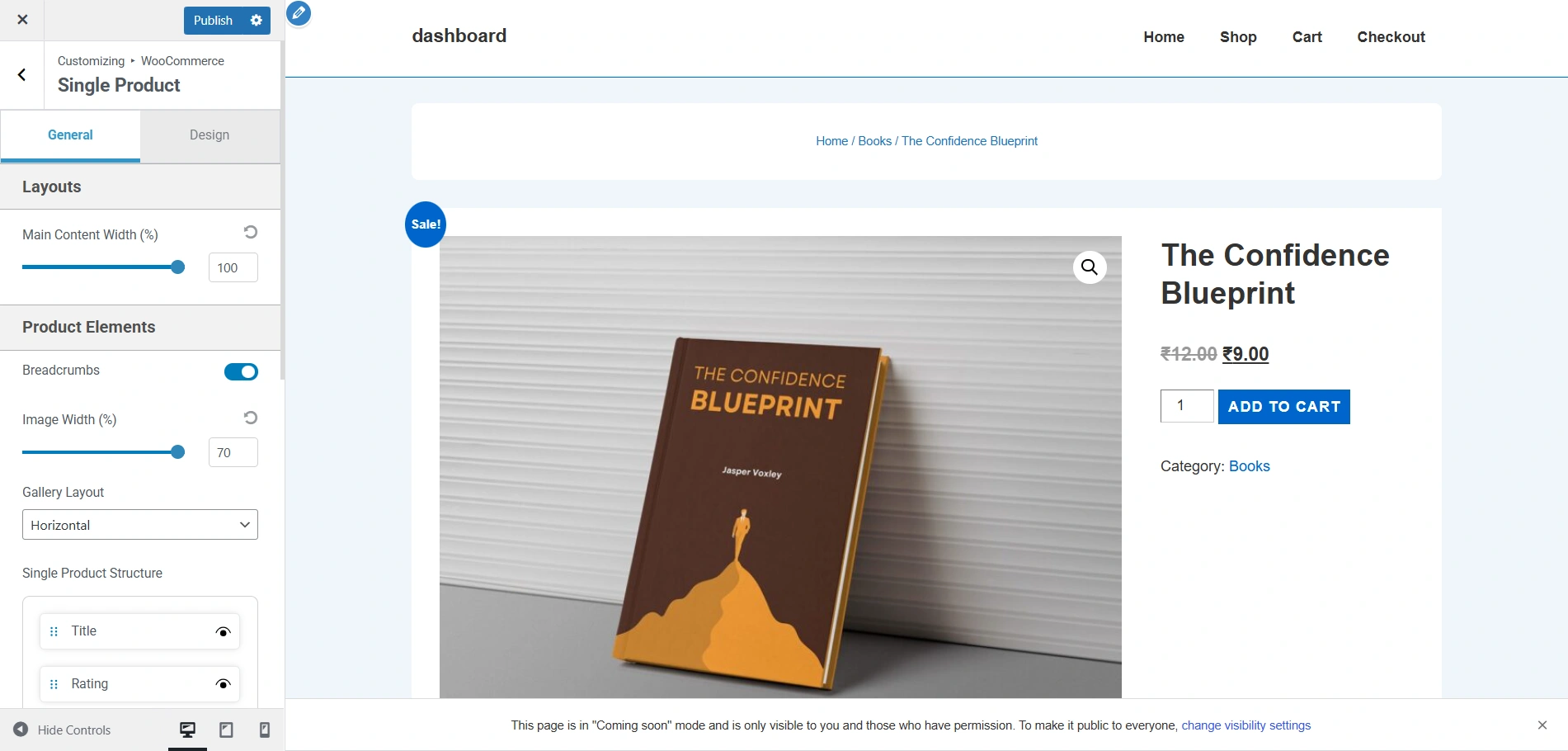
Now this is how the single product page looks at the moment.
single product page

If I disable the Breadcrumbs, decrease the image width to 50%, and change the gallery layout to Horizontal, it would appear like this.
single product page
Sidebar layouts

Sidebar Layout

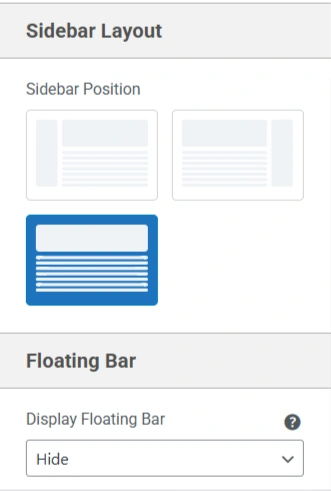
  • Sidebar Position: You have the option of choosing the layout of the sidebar on single product pages, i.e., left, right, and none.

Floating Bar

  • Display Floating Bar: You can choose whether to show or hide the floating bar, which provides quick access to essential actions (like Add to Cart) even when users scroll down the page.

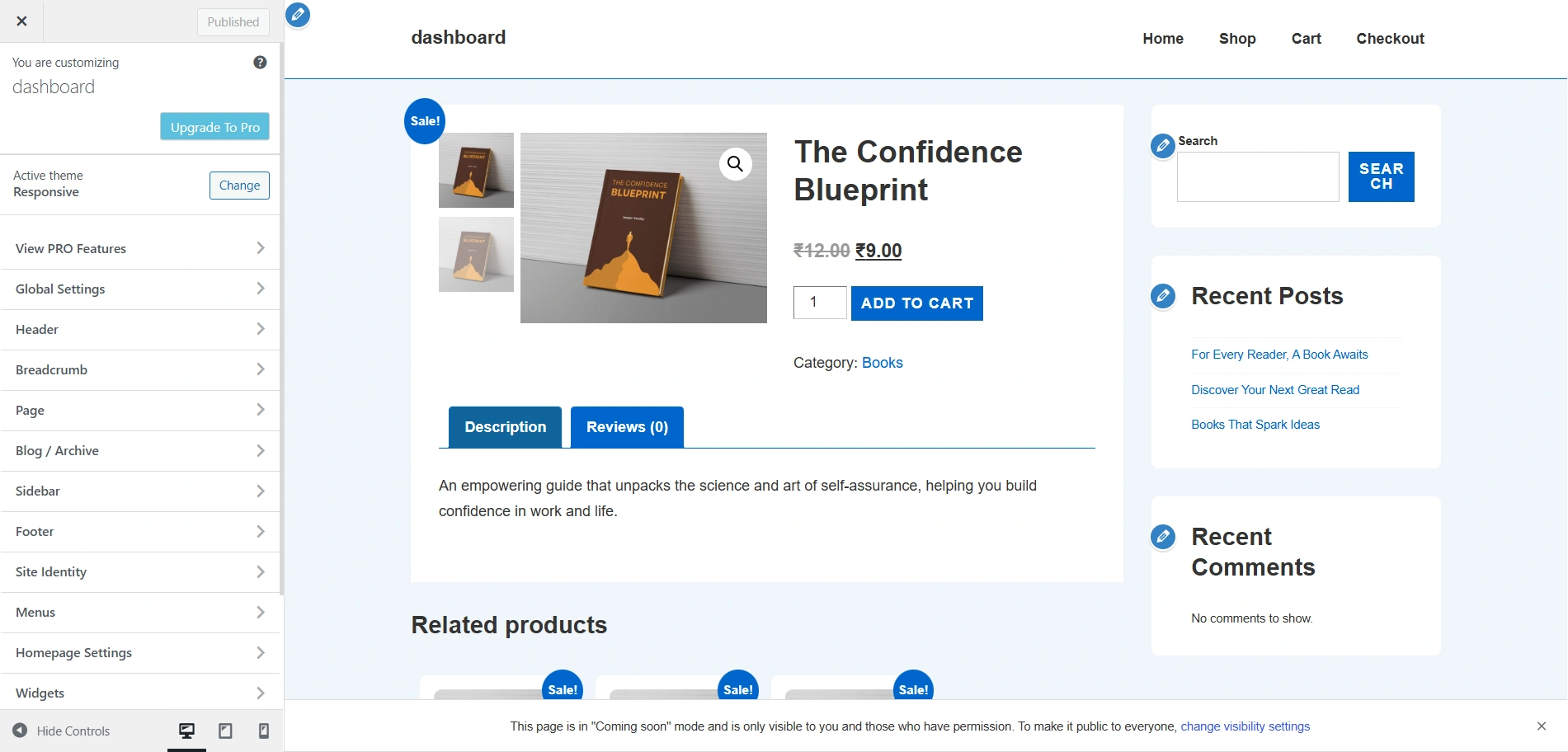
Since the default layout setting of the sidebar on the single product page is None, I have changed it to Right, and this is how it appears.
sidebar layouts

Design Settings

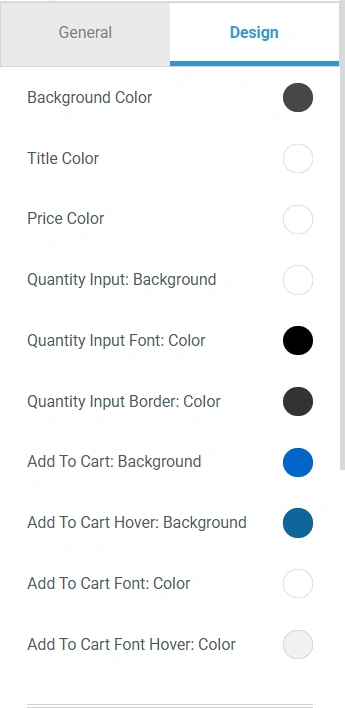
Using these design settings, you can easily change the colors, fonts, and styles of everything on the single product page. Click on the color picker and choose the colors of your choice.

Updated on July 13, 2026

What are your Feelings

  • Happy
  • Normal
  • Sad

Share This Article :

  • Facebook
  • X
  • LinkedIn
  • Pinterest
WooCommerce Cart OptionsWooCommerce Module Overview

Our Products

Responsive Pro

Responsive Addons for Elementor

Starter Templates

Responsive Blocks

WP Legal Pages

GDPR Cookie Consent

Powered by Responsive WordPress theme

Our Products

Responsive Pro

Responsive Addons for Elementor

Starter Templates

Responsive Blocks

WP Legal Pages

GDPR Cookie Consent

Powered by Responsive WordPress theme

Resources

Starter Templates

Responsive Platform

Learn Elementor

Testimonials

Compare Astra/Kadence

TrustPilot

CCPA

Video Tutorials

Resources

Starter Templates

Responsive Platform

Learn Elementor

Testimonials

Compare Astra/Kadence

TrustPilot

CCPA

Video Tutorials

Theme Features

Responsive Features

WooCommerce

Header Footer Builder

Site Builder

Child Theme Generator

Download Free Theme

DFY Website Setup

Theme Features

Responsive Features

WooCommerce

Header Footer Builder

Site Builder

Child Theme Generator

Download Free Theme

DFY Website Setup

Company

About

Pricing

Blog

Brand Assets

Affiliate Program

Contact Us

Terms of Service

GDPR Privacy Policy

GDPR Cookie Policy

Website Design Service

Company

About

Pricing

Blog

Brand Assets

Affiliate Program

Contact Us

Terms of Service

GDPR Privacy Policy

GDPR Cookie Policy

Website Design Service

Support

Login

Whatโ€™s New

Documentation

Request Support

Video Tutorials

Refund Policy

Service

Discount Coupon

Bug Bounty Program

Support

Login

Whatโ€™s New

Documentation

Request Support

Video Tutorials

Refund Policy

Service

Discount Coupon

Bug Bounty Program

Copyright © 2010-2026 CyberChimpsย ย 

Copyright © 2010-2026 CyberChimpsย ย 

Top
Top