↓ Skip to Main Content
Cyberchimps Logo

Main Navigation

  • Products
    • Responsive Theme
    • Responsive Plus Plugin
    • Responsive Addons for Elementor
    • Responsive Blocks Plugin
  • Starter Templates
    • Free Templates
    • Premium Templates
  • For Agencies
  • Pricing
  • Login
Get Started
Cyberchimps Logo

Off Canvas Menu

  • Products
    • Responsive Theme
    • Responsive Plus Plugin
    • Responsive Addons for Elementor
    • Responsive Blocks Plugin
  • Starter Templates
    • Free Templates
    • Premium Templates
  • For Agencies
  • Pricing
  • Login

Modules & Settings

9
  • AI Suite in Responsive Pro
  • How to White Label Responsive Theme
  • Usage Tracking Policy
  • Create a Mega Menu with the Responsive Plus – Starter Templates Plugin
  • Custom Fonts
  • WooCommerce Module
  • Site Builder
  • How to Connect to New License If I Am An Old Responsive Pro User
  • Your Site Doesn’t Have A Default Kit

WooCommerce

5
  • Product Catalog
  • WooCommerce Product Catalog Options
  • WooCommerce Cart Options
  • WooCommerce Single Product
  • WooCommerce Module Overview
View Categories
  • Home
  • Docs
  • Responsive Plus - Starter Template
  • WooCommerce
  • WooCommerce Module Overview

WooCommerce Module Overview

The Responsive Plus plugin by Cyberchimps smoothly integrates with WooCommerce to increase functionality and easily set up your WooCommerce Store.

To use this module, you must have the Responsive Plus plugin and WooCommerce installed in WordPress. It is best if you use the Responsive theme with it for added compatibility.

Activating the WooCommerce module

Follow these steps to activate the WooCommerce module and start building your store:

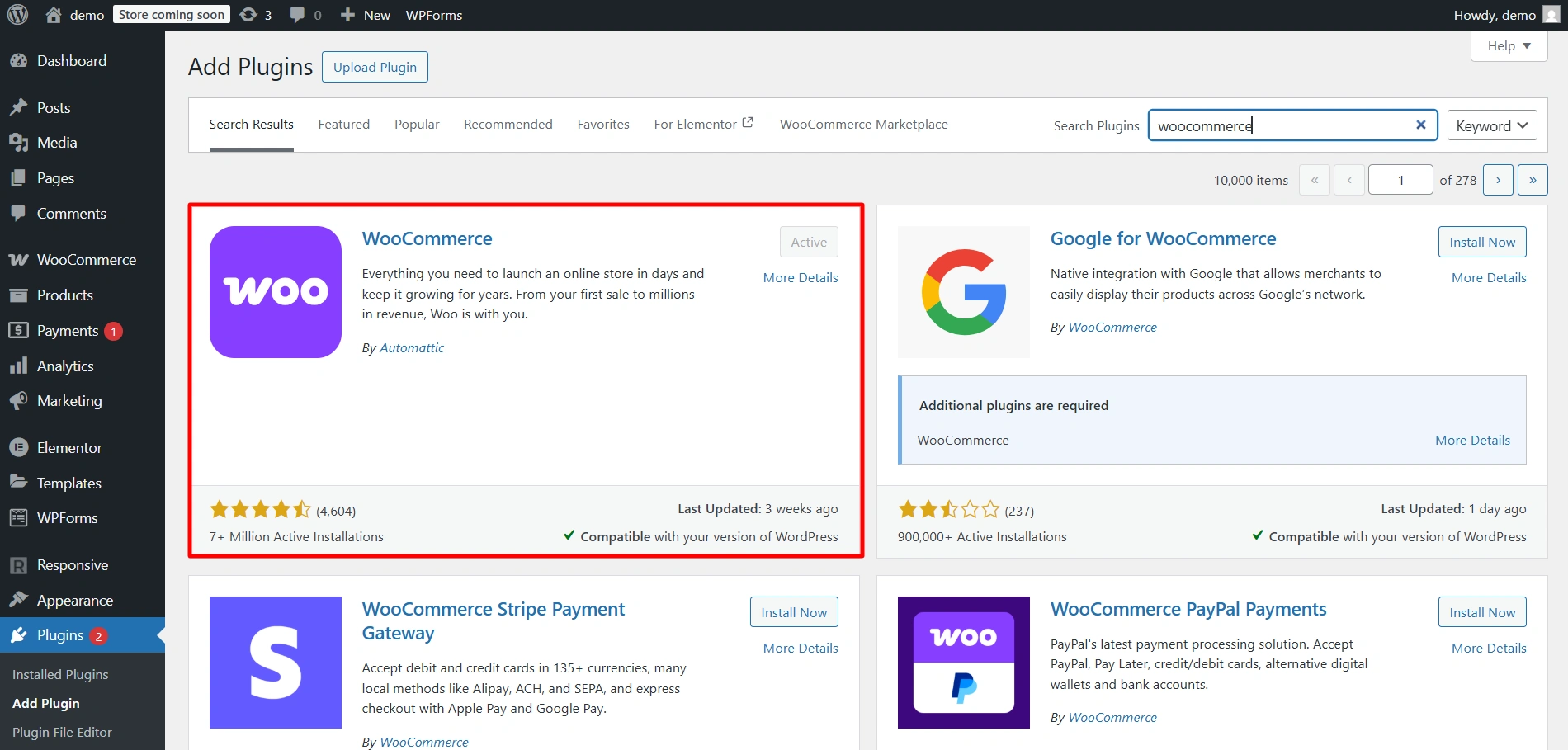
1. Ensure that Responsive Plus and WooCommerce plugins are installed and activated

Install both of these plugins under Plugins in the dashboard and Activate them.

install responsive plus
install woocommerce

2. Activate the WooCommerce Module

Navigate to the Responsive dashboard.
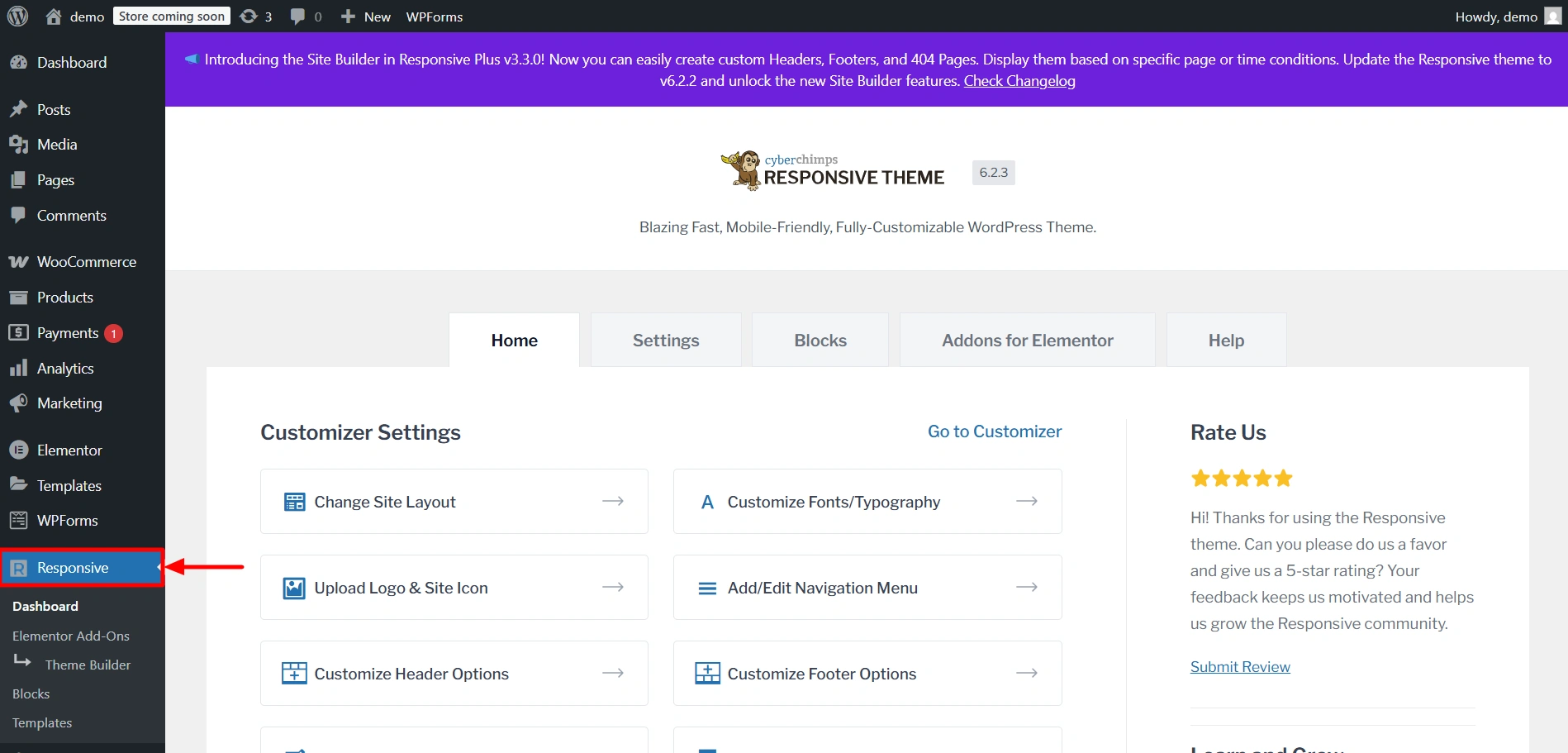
responsive dasboard

Scroll down to find the Responsive Plus Features section. Enable the toggle under the WooCommerce module.
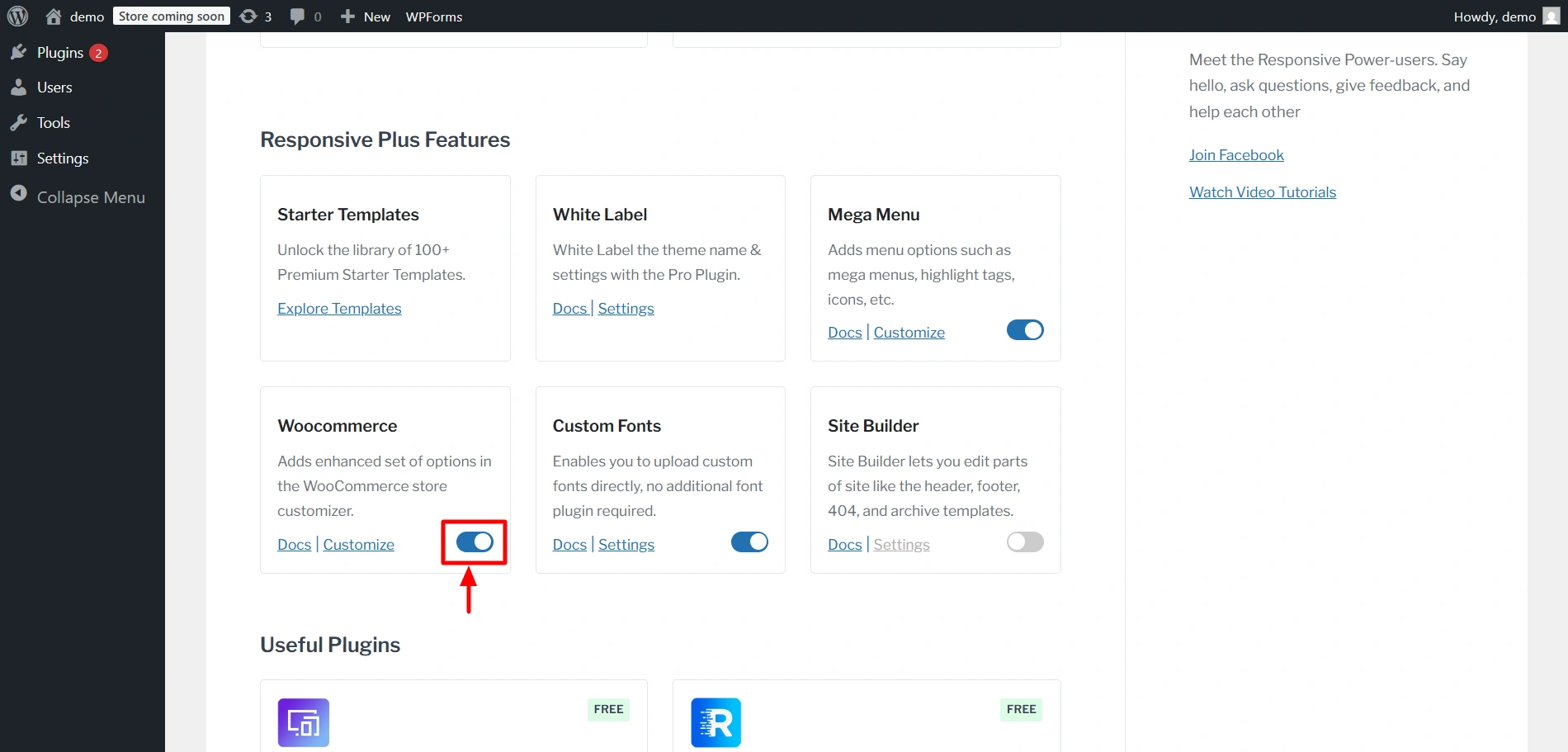
WooCommerce module

3. Customise Settings

You will now be able to find these settings underย Appearanceย >ย Customizeย >ย WooCommerce.

Updated on December 15, 2025

What are your Feelings

  • Happy
  • Normal
  • Sad

Share This Article :

  • Facebook
  • X
  • LinkedIn
  • Pinterest
WooCommerce Single ProductProduct Catalog

Our Products

Responsive Paid Plan

Responsive Plus

Responsive Addons for Elementor

Starter Templates

Responsive Blocks

WP Legal Pages

GDPR Cookie Consent

Powered by Responsive WordPress theme

Our Products

Responsive Paid Plan

Responsive Plus

Responsive Addons for Elementor

Starter Templates

Responsive Blocks

WP Legal Pages

GDPR Cookie Consent

Powered by Responsive WordPress theme

Resources

Starter Templates

Responsive Platform

Learn Elementor

Testimonials

Compare Astra/Kadence

TrustPilot

CCPA

Video Tutorials

Resources

Starter Templates

Responsive Platform

Learn Elementor

Testimonials

Compare Astra/Kadence

TrustPilot

CCPA

Video Tutorials

Theme Features

Responsive Features

WooCommerce

Header Footer Builder

Site Builder

Child Theme Generator

Download Free Theme

DFY Website Setup

Theme Features

Responsive Features

WooCommerce

Header Footer Builder

Site Builder

Child Theme Generator

Download Free Theme

DFY Website Setup

Company

About

Pricing

Blog

Brand Assets

Affiliate Program

Contact Us

Terms of Service

GDPR Privacy Policy

GDPR Cookie Policy

Website Design Service

Company

About

Pricing

Blog

Brand Assets

Affiliate Program

Contact Us

Terms of Service

GDPR Privacy Policy

GDPR Cookie Policy

Website Design Service

Support

Login

Whatโ€™s New

Documentation

Request Support

Video Tutorials

Refund Policy

Service

Discount Coupon

Bug Bounty Program

Support

Login

Whatโ€™s New

Documentation

Request Support

Video Tutorials

Refund Policy

Service

Discount Coupon

Bug Bounty Program

Copyright © 2010-2026 CyberChimpsย ย 

Copyright © 2010-2026 CyberChimpsย ย 

Top
Top