Summary
The article explains how to start a WordPress blog. It defines steps like choosing hosting, picking a domain, installing WordPress, and selecting a theme.
It also highlights setup tips, essential settings, and content planning. Helping readers launch and grow their WordPress blog successfully.
Are you thinking of starting a blog on WordPress?
By now, you must have read that starting your blog is a beautiful journey. After reading some blogging income reports, you might also be inspired to start a blog.
Whatever the reason may be, starting a WordPress blog can be exciting. Back then, I started writing on Blogger until I discovered WordPress.
I had no idea where to begin.
If you’re overwhelmed about getting started, don’t worry, you’re not alone. In this guide, I’ll walk you through every step of the process. We’ll cover everything from choosing the perfect domain name to crafting your first post.
By the time you’re done, you’ll have your own WordPress blog, ready to share with the world.
Let’s dive in.
- Step 1: Pick a Blog Topic
- Step 2: Choose a Domain Name and a Web Hosting Plan
- Step 3: Installing WordPress
- Step 4: Start by Choosing a WordPress Theme
- Step 5: Set a Correct Permalink Structure
- Step 6: Install WordPress Plugins
- Step 7: Adding Essential Pages for Your Blog
- Step 8:Write Your First Blog Article
- How to Promote Your WordPress Blog
- How to Monetize Your Blog
- FAQ
Cyberchimps Responsive is the Best WordPress Theme – Get it for free!
Step 1: Pick a Blog Topic
What is the most challenging task in setting up a blog?
Is it setting up your hosting or publishing your first blog post?
None!
The most challenging part of setting up a blog is choosing a topic.
Some experts say to write topics you’re passionate about, and others advise documenting your journey. However, your topic can be different and may vary depending on your goals.
For instance, a student may start a blog to generate income, while a business owner may write blog posts to promote their business.
Here, business owners also write articles to promote their businesses, not because they are passionate about it. Here’s a tip to pick a topic for your blog.
Look for a topic that meets your short- and long-term goals.
For instance, if you’re a student, your short-term goal can be learning how to blog. Here, you can select a subject or an area where you wish to develop expertise. In the process of mastering your subject, you can aid your learning by writing articles on your blog.
If you’ve been running a local business for a long time, you may choose a topic to promote your business online. This topic automatically aligns with your business goals, and you can hire an in-house blogger/writer to run and maintain your website.
Let’s now turn our focus to learning some technical things.
Starting with choosing a content management system.
Step 2: Choose a Domain Name and a Web Hosting Plan
Before you start building your blog on WordPress, you should know the history of WordPress, and you will need to have the following 2 things:
- A domain name
- A web hosting plan
Let’s look at how you can go about buying both:
1. A Domain Name
A domain name is the online equivalent of a physical address. It’s how your visitors will find you. For example, www.cyberchimps.com is the domain name of CyberChimps.
On a piece of paper, brainstorm and come up with a lot of ideas to decide on a domain name. The domain name should be easy to remember and spell, and not a homonym, to help avoid confusion. Try using a business name generator if you need more ideas.
Also, go for .com as the domain extension, as .com extensions are easy to remember.
Use a service like Instant Domain Search to verify the availability of your domain name. If the domain name of your choice isn’t available, go back to your brainstorming list and try out other names.
2. A Web Hosting Plan
Before starting the website, one of the primary steps is to have a domain name (website address) and a reliable hosting plan. You can select a WordPress-friendly hosting provider like Bluehost or Kinsta.
For this tutorial, I’m using Bluehost as my hosting provider.
If you want to do the same, you can visit the Bluehost website and start the process by clicking the Get Started button.

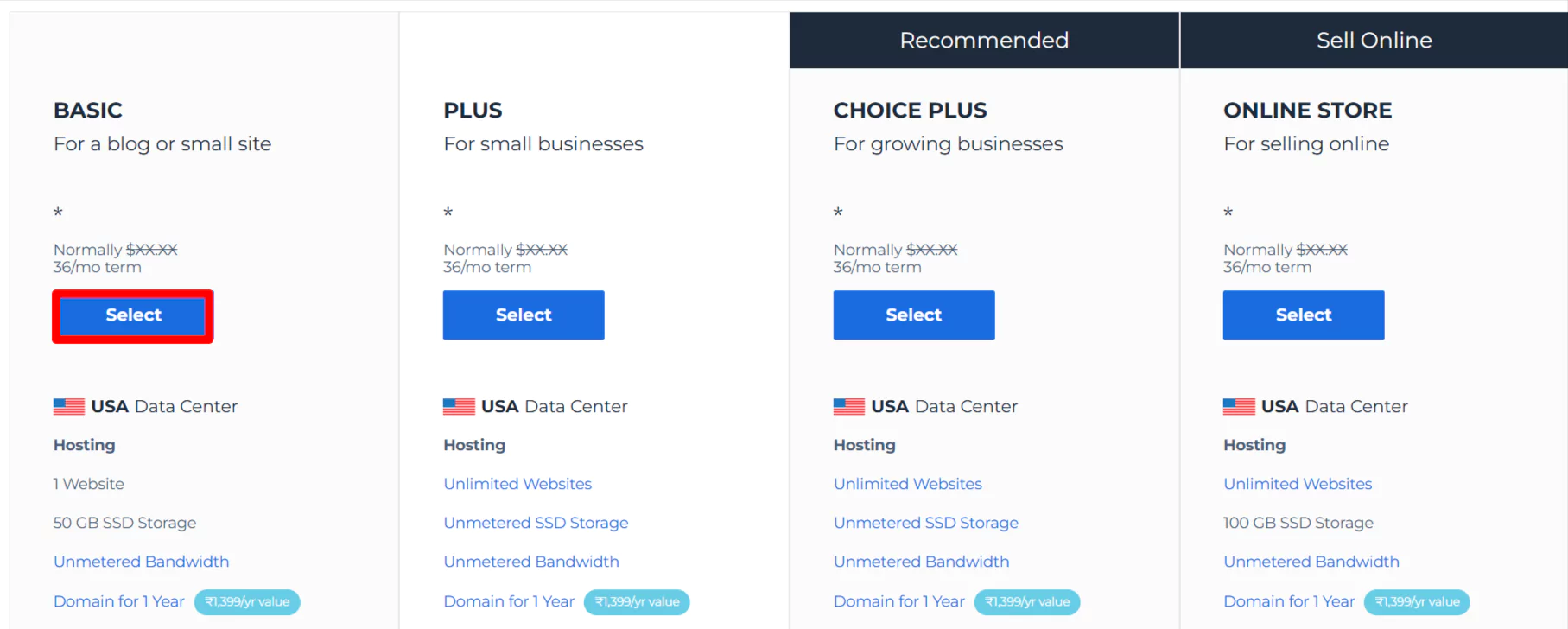
After clicking the Get Started button, a pricing plan page will appear. Select the plan that fits your needs.
We recommend selecting the Basic plan, as this plan is flexible and better suited for mid-size businesses. Once you have chosen the plan, enter the domain name you want.
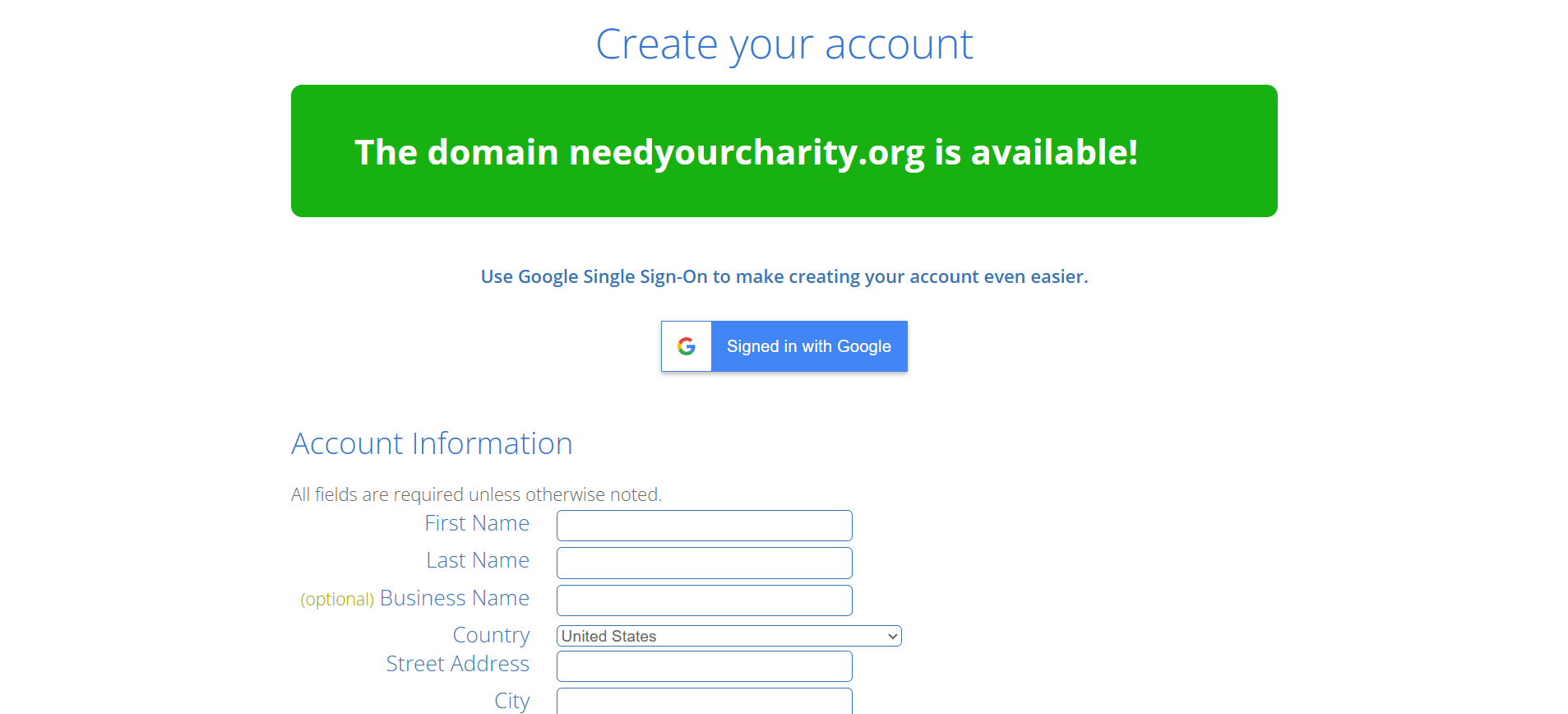
Now, you can create a new domain name for your website. Click on Next.

Fill in all the required fields and submit your payment.
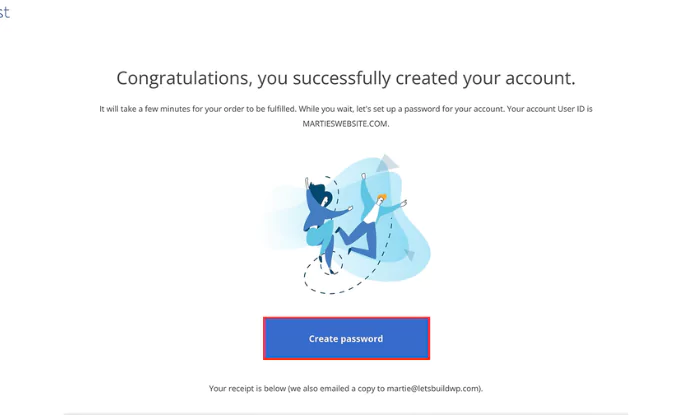
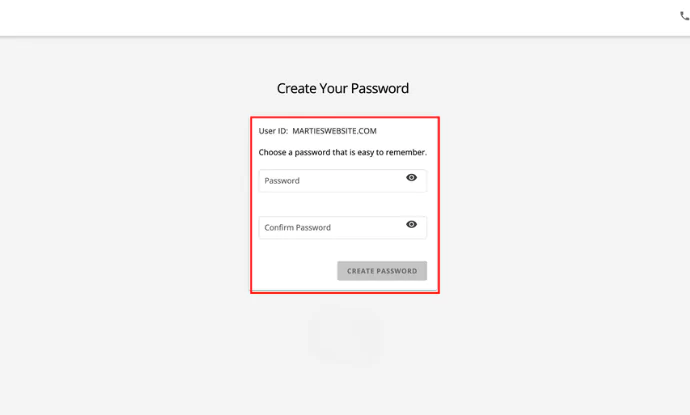
After completing the payment, you can create an account with Bluehost. Click on Create password.
Enter your password, and you’re all done setting up Bluehost. Next, let’s look at how to download WordPress.
Step 3: Installing WordPress
After purchasing your web hosting and domain, the next step is installing WordPress. Most hosting providers like Bluehost offer one-click WordPress installation, making the process simple and fast.
Inside your hosting dashboard, select WordPress Hosting, click Add Site, choose Install WordPress, enter your site name and domain, and complete the setup. Once installed, log in to access your WordPress dashboard.
Log in to your WordPress Website Dashboard
Start by logging in to your WordPress website.
To find your login URL, open a new window in your browser and type your website name, `www.yourwebsite.com/wp-admin` or `/wp-login.php` into your website URL.
– Example: `www.yourwebsite.com/wp-admin` or `www.yourwebsite.com/wp-login.php`.
Enter Your Username or Email Address you used while setting up WordPress. Likewise, enter your case-sensitive password.
After entering your details, click Login to access the WordPress dashboard.
Step 4: Start by Choosing a WordPress Theme
Let’s start by setting up the look and feel of your website.
For this, you need to install and activate a theme in WordPress.
What is a theme in WordPress? You may ask. It’s a collection of CSS and PHP files responsible for styling your website’s parts.
Using a WordPress theme customizer, you can create your website’s header, footer, and sidebar.
Install and Activate a WordPress Theme
Let’s quickly see how to set a theme in WordPress. From your admin dashboard, go to Appearance and click Themes.
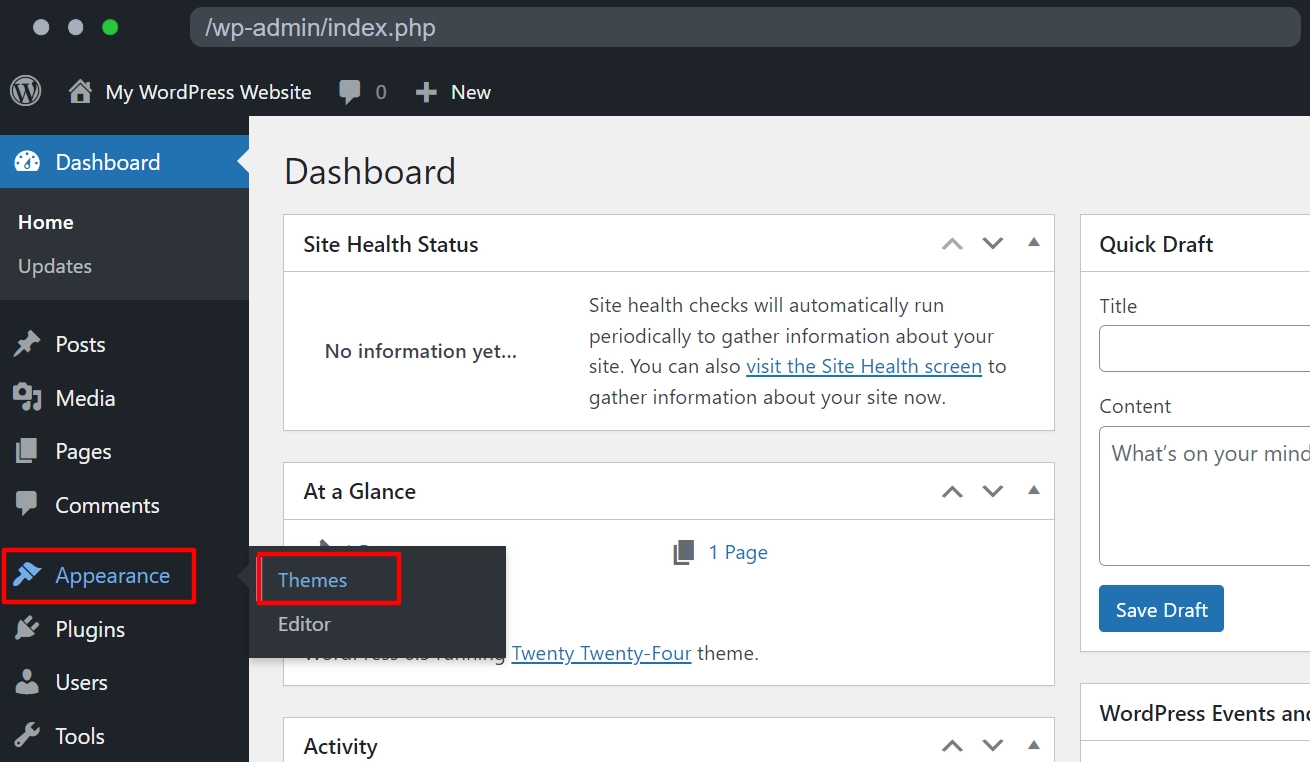
Click Add New on the Themes page.
Enter the theme name you wish to use in the “Search theme” field.
For example, we looked for a well-known Responsive theme.

It is one of the best WordPress themes, offering 250+ starter block editors and complete customization to simplify building websites.
Click Install to begin the installation process. Once the installation is complete, click on the Activate button.

That’s all you need to do to install and activate a WordPress theme on your website.
Step 5: Set a Correct Permalink Structure
Permalinks are URLs for your blog posts and pages.
By default, WordPress sets the link in the following format:
yourwebsitedomain.com/?p=123

It’s the default setting on a newly installed WordPress setup. We do not know why they do this. But for any reason, this will not help your readers find your content in the search engines. Before publishing anything, you need to change the permalink structure to the correct format.
Here’s how you can do it:
- From your website admin dashboard, hover over Settings
- Click Permalinks
- Under Common Settings, set the option to Post name
Your links will now look like this:
- yourdomain.com/easy-pasta-recipes
- www.yourdomain.com/fitness-tips
- yourdomain.com/digital-marketing-strategies
- subdomain.yourdomain.com/starting-a-small-business
This clean and organized structure improves readability for your audience and enhances search engine optimization (SEO) for platforms like Google.
Step 6: Install WordPress Plugins
WordPress is a content management system. It gives you a dashboard to log in to publish your posts and media.
But you may need additional functionalities. And that can be added via plugins.
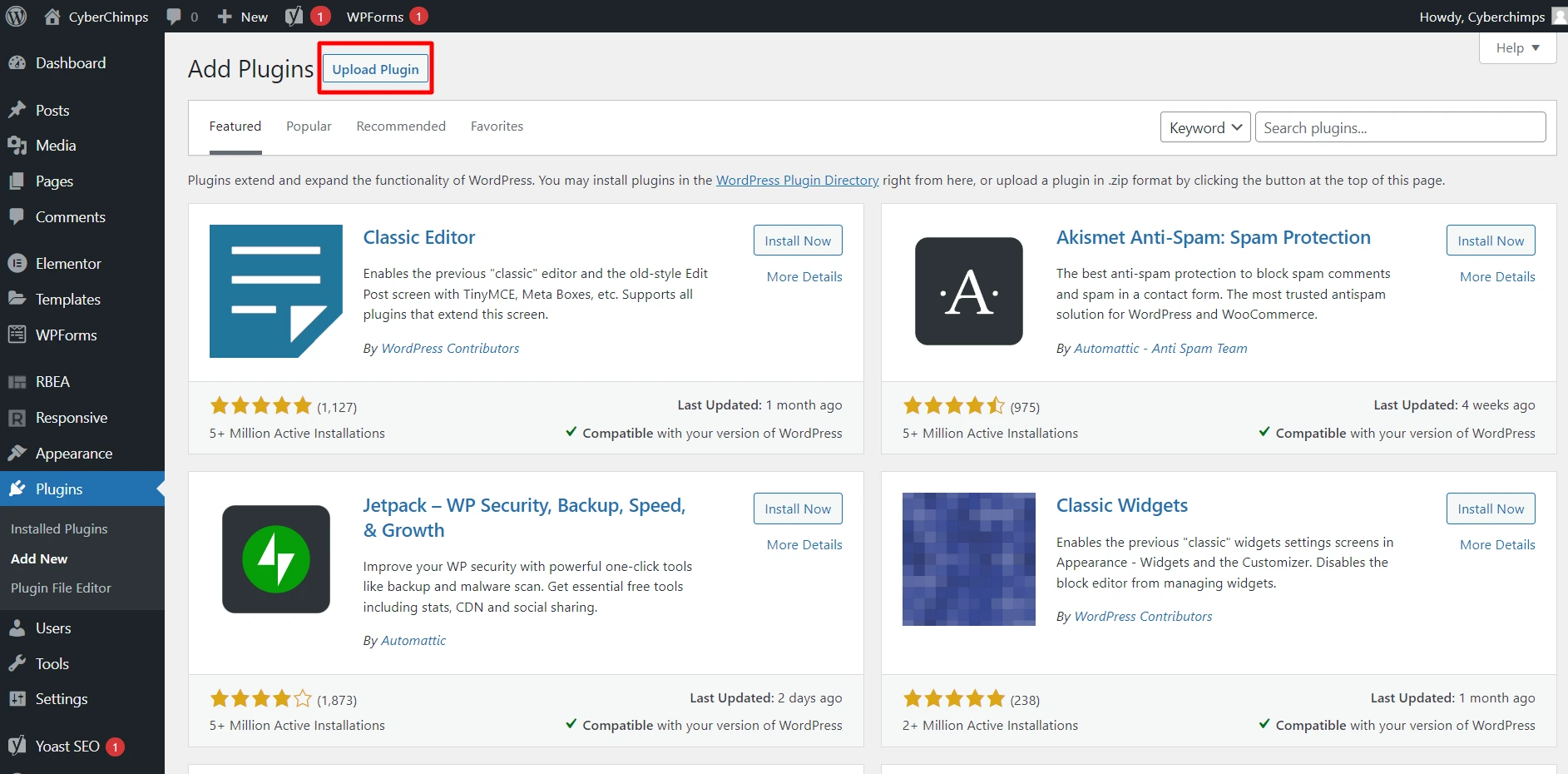
A plugin is software that lets you add a specific feature to your website. For example, you can use plugins to improve SEO, enhance security, create contact forms, or even integrate social media.
Now, you will need a set of plugins.
Let’s list a few that will set the pace for your blog.
1. An SEO plugin
Focus on search engine optimization (SEO) to improve your blog’s search engine rankings. You can write great content on your blog. Still, people will never find it. Period!
If you want people to find your blog, you must learn SEO addons. This way, you can rank in search engines like Google.
Learning SEO takes time, but we’ll help you cover the basics so you’ll have a good start when setting up your first blog.
If you have not installed an SEO plugin, you can install the Yoast SEO plugin by going into Plugins > Add new > type SEO in the search bar.
Look for the Yoast SEO plugin and install it.
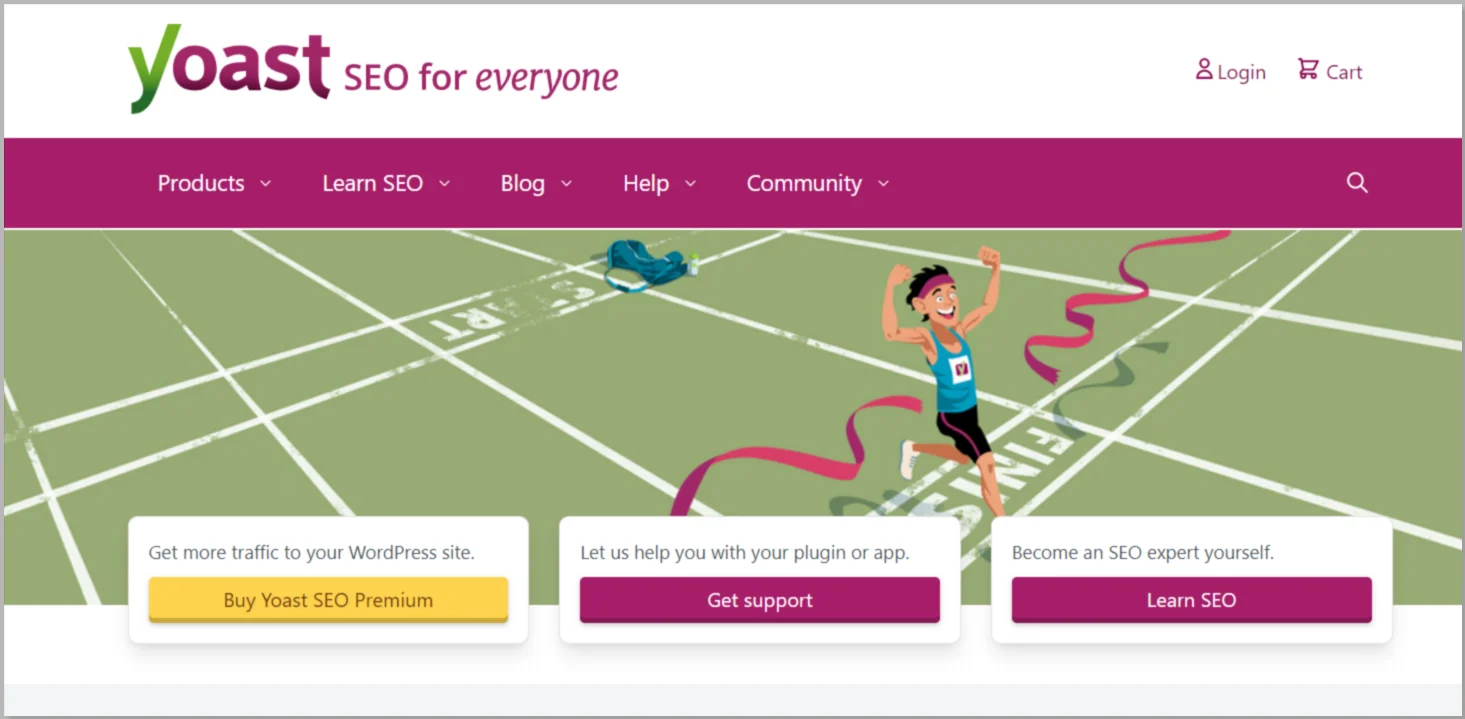
It’s free and a good plugin to set the basics of SEO for your blog.
Make Sure Your Site Is Visible to Search Engines.
To make your blog discoverable by search engines like Google and Bing, follow these steps to ensure the necessary setting is disabled:
- In your WordPress dashboard, navigate to the left-hand menu.
- Hover over Settings and click on Reading.
- Verify that the “Discourage search engines from indexing this site” checkbox is unchecked.
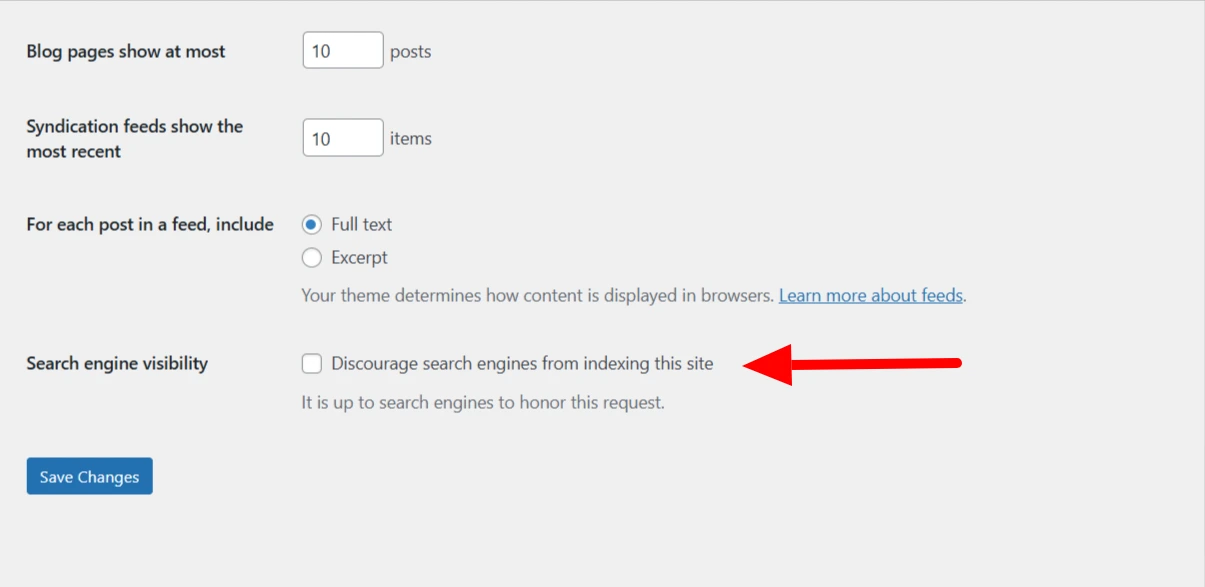
This will allow search engines to index your site correctly.
After starting a blog, it is important to monetize it. If you don’t follow this step, all your hard work may go to waste. Monetization helps your blog generate value and supports long-term growth.
The term sounds scary, but with a little effort, every day will enhance your rank over time.
You can select any of these:
- Yoast SEO
- Rankmath
- SEOPress
All three plugins enable you to:
- Create XML sitemaps for better crawling by search engines.
- Add meta titles and descriptions to posts and pages.
- Improve on-page SEO with user-friendly guidance.
2. An Anti-spam plugin
Publishing blog posts often attracts spam comments, making it hard to identify genuine ones manually.
Akismet Anti-Spam simplifies this by filtering out spam and showing only legitimate comments. You can review the spam list and restore any comments mistakenly flagged.
3. A Backup plugin
Backups are essential for ensuring you don’t lose your content in case of unexpected issues.
Here are some recommended backup plugins:
- UpdraftPlus
- BackupBuddy
- Duplicator
4. Caching Plugins
Improve your site’s performance and speed with caching plugins.
Popular options include:
- WP Rocket
- W3 Total Cache
- LiteSpeed Cache
5. Contact Form Plugin
Add an easy way for visitors to contact you with plugins like:
- Contact Form 7
- Ninja Forms
And some essential functionality plugins.
Step 7: Adding Essential Pages for Your Blog
Let’s build some pages before you go ahead and start writing your first article. Adding new pages in WordPress is easy. It’s similar to adding new posts. For your new blog, you should have at least four pages:
1. Homepage
A homepage is where your visitors will usually land. You can add the following sections to your homepage:
- A customized page that explains about you and your blog
- Your latest post
- Your blog posts in reverse chronological order
Go with the one that will appeal to your audience.
Remember, you can experiment and tweak things to see what works.
2. About Page
You started this blog to let people know about your story.
Your About page should talk about you! And your blog.
Please take it as an opportunity to discuss your passion, art, or craft.
Let your readers know how you start and how you intend to use the blog.
Explain who the blog is for, write your bio, and discuss what type of content your readers can expect.
3. Blog Page
Your blog page is your main page.
Here, users should find all your blog articles in reverse chronological order.
If you write about different topics, you can categorize them so that the visitors won’t get jumbled in the stream of posts.
4. Contact Page
Make it easy for your visitors to get in touch with you.
The contact page should ideally have a contact form, your email ID (optional as you might get a lot of spam emails), and links to your social media profiles.
Step 8:Write Your First Blog Article
Now that you have the basic blog setup ready, you can write your first blog article.
Creating a blog post in WordPress is very simple.
From your admin dashboard, go to Posts.
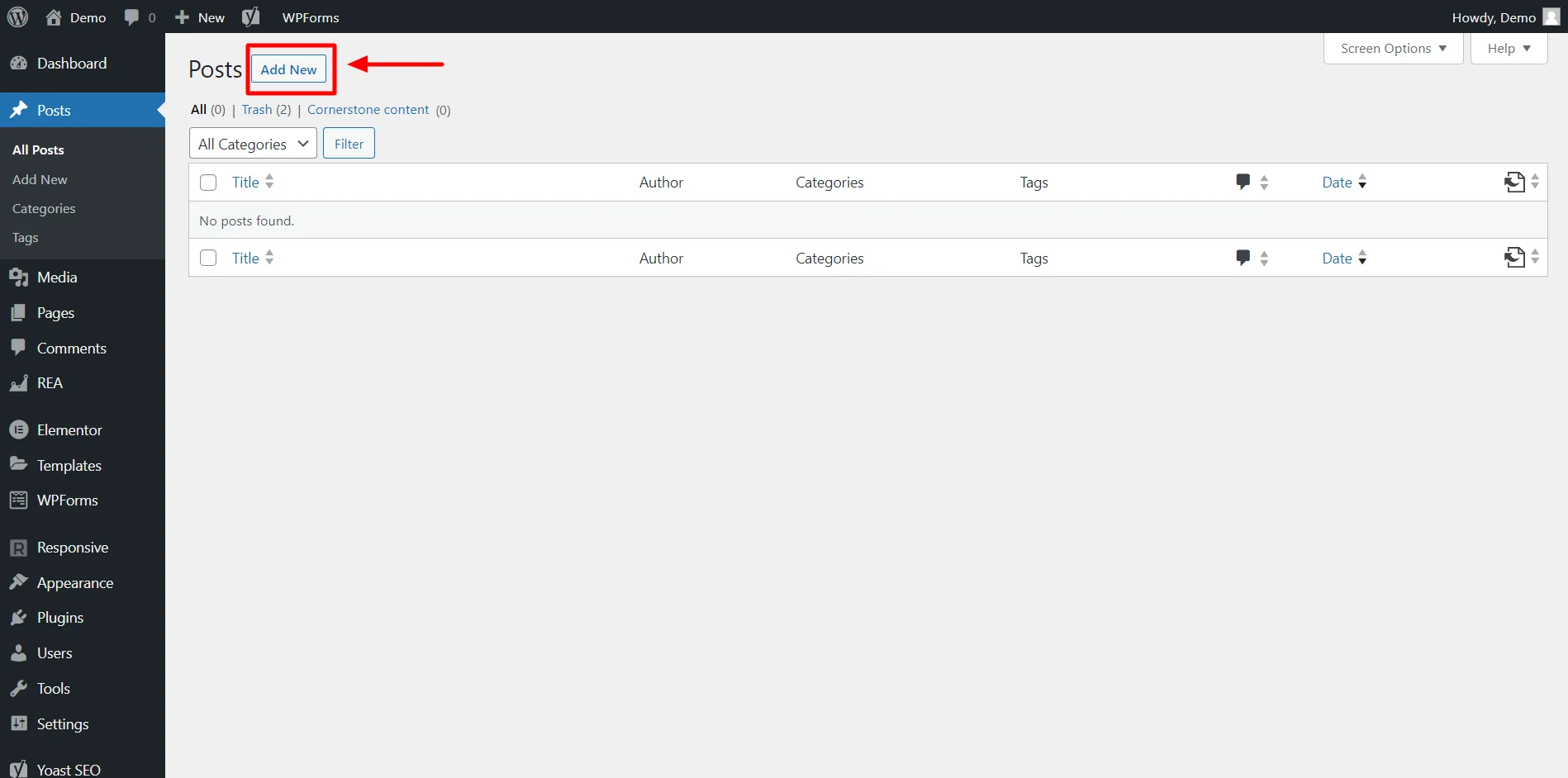
Click on the Add New button to see a text editor where you can write a blog post.
To add text, you just need to click and type. To add content like an image, video, or headings, you can add the required WordPress blocks from the “All blocks” panel.
If you’re new to the WordPress block editor, here is a complete guide to help you understand how it works.
How to Promote Your WordPress Blog
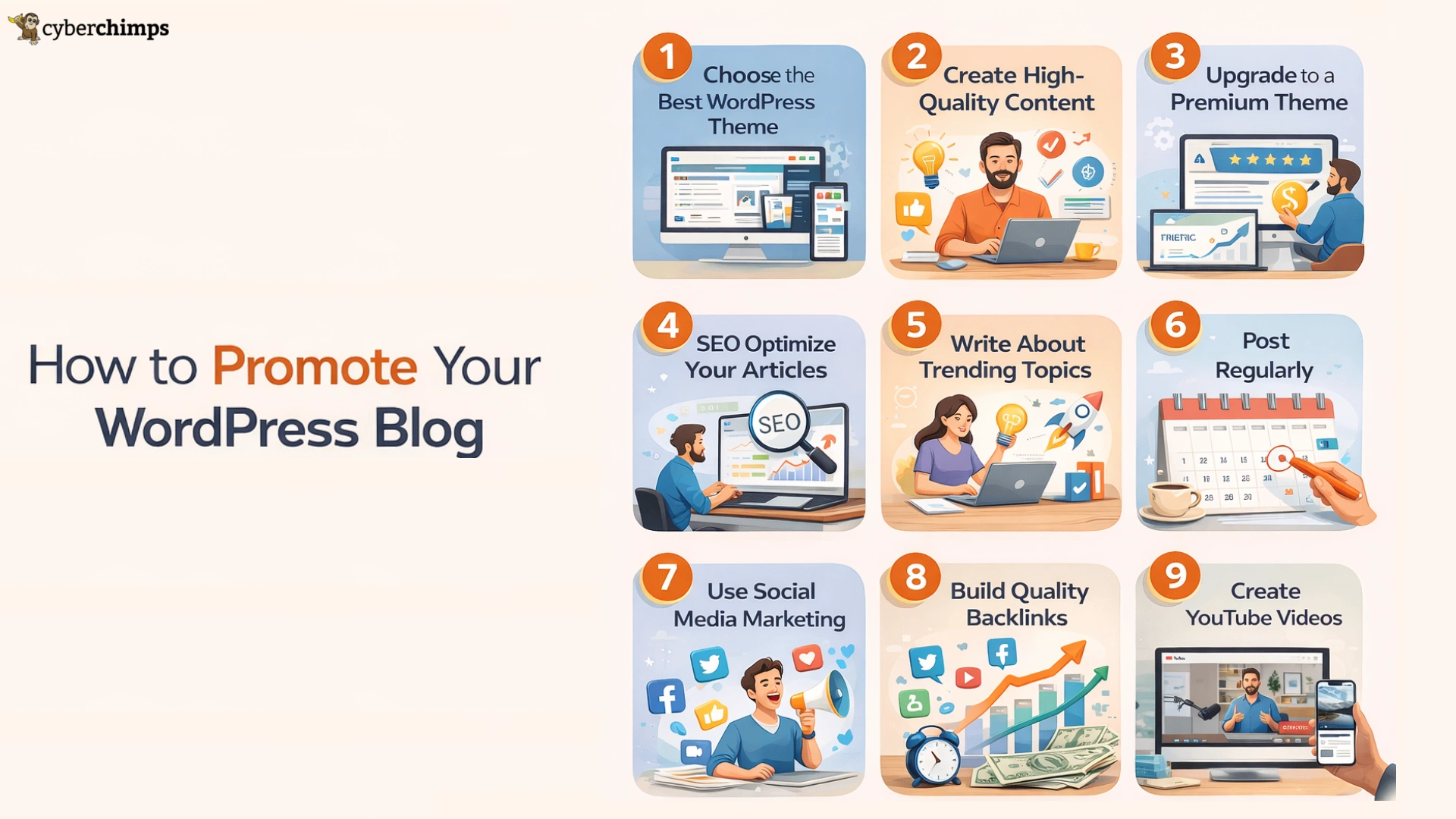
1. Have the best WordPress Theme on the website
Whether you are a Yoga trainer, Travel Blogger, freelance interior designer, or a Food Blogger, you must have a website theme that resonates with your business.
Here are links to some of the best themes you can find for a reasonable price. There are some of the Free WordPress Responsive Themes you can download and use today.
2. Create quality content
Your content is the primary element when it comes to blogs. If your readers find your content useful, they revisit your site and wait for your next post. It increases word of mouth, also. It increases traffic.
Here are some tips to create quality content –
- Write on a subject close to your heart
- Be target specific and try to offer people what they want to read
- Try to understand the demand of the time. What are the new developments in your field, and what do your readers want to hear from you on the burning issues
- Use simple language, short sentences, and small paragraphs, and try to create an emotional appeal through your tone of writing
- Use a catchy headline and break your articles into multiple subheadings for the ease of the readers
3. Upgrade to the paid version of the theme
While free WordPress themes are a great way to get started, upgrading to a premium version can unlock powerful features that help your blog grow faster and look more professional.
A paid theme typically offers advanced customization options, premium starter templates, enhanced performance optimization, and priority support all of which can make a significant difference as your blog expands.
4. SEO optimize your articles
You may have high-quality content on your blog, but if there are no page views, it is of no use. Nowadays, most of the traffic comes to a webpage through search engines. Optimization is a must if you want a search engine spider to find you.
You have to try various optimisation techniques like keyword research, image optimisation, etc., to increase the traffic of your blog. You must know how to SEO optimize your blog content.
5. Update blog posts with trending topics
A trending topic is one that most people search for on the web. So, if you write on any such topic, you are likely to get good traffic.
But finding a popular topic is not enough. You need to have command over it to produce quality content. Unless you are an expert in the field, your blogs will not seem satisfactory to the readers.
6. Post regularly
If you keep posting your blogs at regular intervals, it has its own advantages. People develop an expectation that on a particular day, they will get something new from you.
On that day, they visit your site. It is also good for word-of-mouth publicity. If your content is interesting enough, they ask others to visit your site on those days when you usually post. So, the best way is to post on a particular day of the week.
7. Do social media marketing
Social media marketing is one of the most widely used methods to promote your WordPress blog. Social media is the most active and popular medium today.
It has the maximum reach as it is a global platform. You can go for email marketing, Search engine marketing or ask your readers to share your articles on platforms like Facebook or Twitter. This way you can gain popularity easily.
8. Attract backlinks
Backlinks are very crucial factors for a blog. They don’t just make your blog popular but have an impact on your SEO rank as well. The more do-follow links you get the better a position you are likely to get. Everyone loves to feature on the first page. So, encourage backlinks to promote your blog and get more traffic.
9. Cross-promote blogs with fellow bloggers
Cross promoting blog is the method that most bloggers use these days. It helps a lot to promote your WordPress blog.
By sharing your articles on multiple social media platforms, you can attract the maximum number of people. The biggest advantage of cross-promotion is that you can put your content in front of the target audience of another individual or brand. It helps you to widen your target base and enter new areas.
12. Make YouTube videos
YouTube videos are a very powerful way to attract and holdback viewers. YouTube is a great platform for reaching a large audience with your offerings in the form of a video or audio clip.
You can make a video on the subject you write about and then add a link in the comment section. You can say at the end of the video that viewers can click the link to learn more. This is a good way to attract traffic.
How to Monetize Your Blog
Follow the steps below to monetize your WordPress blogs.

1. Use Affiliate Marketing
Creating blog content can generate passive income through affiliate marketing. By becoming an affiliate, you can include product links in your content and earn a commission when a purchase is made.
Not every blog should be an affiliate post, but including selected affiliate links can help generate extra income.
Using a WordPress plugin helps create professional-looking product displays. Showing products visually can lead to better sales than simple hyperlinks.
2. Asking for Backlinks to Boost Visibility
Backlinks help increase visibility, traffic, and domain authority. You can ask writers or webmasters to include your link in their content.
Links from high-authority websites improve rankings. Backlinks may be paid or earned, and reciprocation or a shout-out can help maintain relationships.
3. Build Your Email List
Building an email list helps bring visitors back to your site. This is done by offering something in exchange for their email, usually through a landing page.
Email marketing and automation tools help manage leads and encourage repeat visits.
4. Don’t Forget Social Media
Social media helps grow engagement, leads, and conversions. Share informative and engaging content consistently.
Posting on a routine schedule keeps your website visible and helps drive traffic.
5. Optimize Landing Pages
Landing pages are used to capture leads or drive users toward a purchase. They focus on a single call to action with minimal distractions.
Different landing pages can be created for different campaigns and offers.
FAQ
A blog is a website where people regularly publish content. Content is usually in the form of articles, posts, and media like images and videos.
Blogs can include personal life blogs, technical tutorials, recipe articles, news, and more. Readers engage with the content and can share it on social media.
You can start a blog as a hobby or use a blog as your journal.
Blogs can also help you make money. If your blog website serves particular types of content, you can use affiliate links to promote products and services and display ads to earn money from your website.
You can use your blog to document your passion, share your learnings, establish authority in your niche, and establish a continuous learning process that helps you grow professionally.
You can download WordPress CMS for free on your local computer. However, if you wish to publish your website on the Internet, you’ll need to buy a hosting plan.
WordPress bloggers can make money through ads, sponsored posts, and selling or recommending products using affiliate links.
WordPress does not directly pay for content written. Earnings depend on factors like traffic, authority, and content usefulness.
WordPress is an advanced platform for bloggers who wish to establish themselves as authorities in their niche or industry. It has more features than bloggers.
Blogger is a straightforward platform designed specifically for blogging. It can also be used to write because it has a simpler interface and fewer options.
Conclusion: Key Takeways
- Pick a topic that you want to write about
- Buy a domain name and hosting to publish your blog on the internet
- Download and install WordPress on your hosting
- Set up WordPress theme, plugins, and permalink structure
- Make essential pages
- Write your first blog article
- Set up your Google Search Console and Google Analytics account
- Promote your article on social media
- Start an Email list
- Find ways to make money with your blog
If you liked this article, check out these articles too:
- How to Launch a Successful Affiliate Campaign for Your WordPress Website
- Best Social Media WordPress Themes For Influencers
- 25 Best Affiliate Marketing WordPress Themes To Look For
Grab the Responsive theme right away!