Summary
Comparing RAE vs Royal Elementor Addons keeping the widgets, customization, performance, and ease of use the primary focus to quickly shows the real difference.
You can choose Royal Addons if you want more widgets and advanced design features and are okay upgrading.
You can choose RAE if you want more free widgets, faster building, and no interruptions.
If you’re looking to compare Responsive Addons RAE vs Royal Elementor Addon for Elementor, you’re most likely in the same position I was. I was also trying to see if either would help me build faster than before.
To help you decide between these two plugins, I didn’t just list some features on a piece of paper and then compare them. I installed both plugins on my site and tested the various widgets side by side.
I also reviewed the depth of customizations, ran performance tests, and examined the overall user experience from both a back-end and front-end standpoint.
This article is entirely based on my findings from testing both plugins against each other.
Why I Started Looking for Elementor Addons
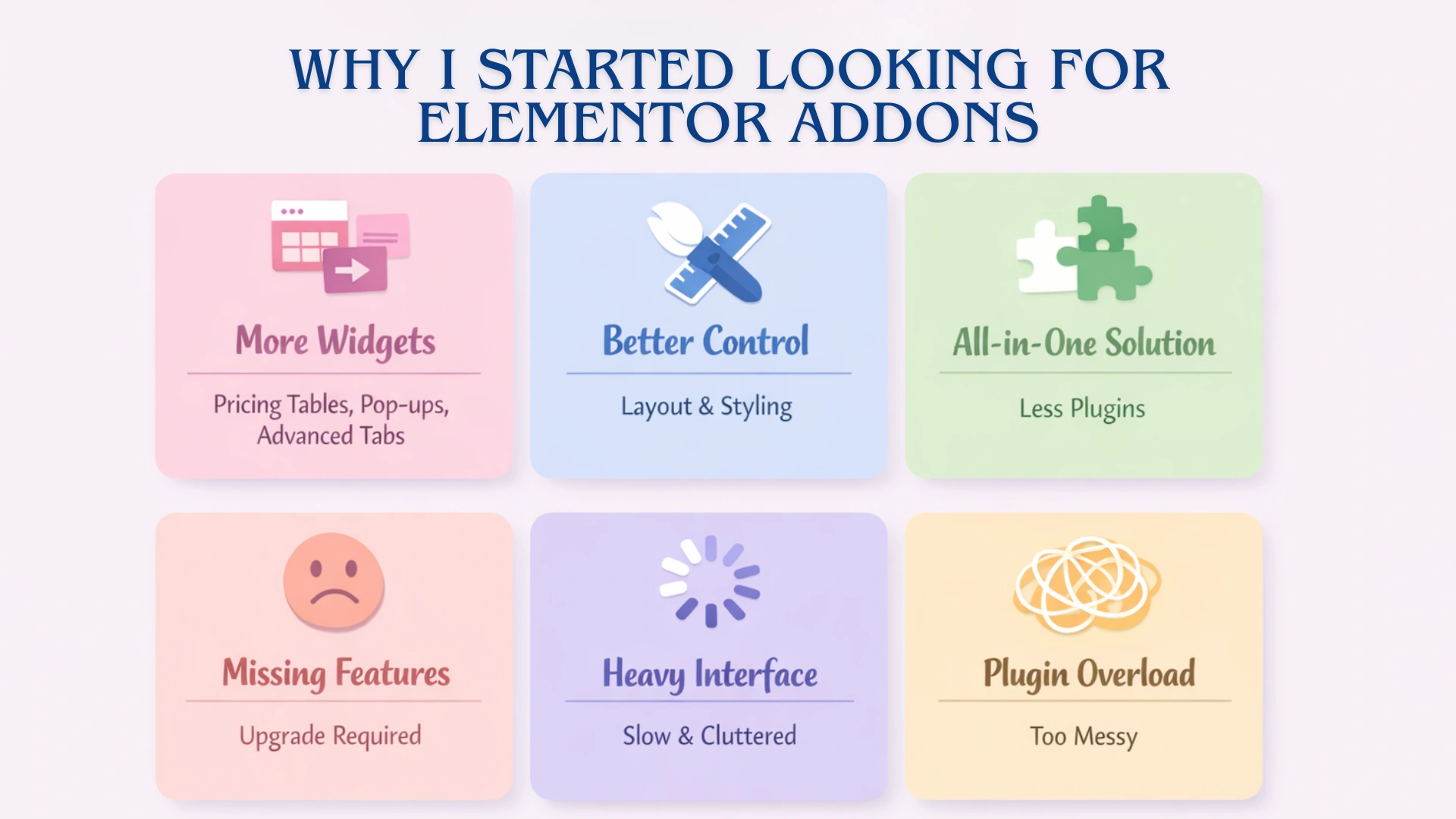
I’ve been using Elementor page builder for quite some time, and it has worked great for my simple website designs. But with time, I realized that I needed some things that weren’t available with Elementor after all:
- More widgets i.e., pricing tables, pop-ups, advanced tabbed content.
- Better control over layout and styling.
- Less reliance on multiple plugins to build a single page.
So, I began using Royal Elementor Addons, thinking that I could solve a lot of those issues with one product. I started by testing the most commonly used widgets.
In the beginning, it seemed to be a great product.
- There were a lot of different available widgets.
- The designs looked nice and would work for a wide variety of stylistic applications.
- It could also be classified as an all-in-one type of solution.
Then, as I started using it to build pages, I noticed the following:
- Some widgets, like My Account and Content Grid, were not included in the free version.
- I was running into Upgrade to Expert restrictions throughout the design process.
- Although it is a powerful interface, it felt pretty heavy once I began navigating through all of the options available.
And once again, I had to go through my usual problems:
- One addon doesn’t completely meet my needs.
- I thought about using a second plugin to fill in the gaps.
- I recognized that everything was becoming messy again.
So, my goal became simple: to find an Elementor addon plugin that will eliminate all of the friction. That too, without adding additional barriers or difficulties to upgrade.
What is Responsive Addons for Elementor (RAE)?
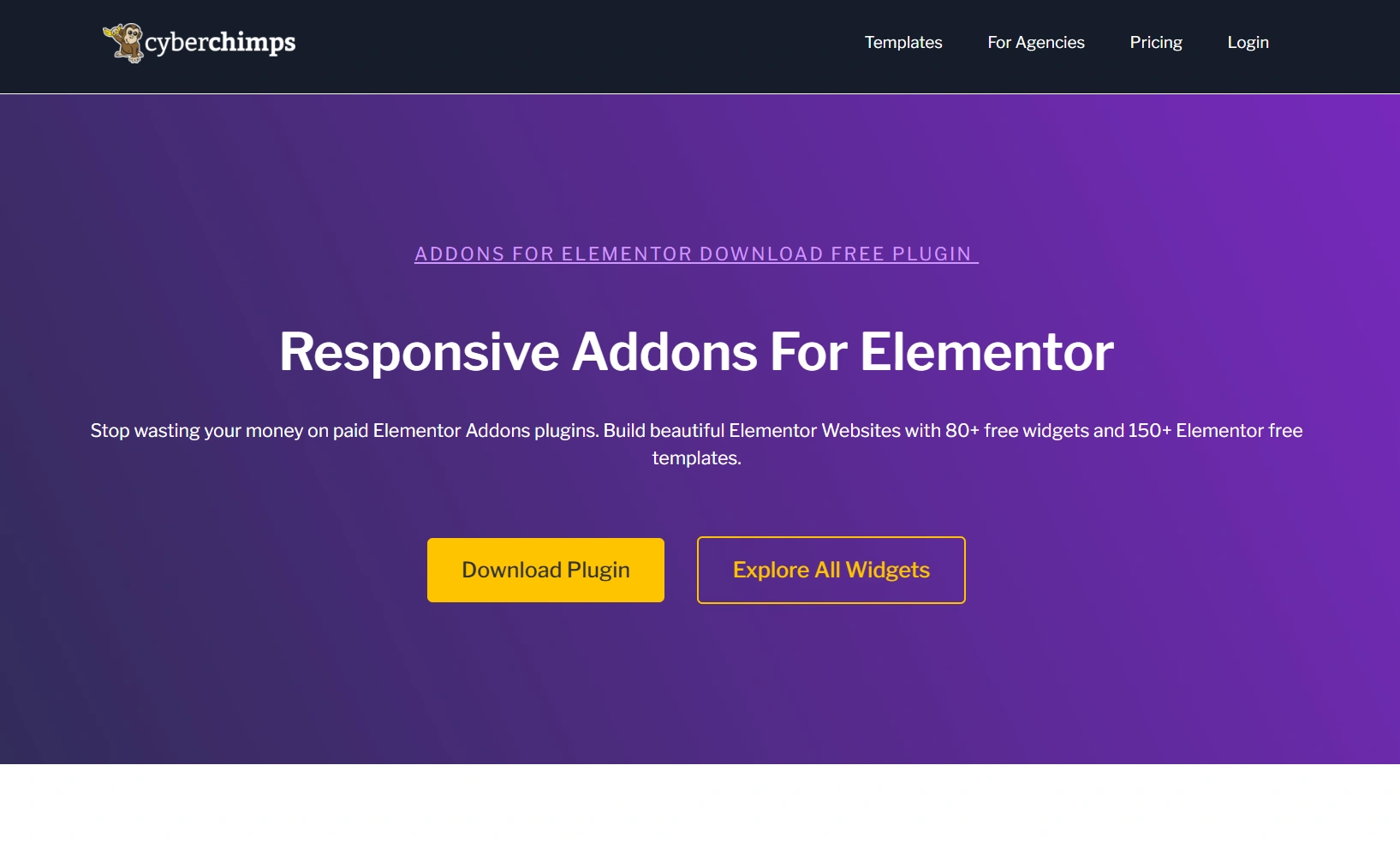
When I first activated Responsive Addons for Elementor (RAE), I thought it would be just another add-on plugin for Elementor.
However, after actually using it in the Elementor editor, I realized that it was created differently than most Elementor add-on plugins. Instead of trying to lock me out of features or trying to get me to spend more on upgrades, RAE widgets provided me with instant access to all of the designing features I needed to create my web pages.
What I Noticed Right Away
As I began to use the plugin, I noticed a few things almost immediately:
- 80+ widgets were available to access right from the start
- I was able to use core widgets, including:
- No features were restricted or locked.
This made the entire experience far superior compared to other plugins I have used before.
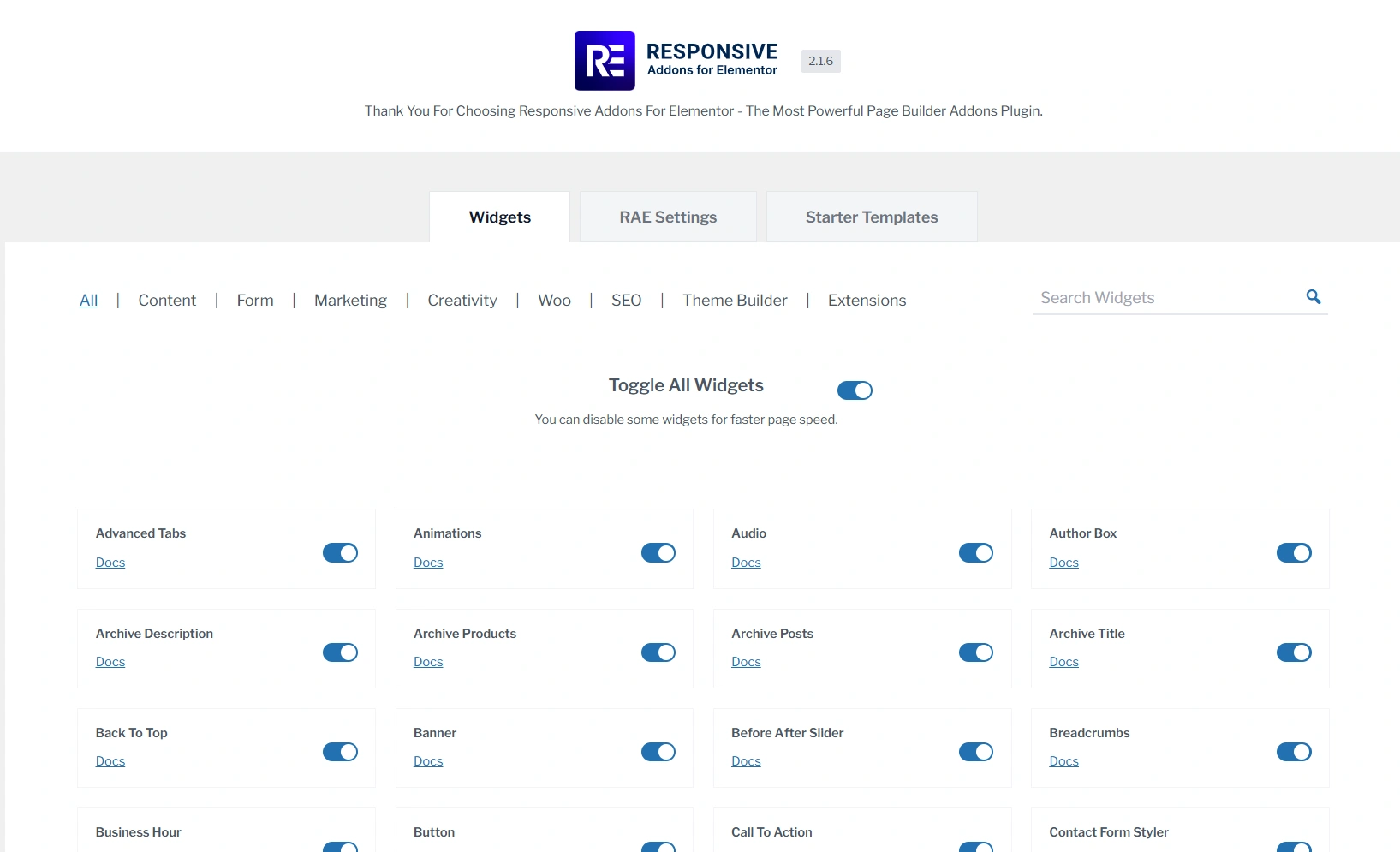
What RAE Offers (From My Usage)
The following are my experiences with RAE. I will report on what I have found, what makes it different, and who I believe could benefit from RAE.
- RAE provides one-stop widgets for design, marketing, and WooCommerce projects.
- RAE widgets are functional, rather than just for looks.
- You can easily use interactive objects, such as popups and switchers.
- You could enable or disable any widget you need at any time.
- RAE is easy enough for beginners to learn quickly.
What Makes Responsive Addons for Elementor plugin Different
RAE plugin provides a really nice workflow process. I did not hit a single feature that asks for an upgrade throughout the entire design process.
This has a huge impact on the working relationship between you and your clients. Normally, you design your section, then find out that the feature is not available unless you upgrade your current version. Now you are faced with having to redesign the section or buy the upgrade.
With RAE plugin, I was able to design however I wanted without being interrupted by upgrade requirements.
Who I Think RAE plugin is Best for
Based on my experience, RAE will be a great choice for you if:
- You are a beginner who wants a completely free addon for Elementor.
- You are someone who builds landing pages or marketing-based sections.
- You prefer to work faster and without any distractions.
- You do not want to use multiple different plugins.
What is Royal Elementor Addons?
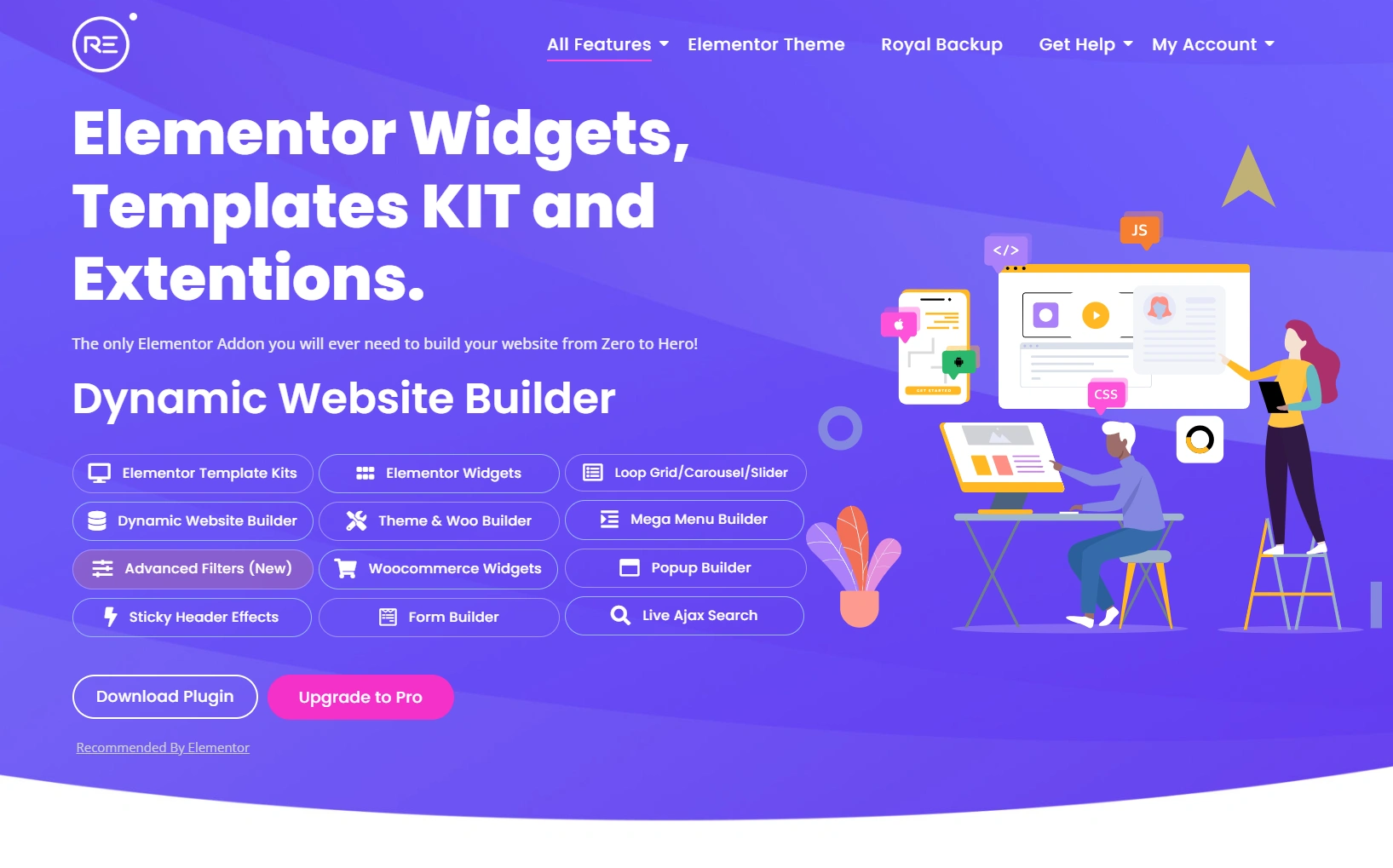
After trying out the RAE, I decided to try the Royal Elementor Addons plugin to see how they compare in actual use.
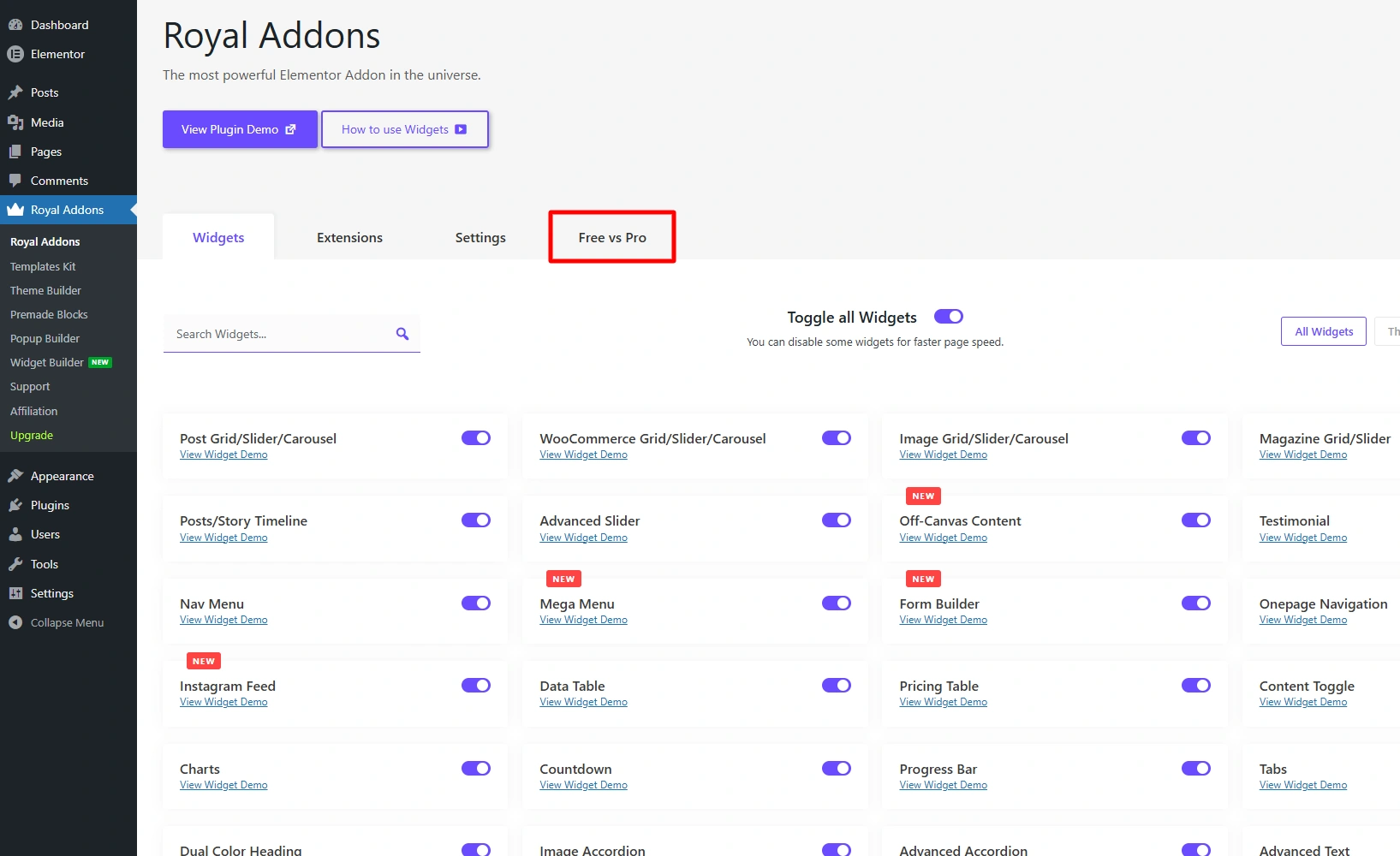
After installing the plugin, I realised this plugin has a larger number of widgets than RAE. One major feature I liked about the Royal Addons was that it clearly indicates which widgets are free or paid. This is really helpful to know upfront when you’re trying to see what limitations you might have with the plugin.
What Royal Addons Offer (From My Usage)
Once I opened the plugin within Elementor, I quickly noticed :
- It offers 90+ widgets.
- More dedication to theme building and WooCommerce widgets.
- Pre-made blocks and templates are also provided by the plugin.
It appeared to be a very powerful plugin, but also slightly heavier and more complex to use if you are just a beginner.
Where I Found Limitations
However, when I began building real sections, I discovered a trend:
- The widgets that I wanted to use were frequently not available in the free version.
- The Upgrade Now restrictions were a regular part of my experience.
- This interrupted my workflow more than I expected.
What Makes Royal Addons Different
According to me, the primary purpose of Royal Addons is different from others. It’s all about providing more innovative features and design flexibility rather than providing access without restrictions.
Due to this, it feels more like a design tool for the users who want to:
- Create layouts that are visually appealing.
- Do not mind upgrading for advanced features.
Which I think is not the case for all the website designers out there.
Widget Comparison: Responsive Addons for Elementor vs Royal Addons for Elementor
Now, instead of focusing on features listed on paper, I concentrated on the actual working of both plugins during the building phase inside Elementor for this RAE vs Royal Elementor Addon comparison.
Below is a brief overview of the number of available widgets across each plugin in total. How many of those widgets are free and paid, as well as some quick high-level thoughts about the access of free versus paid widgets.
| Plugin | Total Widget Count | Free Access | Paid Dependency |
| Responsive Addons | 80+ | All widgets are free | Minimal |
| Royal Addons | 100+ | Limited free access | High |
At this point, I realized that Royal Addons plugin provides more number of widgets. But RAE plugin does not have a limitation on the number of widgets accessible for free, as Royal Addons does.
We have listed some of the most commonly used widgets in the RAE and Royal Addons plugins:
| Widget | Responsive Addons | Royal Addons |
| Content Switcher | Free | Free |
| Pricing Table | Free | Free |
| Testimonial Carousel | Free | Free |
| Advanced Tabs | Free | Pro |
| Site Logo | Free | Free |
| WooCommerce Grid | Free | Free |
| Team Member | Free | Free |
| Form Styler | Free | Free |
| Breadcrumbs | Free | Pro |
| Image Gallery | Free | Free |
| Multi Button | Free | Free |
| Post Grid | Free | Free |
| Product Category Grid | Free | Pro |
You can’t compare things using comparison charts. You have to use the product itself.
So get the Responsive Addons for Elementor, and then try doing a basic landing page with any of these widgets listed above. This way, you’ll be able to see how they work together in your own process.
Learn how to install Responsive Addons for Elementor and make your website-building process smoother than ever.
Responsive Addons for Elementor is the Best Elementor Addons plugin – Get it for free!
What I Realized While Testing
Initially, I thought that the number of widgets available would mean more design flexibility in RAE vs Royal Elementor Addon comparison. However, once I tested out both the plugins:
- RAE has allowed me to use all the types of widgets that I needed straight away.
- Royal Addons only let me use their basic widgets, for the advanced options, I kept running into paid subscriptions.
So, the difference is not the number of widgets, but how many of the available widgets you would be able to use without having to upgrade.
Ease of Use & Customization
The speed at which you build may be affected by how easy a plugin is to use with Elementor.
To evaluate this, I tested each of the plugins with the Elementor editor to see how they stacked up against each other, focusing on:
- Backend navigation and widget discovery
- New user set-up experience
- Customization depth on commonly used widgets
Backend Experience
Responsive Addons for Elementor
From the initial usage of RAE plugin, it was clean from any distractions and all widgets were easily found without having to search through multiple sections.
Enabling and disabling widgets was also very straightforward and properly arranged.
There was no need to spend time trying to work out how to add RAE into Elementor. I felt, the new users don’t have to worry about the learning curve, they can start building right away.
Royal Addons for Elementor
Royal Addons on the other hand is a more feature-heavy and organized platform. That being said, there are many more options to choose from, which can make the interface feel a little heavier.
The design flexibility is greater in Royal, and therefore, it does have a little more complexity than RAE.
Once you get used to how things work in Royal, you will find that it has a much smoother interface. However, there is a slightly higher initial level of learning required for Royal Addons compared to RAE.
Hands-On Testing of Widget-Level Customization
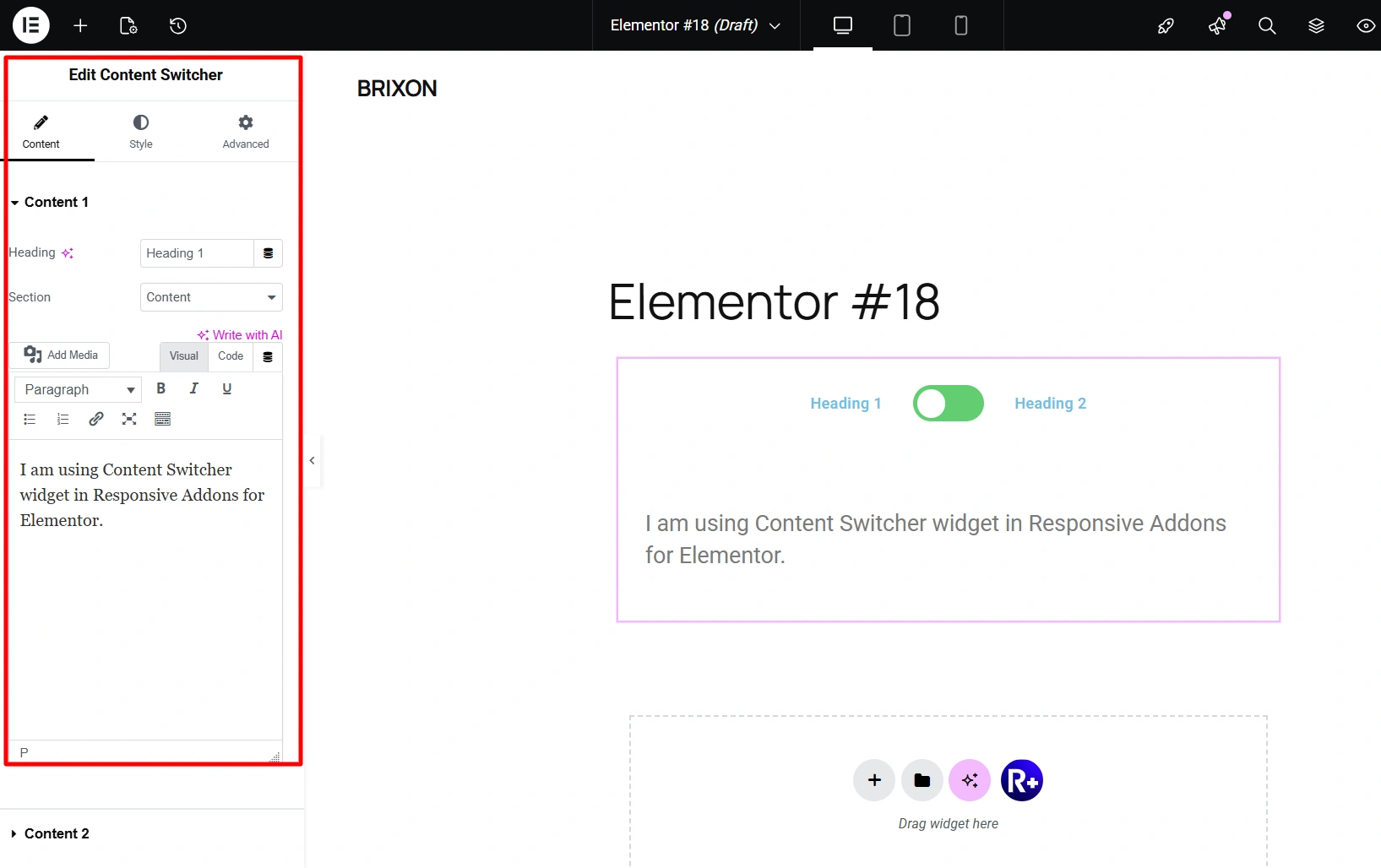
1. Content switcher
RAE: Extremely easy to set up, intuitive controls, quick to implement.
Royal Addons: Both the widgets provide similar functionality. Royal Addons provides Multi switcher style which is a Pro-only feature.
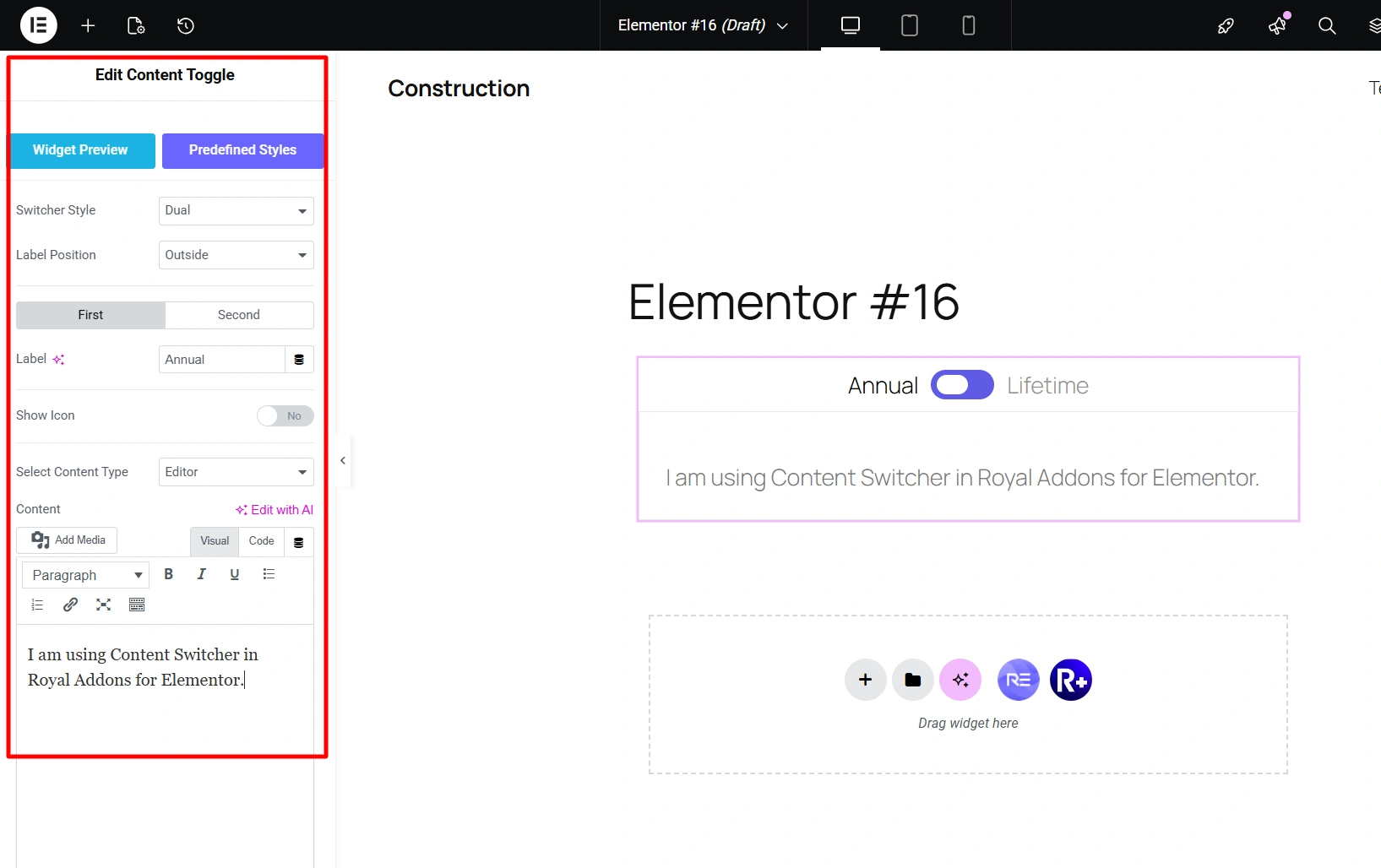
My observation: Both the widgets performed well. RAE seems to have a faster response time and therefore provides for greater flexibility when working with sections that have dynamic content.
2. Modal Popup
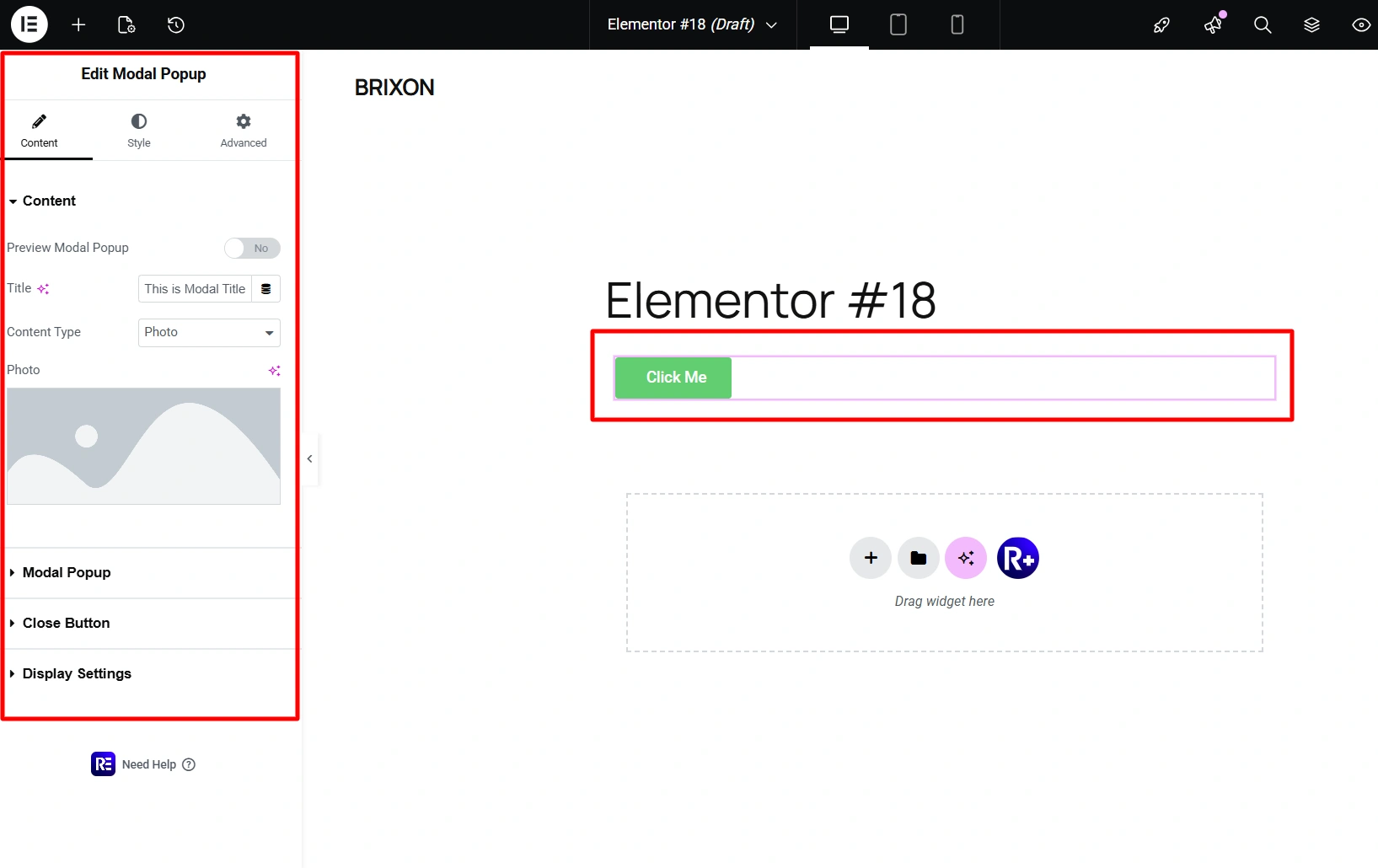
- RAE: Allows for flexible triggers, visual control, and ease of usability while styling the widget directly in the editor.
- Royal Addons: I could not use it, as the free version does not include Modals (Pro-only feature).
My observation: RAE provides immediate usability without any upgrade requirements.
3. WooCommerce Widgets
RAE: Has the basic essentials to be able to create a basic online store.
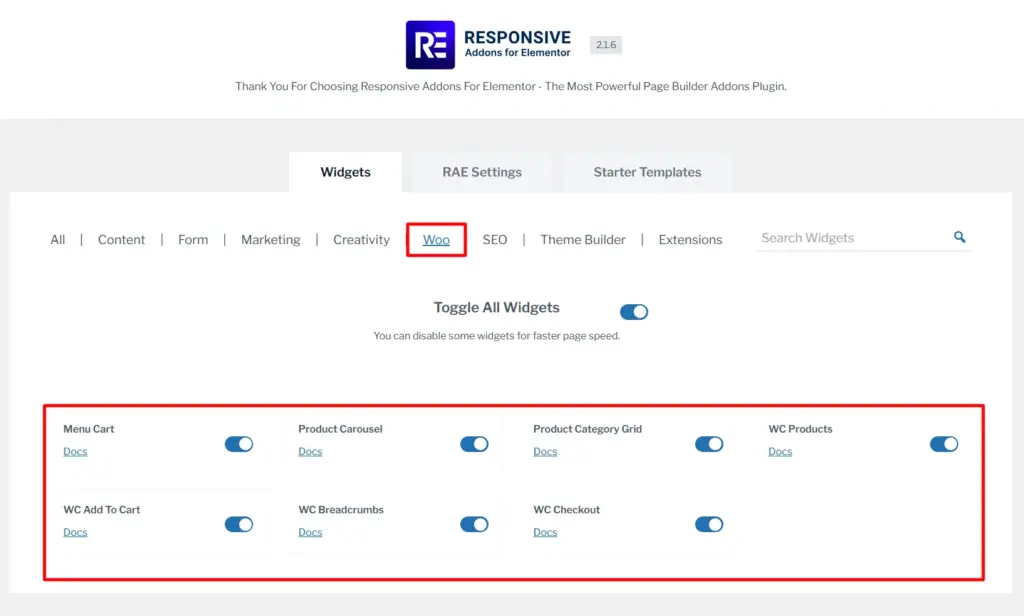
Royal Addons: Contains many of the more advanced controls and deeper integration into WooCommerce. But most of these features are hidden behind paid subscriptions.
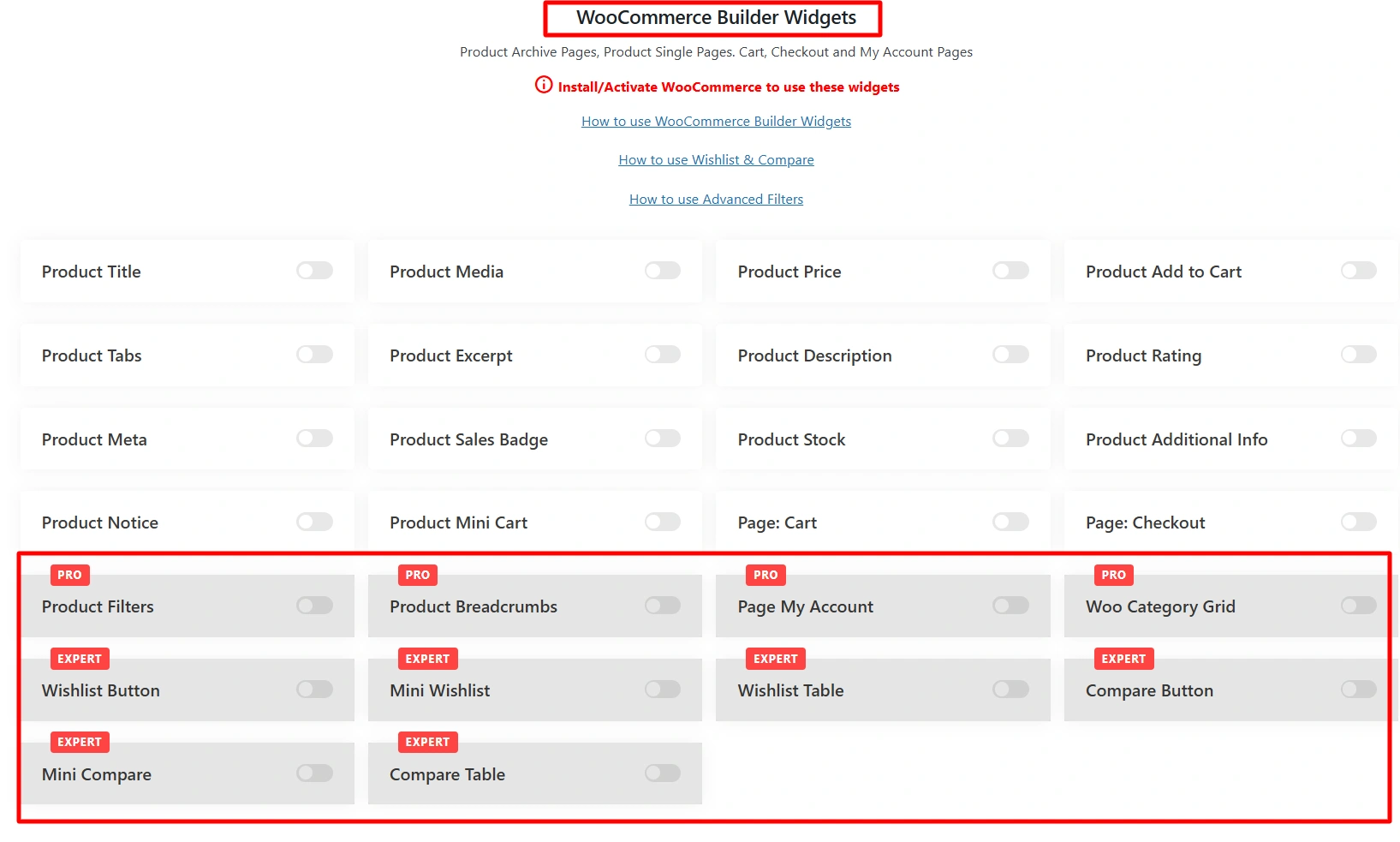
My observation: You can only use the advanced features if you are ready to spend on the upgraded version of Royal Addons, whereas RAE provides most of the features all for free.
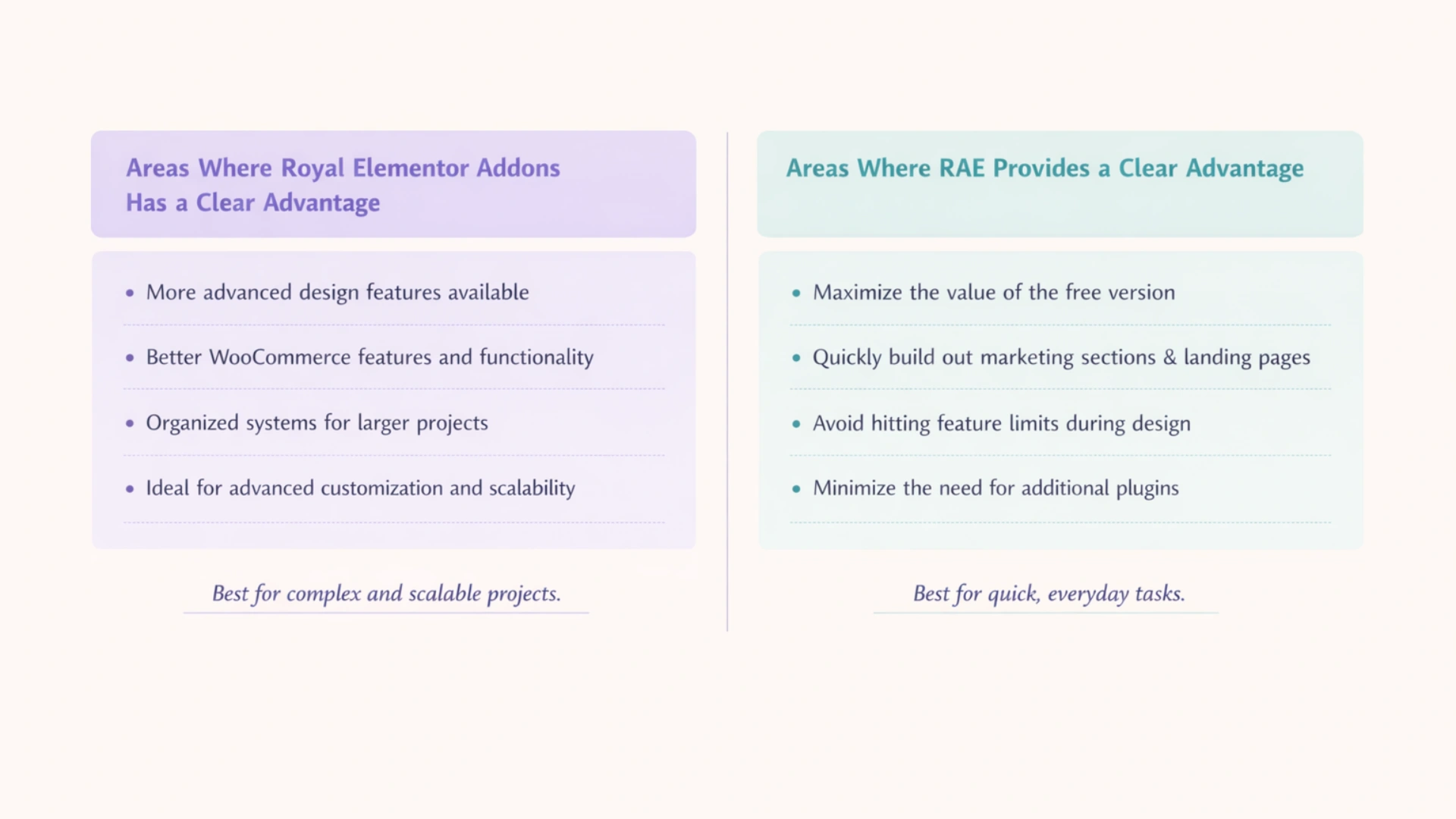
Areas Where Royal Elementor Addons Has a Clear Advantage
After testing both plugins, here are some things I found that made Royal Addons better than RAE:
- Royal Addons has more advanced design features available to offer.
- The Pro version of Royal Addons has better WooCommerce features and functionality than RAE.
- Royal Addons has more organized systems for managing larger projects.
Because of this, if your project will require advanced customisation, visual depth and scalability, then Royal Addons will work best for your project.
Areas Where RAE Provides a Clear Advantage
In contrast, I found that RAE offered more value in day-to-day use compared to the above mentioned advantages.
When I was using RAE, I found that it was easier to accomplish the following tasks:
- Maximize the value of the free version.
- Quickly build out marketing sections and landing pages.
- Avoid hitting feature limits during the design process.
- Minimise the need for additional plugins to accomplish tasks.
Performance Test Between RAE vs Royal Elementor Addons
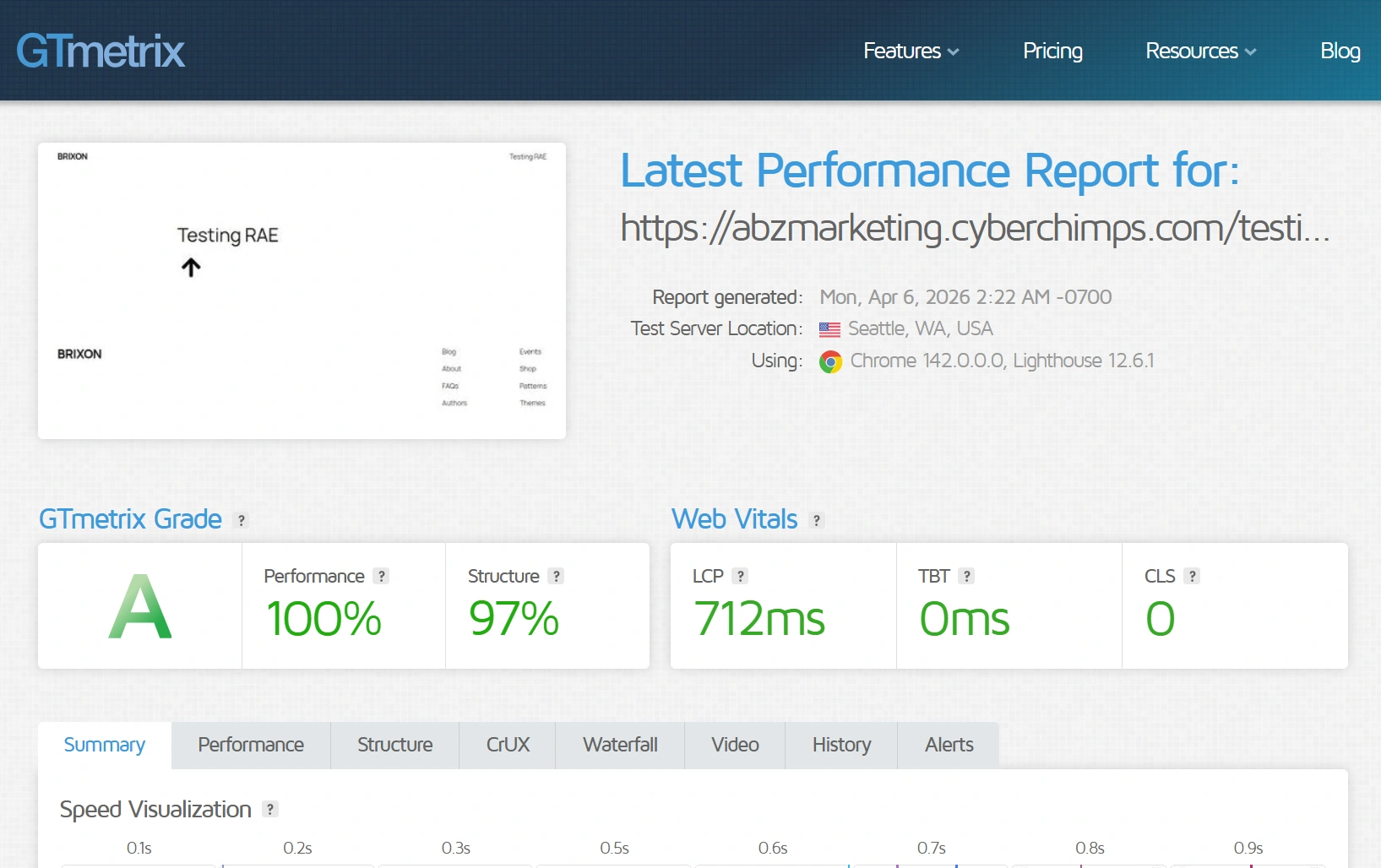
Performance Test Result of Responsive Addons for Elementor
For the Responsive Addons performance test, I have installed only the RAE plugin on a vanilla website. After that, I added a Back to Top widget and conducted the performance test using GTmetrix.
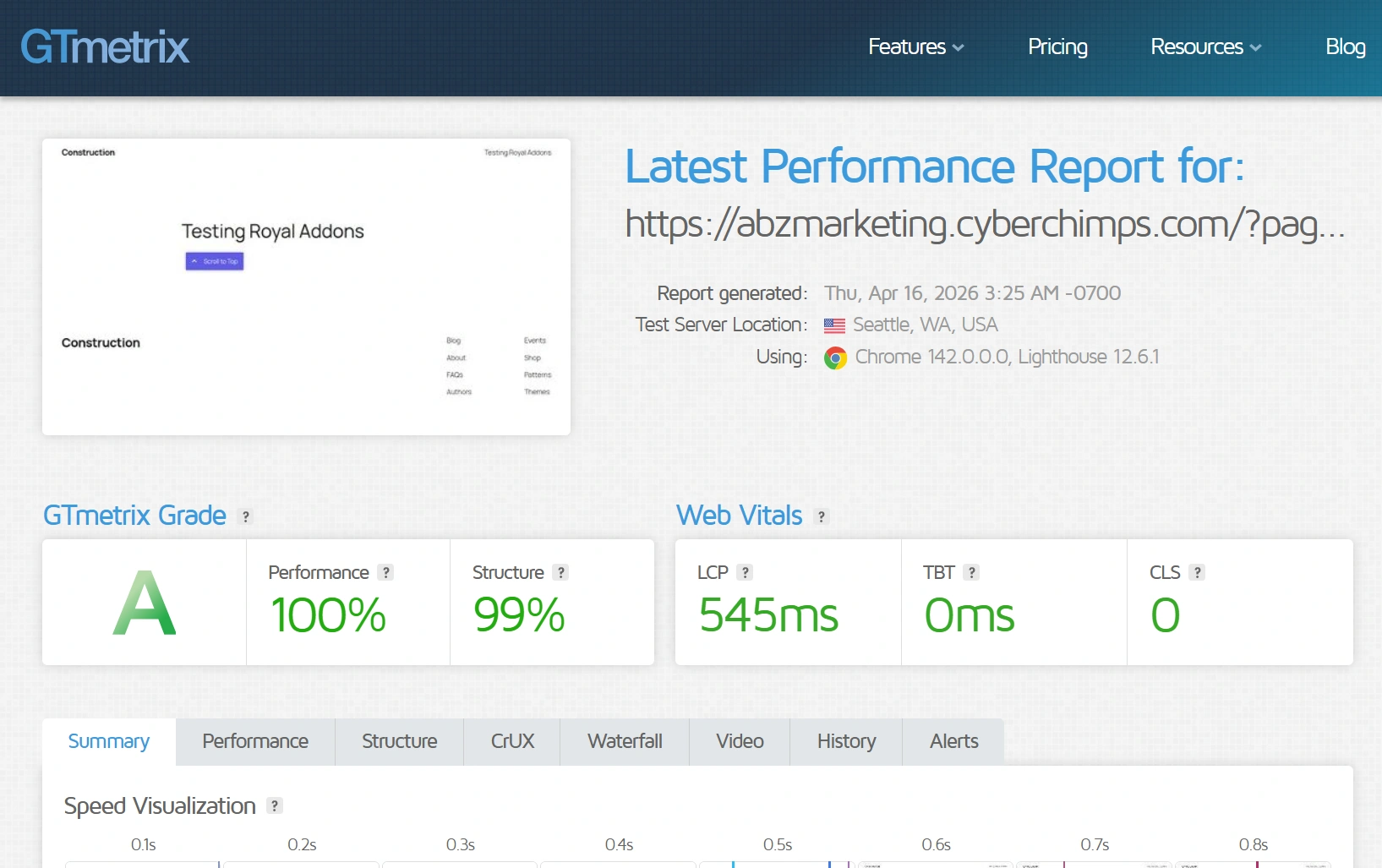
Performance Test Result of Royal Addons for Elementor
Similarly, for the Royal Addons performance test, I have installed just the Royal Addons plugin on a vanilla website. After that, I added a Back to Top widget and conducted the performance test using GTmetrix.
FAQ
Responsive Addons for Elementor is a free Elementor add-on plugin with 80+ widgets. It mainly focuses on design, marketing, and usability.
RAE is typically better suited because there is more choice of available widgets that are free. Therefore, it reduces the number of premium upgrades required.
The widgets are not identical, but both addons include a lot of the same core widgets, plus more options for design-based widgets.
The performance difference between the two plugins will usually be caused by how they are being used rather than how they are built.
Yes, the majority of the widgets offered in RAE are free.
The best addon depends on what type of development you are doing:
– Advanced and design-high projects: Royal Addons for Elementor
– Flexible and quick to develop: Responsive Addons for Elementor
Conclusion
Upon testing both the plugins in this RAE vs Royal Elementor Addon comparison, their real work performance was noticeably different.
RAE is meant for quick and smooth use, while Royal Addons puts an emphasis on offering advanced design flexibility and many widget choices.
Overall, Royal Element Addons has many more widgets than RAE, but its advanced features are limited to the pro edition.
If you enjoyed this article, then consider reading:
- Key Website Essentials: Design, Content, and Compliance
- What is a WordPress Theme?
- How to Duplicate Posts and Pages using Responsive Addons for Elementor
By installing Responsive Addons for Elementor and testing some of the available widgets, you can quickly see how the plugin performs in real-world situations. If it helps you move faster and reduces friction in the building process, then you have your answer!