
↓ Skip to Main Content
Cyberchimps Logo

Main Navigation

  • Pro
  • Starter Templates
    • Free Templates
    • Premium Templates
  • Pricing
  • Login
Get Started
Cyberchimps Logo

Off Canvas Menu

  • Pro
  • Starter Templates
    • Free Templates
    • Premium Templates
  • Pricing
  • Login

Templates

12
  • Setting Up – Video Tutorials
  • How To Add Templates To Your Favorites
  • Connection Failed To The License Key API Server
  • How to Import Responsive Plus – Starter Templates?
  • Fix: Error while connecting to your site. Invalid Domain
  • How to Import Readymade Section Blocks in Elementor
  • Cannot Find New Templates in the Starter Templates Library?
  • Starter Templates FAQs
  • How To Edit An Imported Starter Template In WordPress
  • How to Enable/Disable Responsive Plus – Starter Templates Modules
  • Getting Started with Responsive Starter Templates
  • Import a Single Page With Responsive Starter Templates
View Categories
  • Home
  • Docs
  • Responsive Starter Templates
  • Templates
  • Getting Started with Responsive Starter Templates

Getting Started with Responsive Starter Templates

Responsive Pro plugin is deprecated and migrated to Responsive Plus plugin.

If you’re an existing Responsive Pro user, please note that we’re deprecating the Responsive Pro plugin and moving all the settings to Responsive Plus plugin. Please download the Responsive Plus plugin from your account dashboard and activate on your WordPress website. Activating the plugin will automatically fetch all the settings from Responsive Pro plugin and then you can deactivate Responsive Pro plugin.

Responsive Plus – Starter Templates

Responsive Plus is a free WordPress plugin with a collection of 250+ ready-to-use Responsive Plus – Starter Templates that you can import with a single click. All you need to do is import a website template, update the content, and launch your website.

The ready-to-use templates provide a clean and modern look that caters to a wide range of niches. It comes with various starter templates and offers a clean and modern design to elevate your website.

Free vs. Pro Templates

Responsive Premium starter templates

The plugin offers a fantastic range of free templates without spending any money. But, as you browse through the templates library, youโ€™ll notice a few templates labeled as โ€œPro,โ€ which simply means they come with some extra functions and design capabilities. 

Both free and pro templates offer boundless possibilities, but the pro templates unlock additional top-tier design options and functionalities through tools like Responsive Elementor Addons.

You can access the pro templates by purchasing the Responsive Plus plugin.

How to Install Responsive Plus – Starter Templates 

To install and set up Responsive Plus โ€“ Starter Templates, please refer to our detailed step-by-step documentation.

Refer to our documentation for complete instructions: Download & Install Responsive Starter Template Plugin

Installing Responsive Plus Plugin Templates

Once youโ€™ve installed the plugin, choose the template you want to import.

Responsive starter template

For this example, weโ€™ll use the Church template. Click on Import Site to begin.
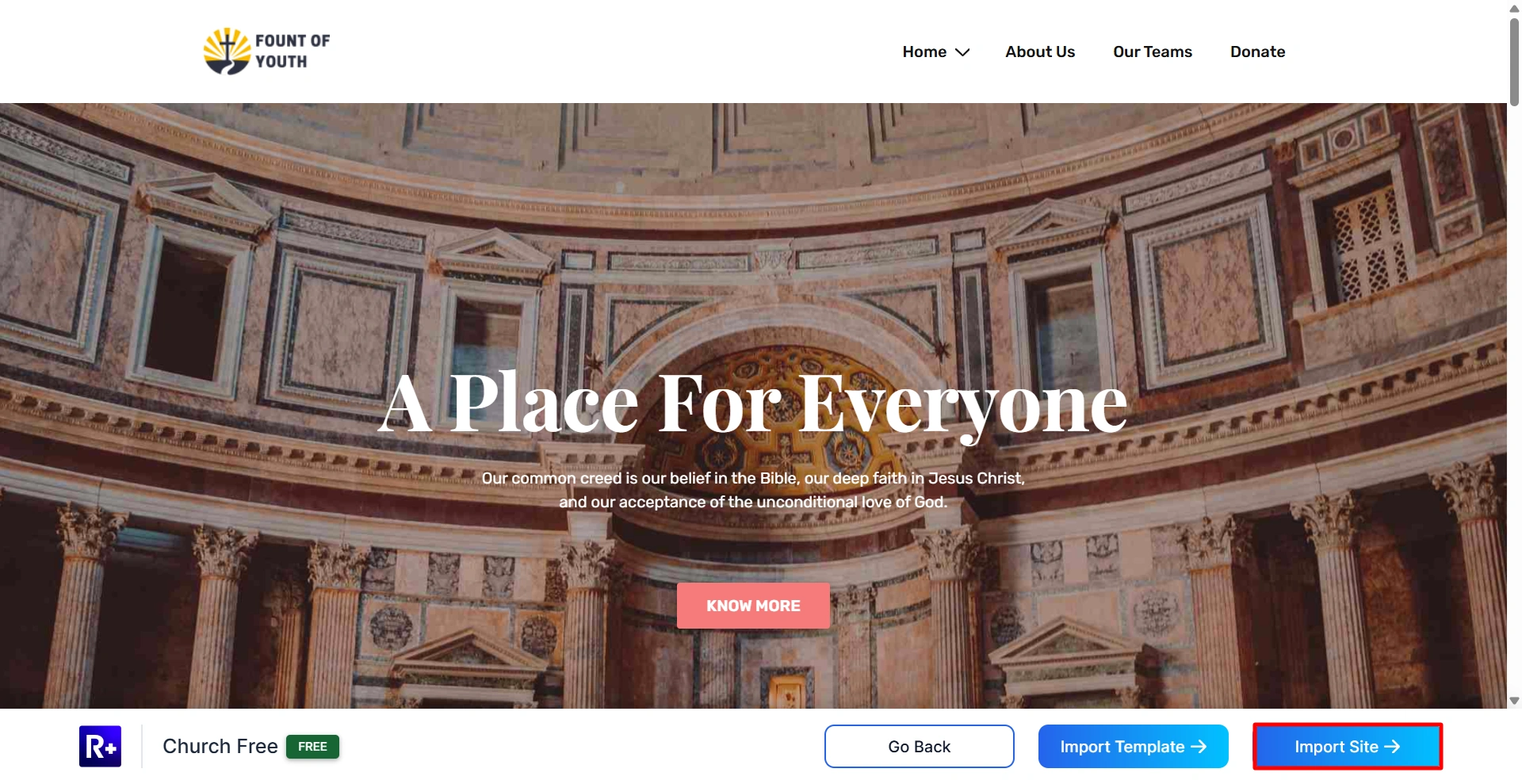
click on import template

Next, connect your account to Cyberchimps Responsive.
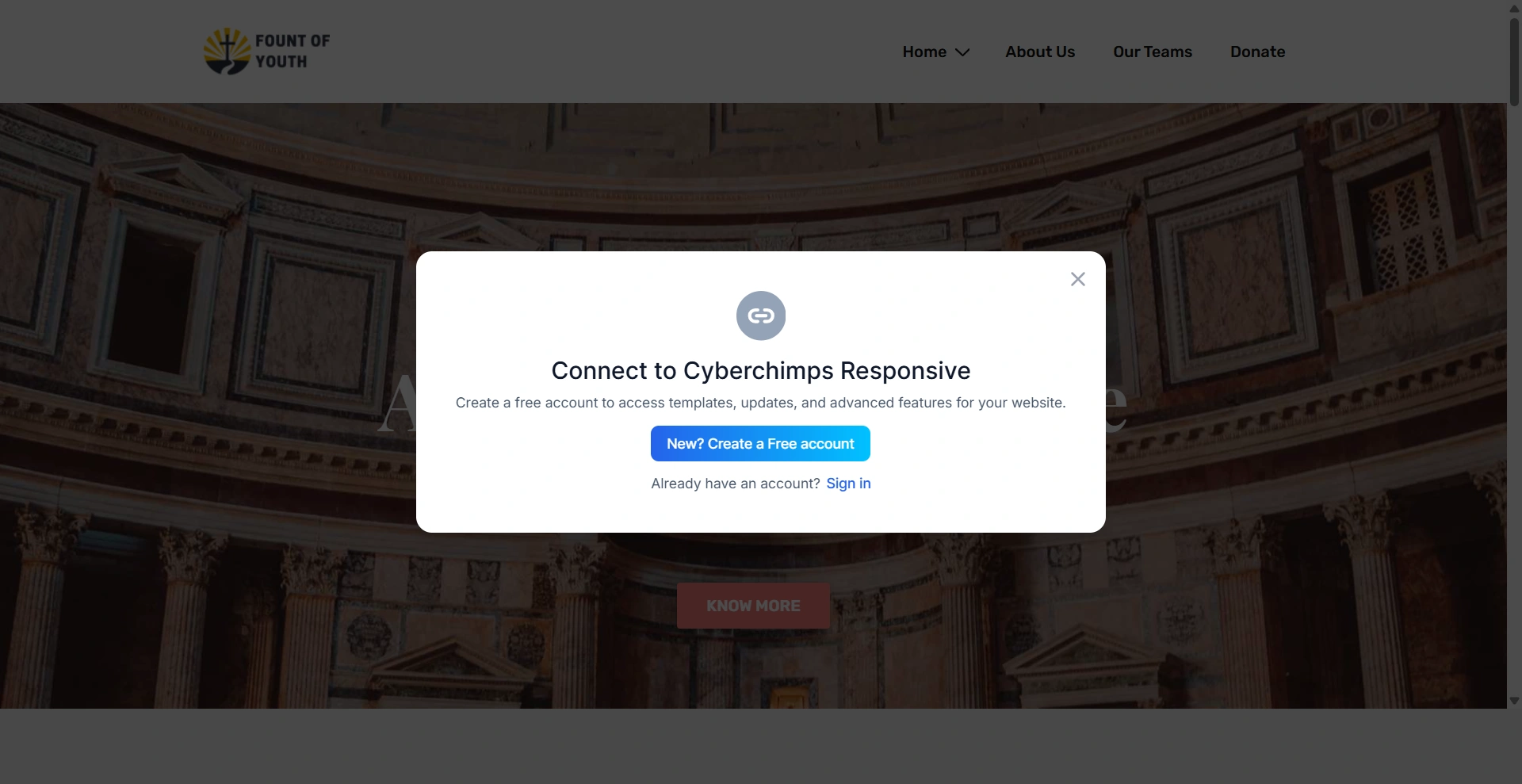
sign in to connect with responsive

From the customizer, upload your site logo for the template.
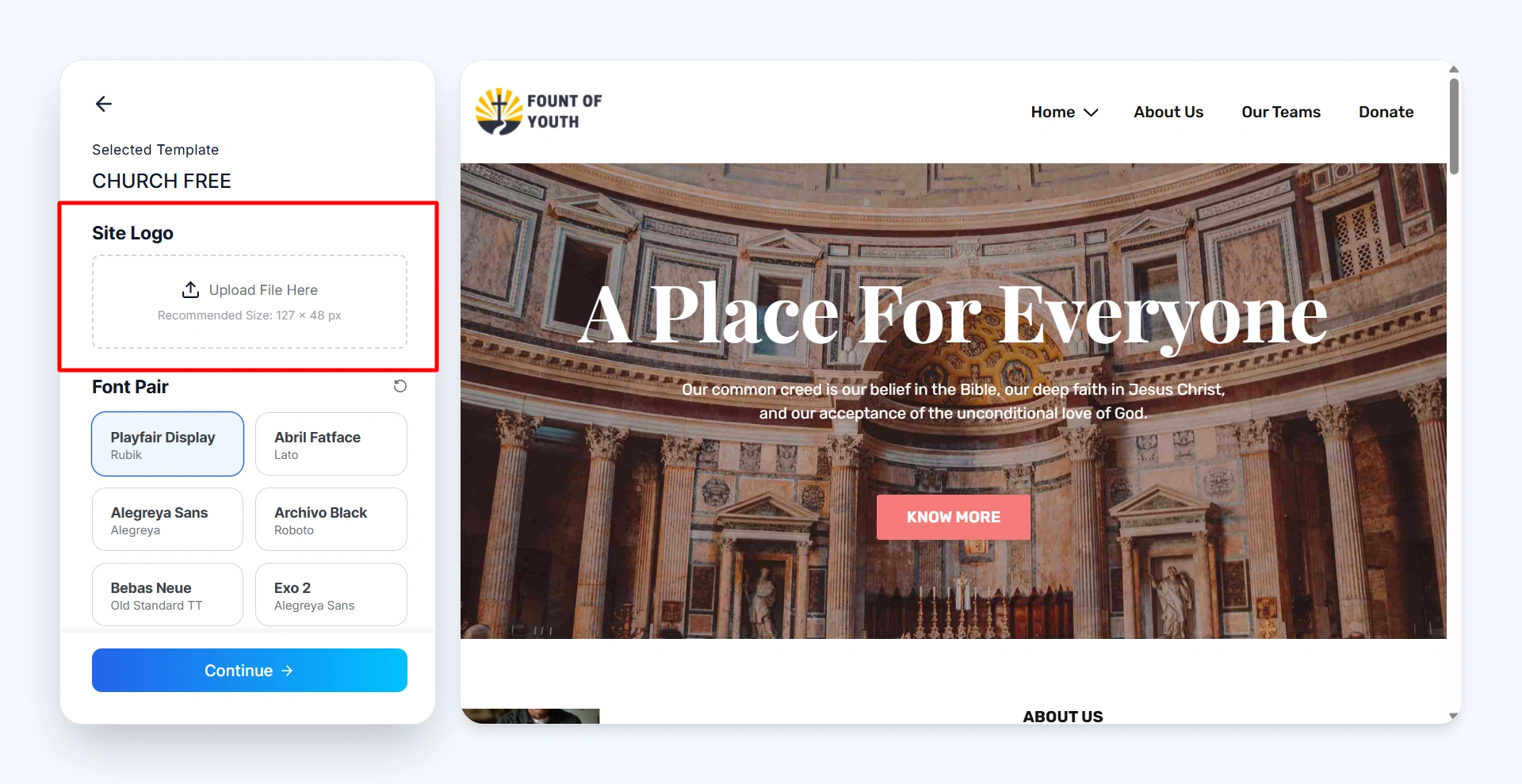
upload your site logo

Then, select the font style for your website. Youโ€™ll have multiple options to choose from.
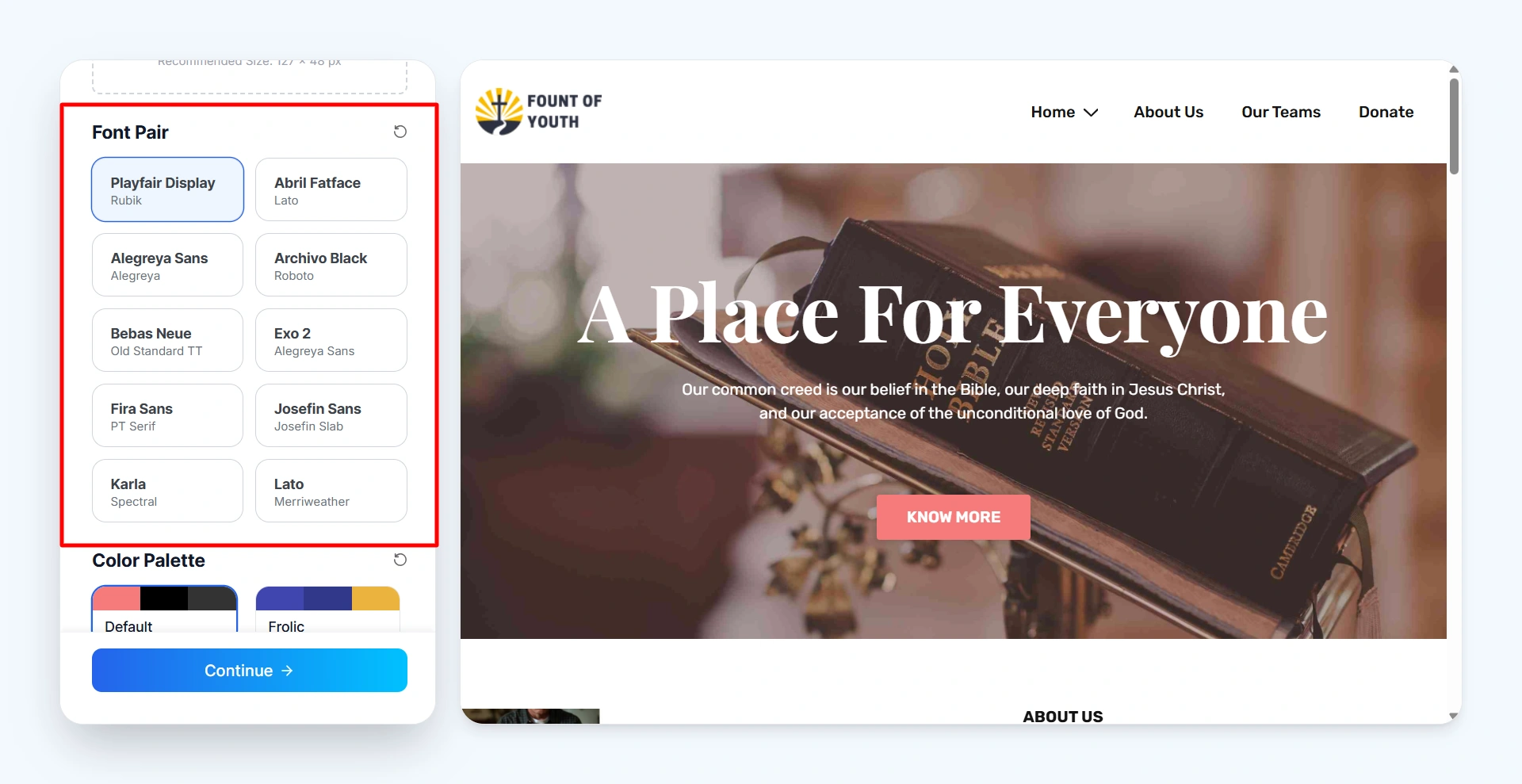
select the font style

After that, pick your website colors from the color palette. These will be applied to your siteโ€™s text and overall design.

Once everything is done, click on Continue.
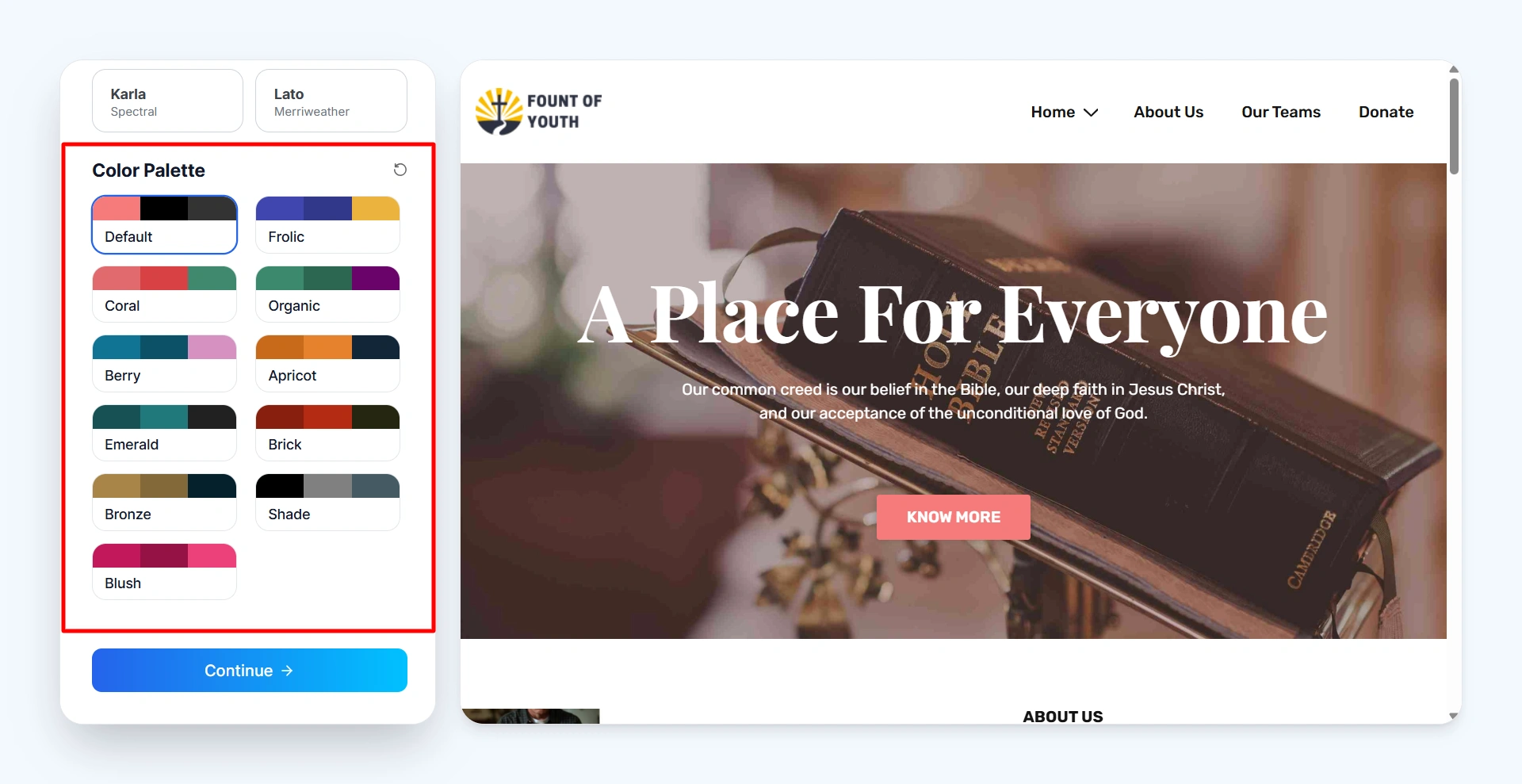
select the color palette

Now, click on Start Import. After a few seconds, your website will be fully imported.
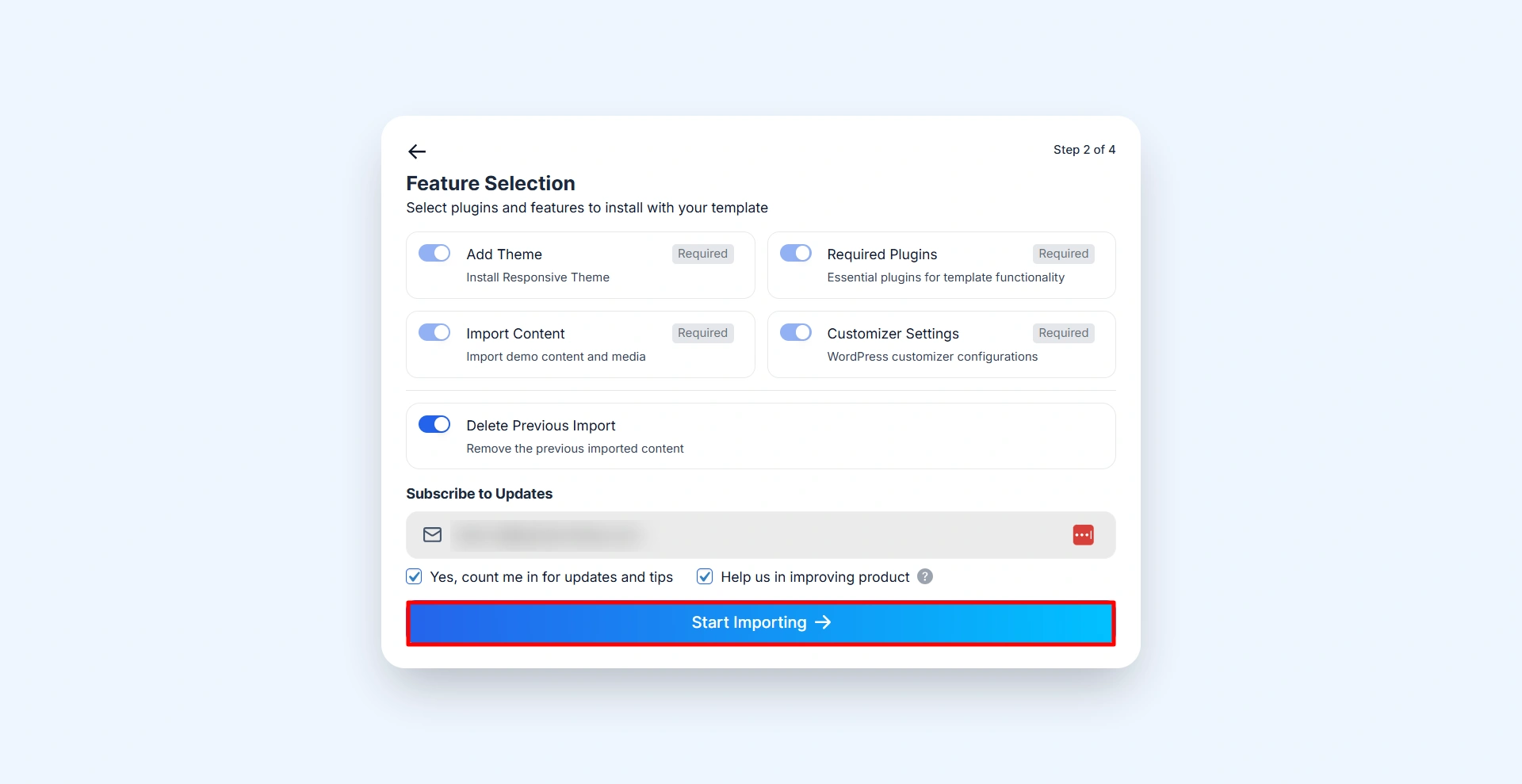
Click on "Import Template."

Now customize your website in the theme customizer.
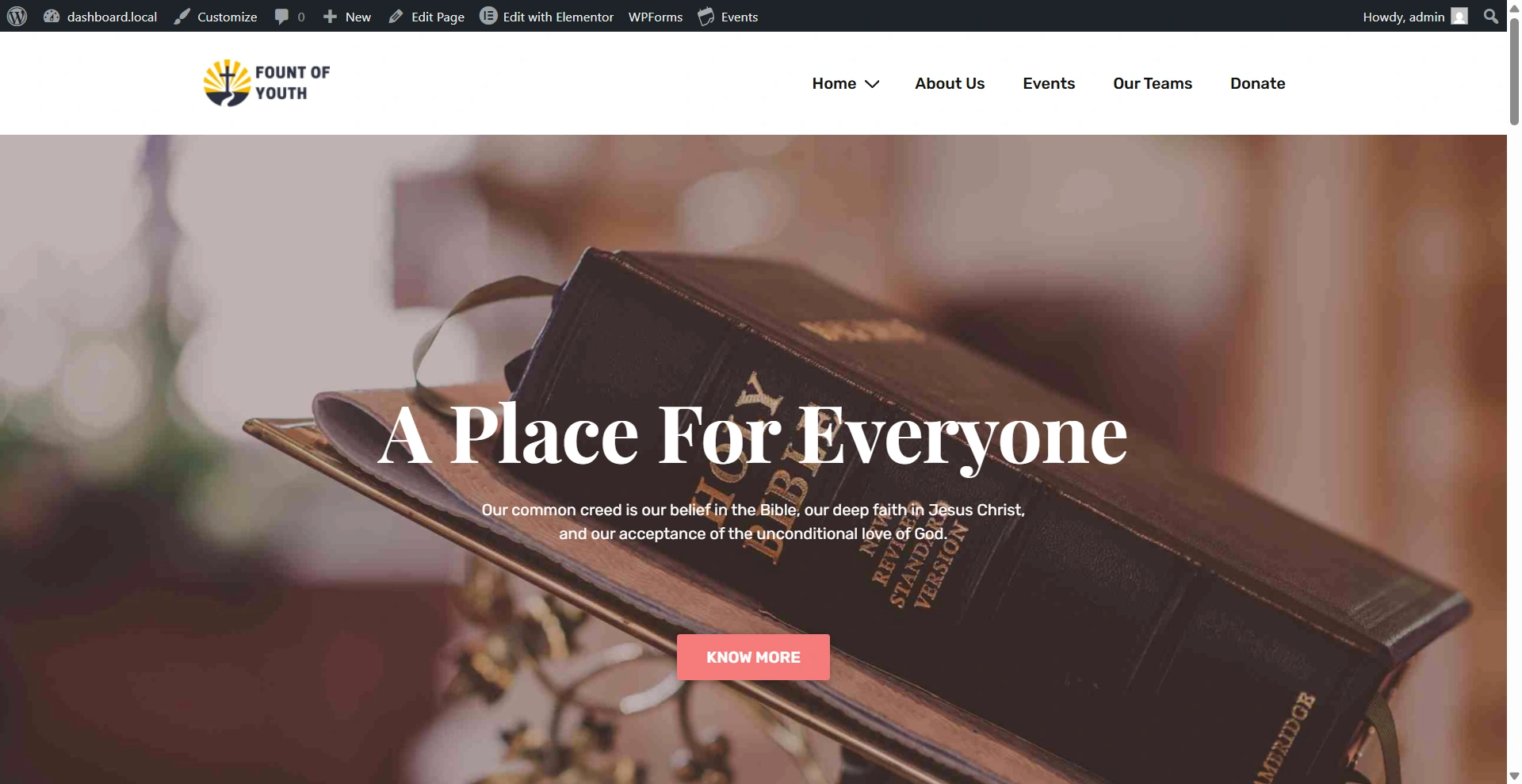
Church website

Still confused? Get in contact with the Cyberchimps support team.

Updated on March 23, 2026

What are your Feelings

  • Happy
  • Normal
  • Sad

Share This Article :

  • Facebook
  • X
  • LinkedIn
  • Pinterest
How to Enable/Disable Responsive Plus – Starter Templates ModulesImport a Single Page With Responsive Starter Templates

Our Products

Responsive Pro

Responsive Addons for Elementor

Starter Templates

Responsive Blocks

WP Legal Pages

GDPR Cookie Consent

Powered by Responsive WordPress theme

Our Products

Responsive Pro

Responsive Addons for Elementor

Starter Templates

Responsive Blocks

WP Legal Pages

GDPR Cookie Consent

Powered by Responsive WordPress theme

Resources

Starter Templates

Responsive Platform

Learn Elementor

Testimonials

Compare Astra/Kadence

TrustPilot

CCPA

Video Tutorials

Resources

Starter Templates

Responsive Platform

Learn Elementor

Testimonials

Compare Astra/Kadence

TrustPilot

CCPA

Video Tutorials

Theme Features

Responsive Features

WooCommerce

Header Footer Builder

Site Builder

Child Theme Generator

Download Free Theme

DFY Website Setup

Theme Features

Responsive Features

WooCommerce

Header Footer Builder

Site Builder

Child Theme Generator

Download Free Theme

DFY Website Setup

Company

About

Pricing

Blog

Brand Assets

Affiliate Program

Contact Us

Terms of Service

GDPR Privacy Policy

GDPR Cookie Policy

Website Design Service

Company

About

Pricing

Blog

Brand Assets

Affiliate Program

Contact Us

Terms of Service

GDPR Privacy Policy

GDPR Cookie Policy

Website Design Service

Support

Login

Whatโ€™s New

Documentation

Request Support

Video Tutorials

Refund Policy

Service

Discount Coupon

Bug Bounty Program

Support

Login

Whatโ€™s New

Documentation

Request Support

Video Tutorials

Refund Policy

Service

Discount Coupon

Bug Bounty Program

Copyright © 2010-2026 CyberChimpsย ย 

Copyright © 2010-2026 CyberChimpsย ย 

Top
Top