
Responsive Starter Templates offers options to enable or disable modules. This is an exclusive feature that allows you to optimize your website loading in a single click.
Enabling or disabling Responsive Starter Templates modules can impact your website’s speed and performance. When you toggle enable, the module activates additional features and functionalities on your websites.
If a particular module is not required for your website, disabling it reduces the amount of code and resources that need to be loaded, resulting in a faster load time.
For instance, if you’re a blog owner who doesn’t have an online store, disabling the WooCommerce module can result in faster loading times for your blog posts.
Follow the step-by-step tutorial to enable/disable Responsive Starter Templates modules.
How to Enable/Disable Responsive Starter Templates Modules
Just for your information, you need to have Responsive Starter Templates plugin activated to see the settings below.
You can check out how to install Responsive Starter Templates for your website. Once you have installed and activated Responsive Starter Templates on your website, please follow the instructions mentioned below.
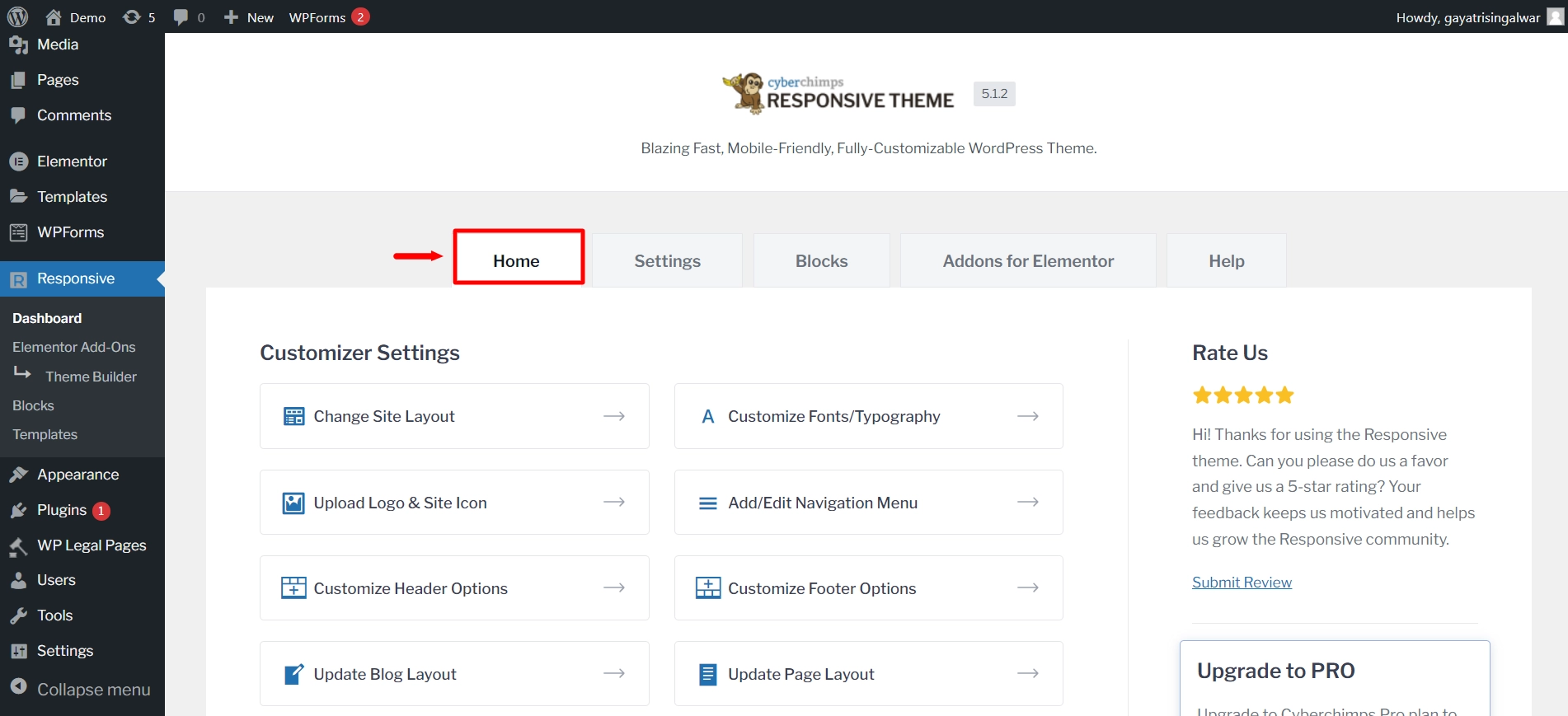
From your WordPress dashboard, navigate to Responsive > Dashboard.

Under the Home tab, scroll down to Responsive Pro Features.
Here, you get a toggle button switch to turn Responsive Pro Features modules like typography, mega menu, colors and backgrounds, and WooCommerce, on or off.
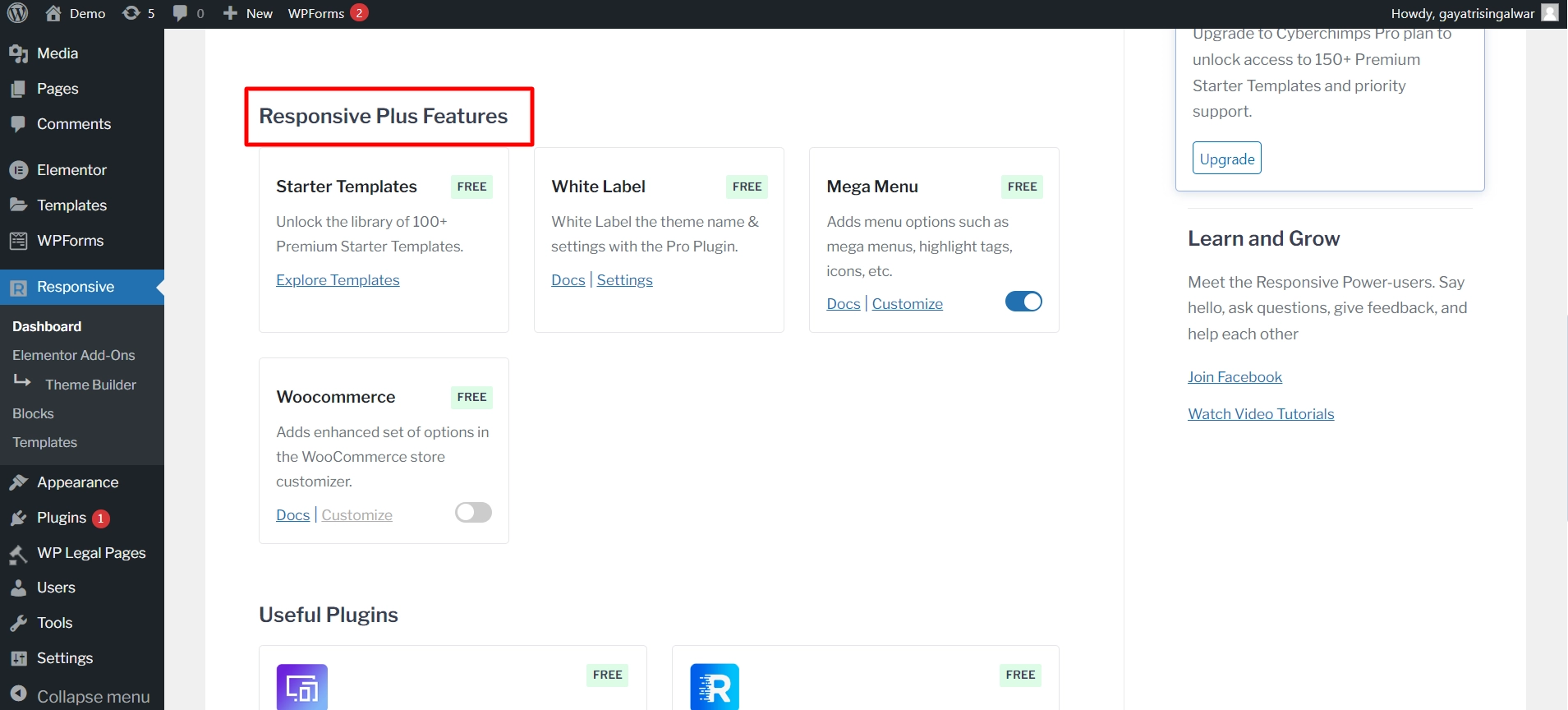
You have complete control to select which features to include on your website and avoiding loading unused modules.
Customize these settings as per your website’s needs and convenience.
Your changes are saved.
Every time you open your website, only the selected modules are loaded. This helps increase performance and optimize your website.
Get Responsive Starter Templates for your website today!


