
The Responsive Blocks Plugin provides you Custom CSS feature which allows you to add CSS on your WordPress website.
What Is Custom CSS?
With the custom CSS feature you can add you own style to your WordPress website. These styles could include things such as text color, font size, margin size, and many others.
When To Use Custom CSS?
When you want to make a page pop or have the page reflect your brand’s style more accurately. You can also use it to make changes that aren’t available through the default options available in your WordPress admin dashboard.
How To Add Custom CSS?
Make sure you have installed and activated the Responsive Block Addons. Once done, open the post you wish to add custom CSS to.
Step 1 – Click on the + icon in the top left corner to select a Responsive Block.

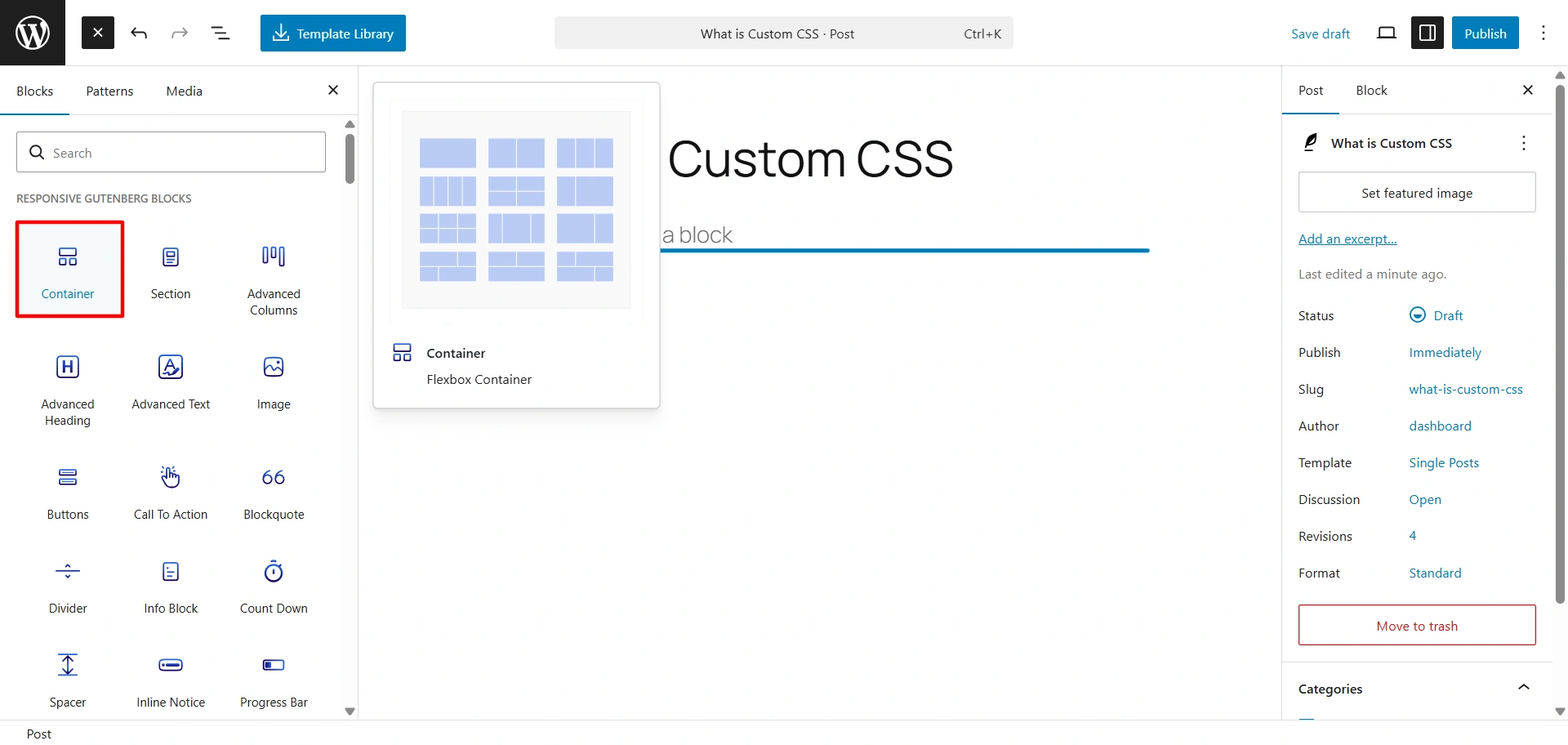
Step 2 – Select the added block and click on the Advanced tab on the right sidebar.

Step 3 – Click on Custom CSS under the Advanced tab and start customising your block.
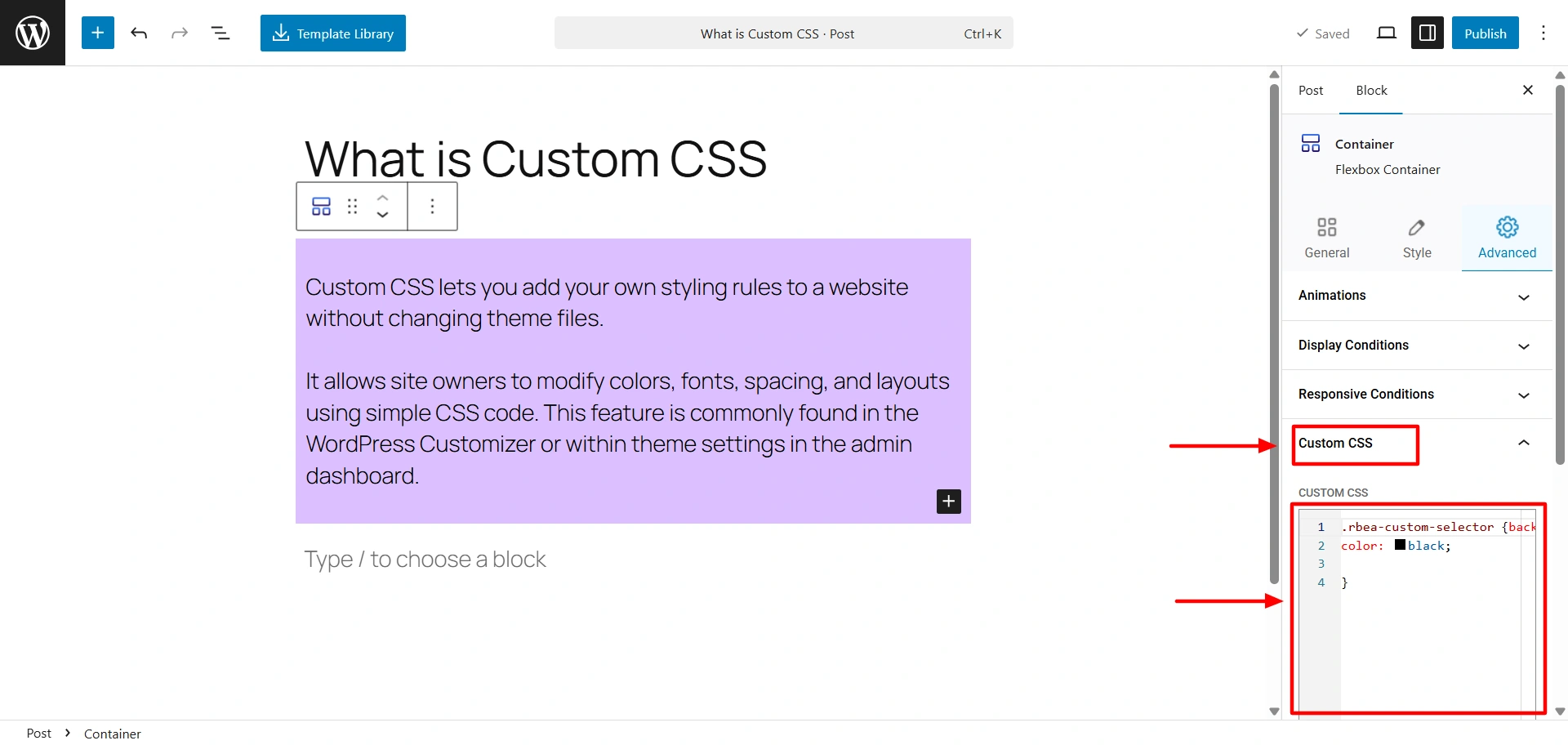
Once you are fully convinced with your customisation, you can go ahead and publish your post.


