Summary
Creators often wonder whether Elementor’s free tools are enough.
This breakdown highlights the feature gaps, design limits, and advanced capabilities in Pro, helping users understand which version supports their website goals more effectively.
Do you need help with whether to switch to Elementor Pro from Elementor Free?
Elementor’s free version offers a decent set of functionality and many design options, but Elementor Pro enhances the functionality to take your website to the next level.
This article will list all the differences between Elementor Pro and free so you know which version will work best for you.
Then, we’ll recommend which one to choose depending on what you want to use Elementor on your website.
With that, let’s dive into the details!
Responsive Addons for Elementor is the Best Elementor Addons plugin – Get it for free!
Elementor Free vs Pro: Let’s Get Started!
Elementor is a visual, drag-and-drop page builder. Let’s break that description down into two parts:
- See a preview of how your page will look to visitors as you build it.
- Just drag and drop different content and design elements to create the ideal design.
Furthermore, this WordPress plugin is an all-in-one solution.
As a result, it enables anyone to create a great-looking, custom website without needing a developer.
If you want to learn in-depth about Elementor, you can read this article: https://cyberchimps.com/blog/what-is-elementor/
Elementor Free vs Pro: Quick Comparison
| Features | Elementor Free | Elementor Pro |
| Drag & Drop Editor | Yes | Yes |
| Widgets | 30+ | 90+ |
| Theme Builder | No | Yes |
| Premium Support | No | Yes |
| Mobile Editing | Yes | Yes |
| WooCommerce Widgets | No | Yes |
| Custom CSS | No | Yes |
| Social Media Integration | No | Yes |
| Scrolling Effects | No | Yes |
| Slide & Carousel | No | Yes |
| Animated Headlines | No | Yes |
| Header And Footer | No | Yes |
| Archive Page | No | Yes |
| Contact Forms | No | Yes |
| 404 Page | No | Yes |
Features of Elementor Free
Elementor free is the version that is free of cost. You only need to download it from the WordPress website to install it.
- Templates: Elementor’s free version offers a wide selection of templates, with over 100 options for your website. Additionally, these templates allow you to design and build your website effortlessly with just a few clicks and selections.
- Widgets: Widget selection is fine, as the free version of Elementor already offers more than 30 diverse widgets, encompassing essential elements like toggles and columns. These widgets can be effortlessly added by dragging and dropping.
- Elementor Canvas: The free version of Elementor also offers a canvas layout option that allows you to create landing pages or other customized pages. Additionally, this layout removes all elements on the page, including the sidebar and top widgets, providing a clean slate for designing your page.
- Editing: With Elementor Free, you can also effortlessly edit your web pages on a mobile or desktop device, depending on your convenience and availability.
- RTL and LTL support: Elementor Free supports Right-to-Left (RTL) languages, an essential feature for developing web pages. Additionally, it provides seamless Left-to-Right (LTR) support as well. The translation service provided by Elementor is highly flexible, allowing for translation into more than 25 languages.
- The background features: Your website’s visual appeal can also be enhanced by incorporating various colors or gradient styles into the background, providing your audience with a unique and engaging visual experience.
Now that you know Elementor’s free features, you can decide whether it meets your work requirements.
Now, let’s delve into the advantages of the pro version and examine the additional features it brings to the table.
Features of Elementor Pro
Elementor Pro is an extension of Elementor, which empowers you with vast professional tools that speed up your workflow and design.
- Extra Widgets: Elementor Pro comes with additional premium widgets compared to Free.
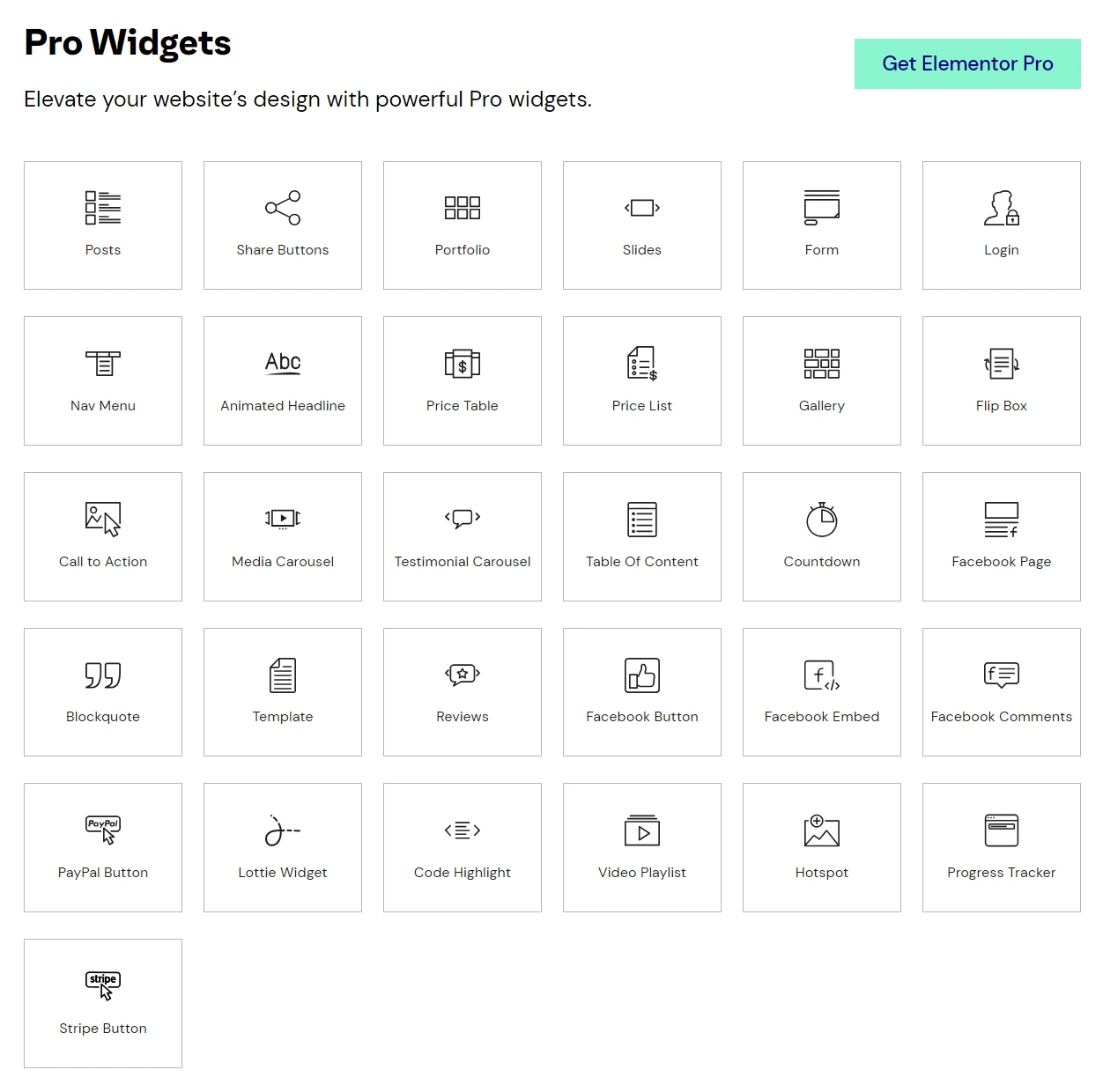
However, adding extra widgets isn’t limited to Elementor Pro.
New widgets are also added to the free version of Elementor using a plugin like Responsive Elementor Addons for Elementor.
- Access the full library of templates: With the free version, you can access Elementor’s extensive library of beautiful templates. A pro version, on the other hand, unlocks the complete library.

Even with Elementor’s free version, you can access many more templates without purchasing Elementor.
Check out Responsive Starter Templates by Cyberchimps Responsive Theme, where you can find many extra templates for Elementor’s free edition without buying Elementor Pro.
- Visual form builder: There is no need for additional plugins with Elementor Pro. To increase leads, use the visual form builder to create stunning forms.

- Theme Builder: With its theme builder option, you can access a wide range of visually appealing themes that can captivate your clients. Unlike the free version, which only allows content editing, the pro version lets you completely transform your entire website.

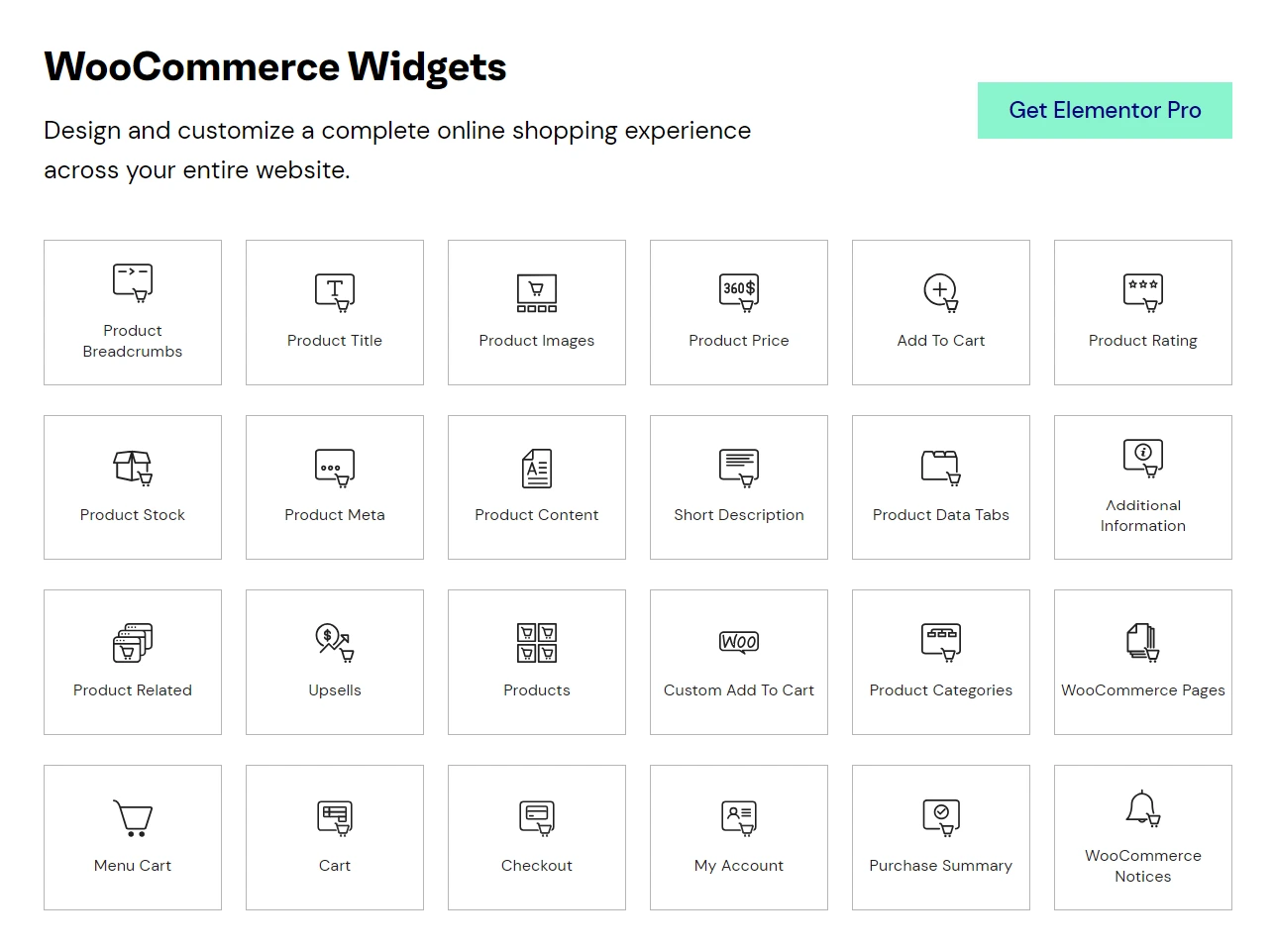
- WooCommerce Widgets: Woo-commerce is widely recognized as a popular marketing platform, so it is vital to have seamless integrations. However, Elementor Pro offers an extensive range of Woo-commerce features and widgets, allowing for effortless customization of your widgets.
- Custom CSS: With Elementor Pro, you can also add CSS directly to your widgets and blocks, giving you more control over the design and appearance of your website.
- Updates and Support: Elementor Pro offers regular updates to keep the plugin current with bug fixes, performance improvements, and new features. Additionally, users can access dedicated customer support for assistance with any issues or questions. Moreover, comprehensive documentation and tutorials are available to help users understand and utilize Elementor Pro effectively.
As a result, these features ensure a smooth user experience and provide resources to maximize the plugin’s potential.
Benefits of Elementor Pro
- Many advanced widgets
- Ability to create plugins for more than 1000 sites
- In-built themes and templates of all types
- Device friendly
Elementor Pro Pricing
Elementor Pro offers three different plans. These include:

- Essential (for one website) -$59/year: The plan is perfect for beginners who need extra flexibility in terms of customization and features.
- Expert (for 25 websites) -$199/year: It is perfect for users who have multiple websites.
- Agency (for 1000 websites) -$399/year: As the name suggests, the plan is ideal for agencies.
Factors to Consider Before Choosing
There are several factors to consider before deciding between Elementor Free vs Pro:
- Future Scalability: If your website needs more functionality, features, or integrations in the future, then opt for Eleemntor Pro. Otherwise, go for Elemetor free its scalability and complex features could be limited.
- Budget: If you have budget constraints, then go for Elementor Free. Elementor Pro requires a monthly subscription. Before investing money in Elementor Pro, consider the value you want from its additional features and functionalities.
- Project Complexity: Project Complexity: If you’re trying to build a website that’s basic in design, using the Free version of Elementor is ideal. But if your website involves complex structures, we recommend using Elementor Pro.
FAQ
Elementor Free provides basic selection of page-building tools but Elementor Pro offers some advanced options as well as basic tools.
Yes, you can build all of the pages of your website using basic tools, templates, and widgets available within the free version.
Yes, Elementor Pro unlocks a wide range of premium widgets not available in the free edition.
No, headers, footers, and themes are only available in Elementor Pro.
Final Recommendations: Elementor Free vs Pro
With exceptional features and capabilities, Elementor is one of WordPress’s most powerful and popular page builders.
Moreover, for users who want to enhance their design game, Elementor Pro is worth paying for. Pick the best choice for your website based on your preferences and requirements.
In conclusion, Elementor Pro is your best choice to utilize Elementor to its full potential.
We hope our comparison of Elementor Pro vs Free helped you choose the best option.
Want to learn more about Elementor, check out these articles as well:
- Gutenberg vs Elementor: Which Page Builder Should You Use And Why?
- How To Create A Landing Page With Elementor In WordPress
- How To Build A Custom Header/Footer In Elementor For Your Website
Do you want to start developing your website? Grab the Responsive Theme now!