
Summary
The article lists top dynamic pricing and discounts plugins for WooCommerce. It explains best plugins that help you create flexible pricing rules, discounts, and offers in your store.
It also highlights key features, ease of use, and customization options. Helping readers choose the right plugin to boost sales with smart pricing and promotional strategies.
Want to learn the best dynamic pricing and discount plugins for WooCommerce?
Running a WooCommerce store is challenging, primarily because of the cutthroat competition in the niche. As this domain becomes highly competitive, everybody is trying hard to differentiate from the rest of the stores.
Considering that almost everybody shares the same pie, you must implement tactics and strategies to get more of the share. One of the best differentiating factors that helps garner attention is how you regulate pricing in the store.
Customers consistently try to find the best deals on products. Only a few stores can convert more customers with their dynamic pricing.
Dynamic pricing is an important technique that can help you position your WooCommerce platform at the top of the pack. This post is perfect if you are ready to pursue this path.
Here, let’s discuss WooCommerce dynamic pricing and its rules and find out some of the top dynamic pricing and discount plugins for WooCommerce.
What is WooCommerce Dynamic Pricing?
Before you rush to find the best WooCommerce dynamic plugins, it is essential that you establish a significant understanding of dynamic pricing and how it can benefit your WooCommerce store.
Dynamic pricing is a strategy that involves setting changeable or adjustable pricing for an individual product or a group of products based on varying factors, including demand.
Let’s take an example here. Suppose there is a clothing piece on your site that is selling the most. You believe that increasing the price of this product will also boost revenue. This strategy is known as dynamic pricing.
Apart from top-selling products that are sold independently, your store might also have unpopular products. Thus, such a strategy can also be used to sell out-of-demand products at discounted rates.
As far as a group of products is concerned, you can give an offer to your customers if they buy three products and get a 10% discount and more.
Another excellent example of this could be user role-based pricing, where you can give discounted prices to a group of customers, such as wholesale buyers. In addition, Buy One Get One (BOGO) is a type of WooCommerce dynamic pricing.

Advantages of Dynamic Pricing
Like any other discounting strategy, dynamic pricing boosts customers’ purchases and savings significantly. This method can improve sales of products that have been performing poorly.
You can also change the prices of your products based on your competitors’ pricing. Having said that, here are some of the advantages of dynamic pricing:
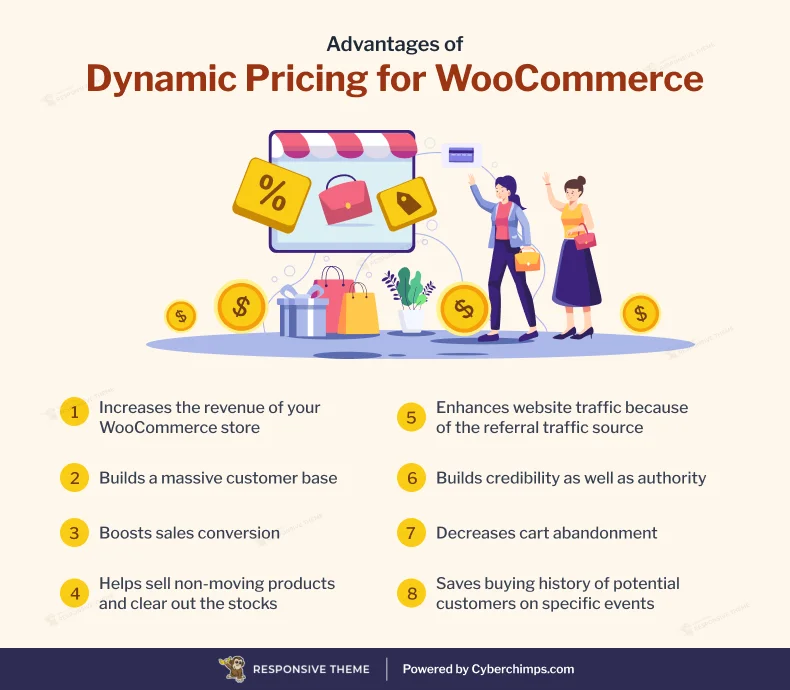
- Increases the revenue of your WooCommerce store
- Builds a massive customer base
- Boosts sales conversion
- Helps sell non-moving products and clear out the stocks
- Enhances website traffic because of the referral traffic source
- Builds credibility as well as authority
- Decreases cart abandonment
- Saves the buying history of potential customers on specific events
Now that we know the advantages of dynamic pricing, let’s see how to use them. One of the best ways to increase product sales is by creating coupon codes for special occasions like Black Friday, Christmas, New Year, etc.
If you have always wanted to create coupon codes but didn’t know where to start, don’t worry; we have a complete step-by-step guide for you.
Top WooCommerce Dynamic Pricing and Discount Plugins
Let’s find out everything about the best WooCommerce dynamic pricing and discount plugins here:
1. ELEX WooCommerce Dynamic Pricing and Discounts Plugin
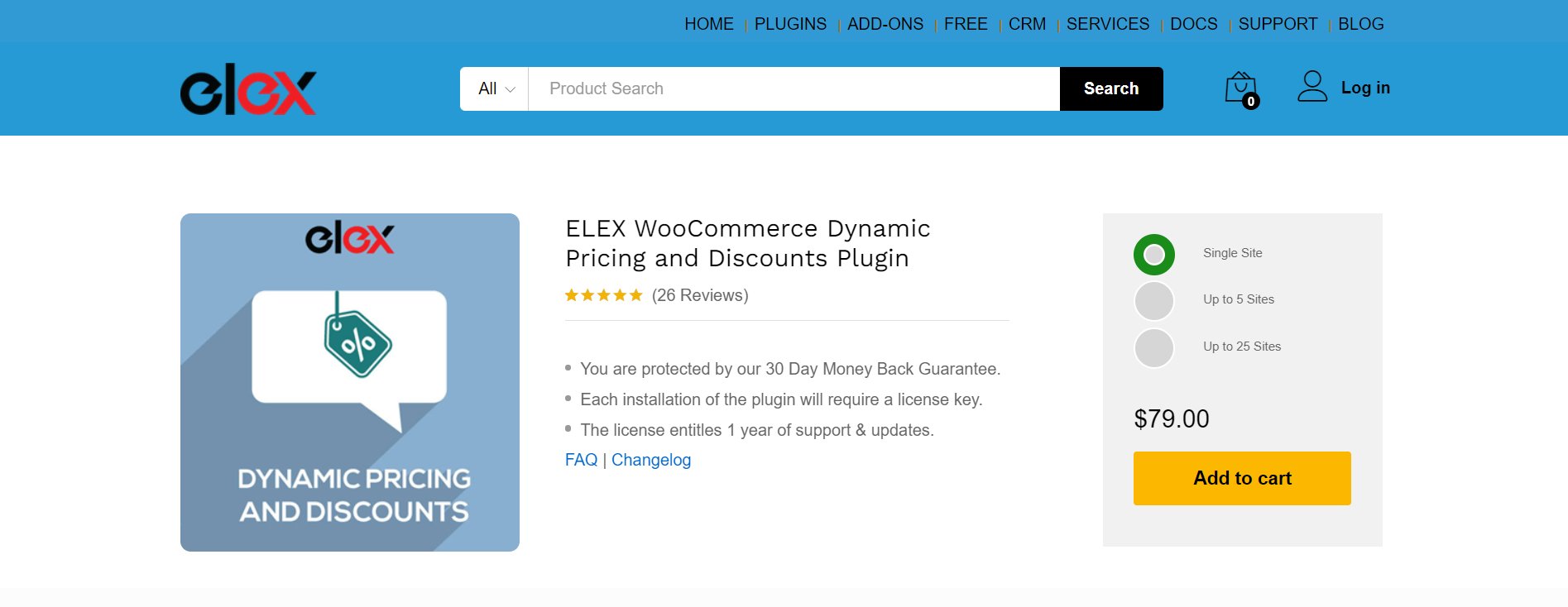
ELEX WooCommerce is one of the highly popular and considerable WooCommerce dynamic pricing plugins. It lets you seamlessly and instantly set up dynamic pricing on the WooCommerce site.
You can apply coupons and discounts for product categories, cart pages, and individual products. With this plugin, you can also apply rules and conditions that comprehend the pricing of your store’s products.
Alternatively, you can change the pricing manually without much effort.
Key Features:
- Allows you to run Buy One Get One Free (BOGO) offers.
- Discounts on product categories.
- Display pricing table on varying product pages.
- Discounts on bundles or product combinations.
- Compatible with popular WordPress and WooCommerce plugins, such as Currency Switcher, WPML, and more.
Pricing: This WooCommerce pricing plugin costs $79 for one site. However, it costs $119 and $199 for up to five sites and up to 25 sites, respectively.
2. YITH WooCommerce Dynamic Pricing and Discounts
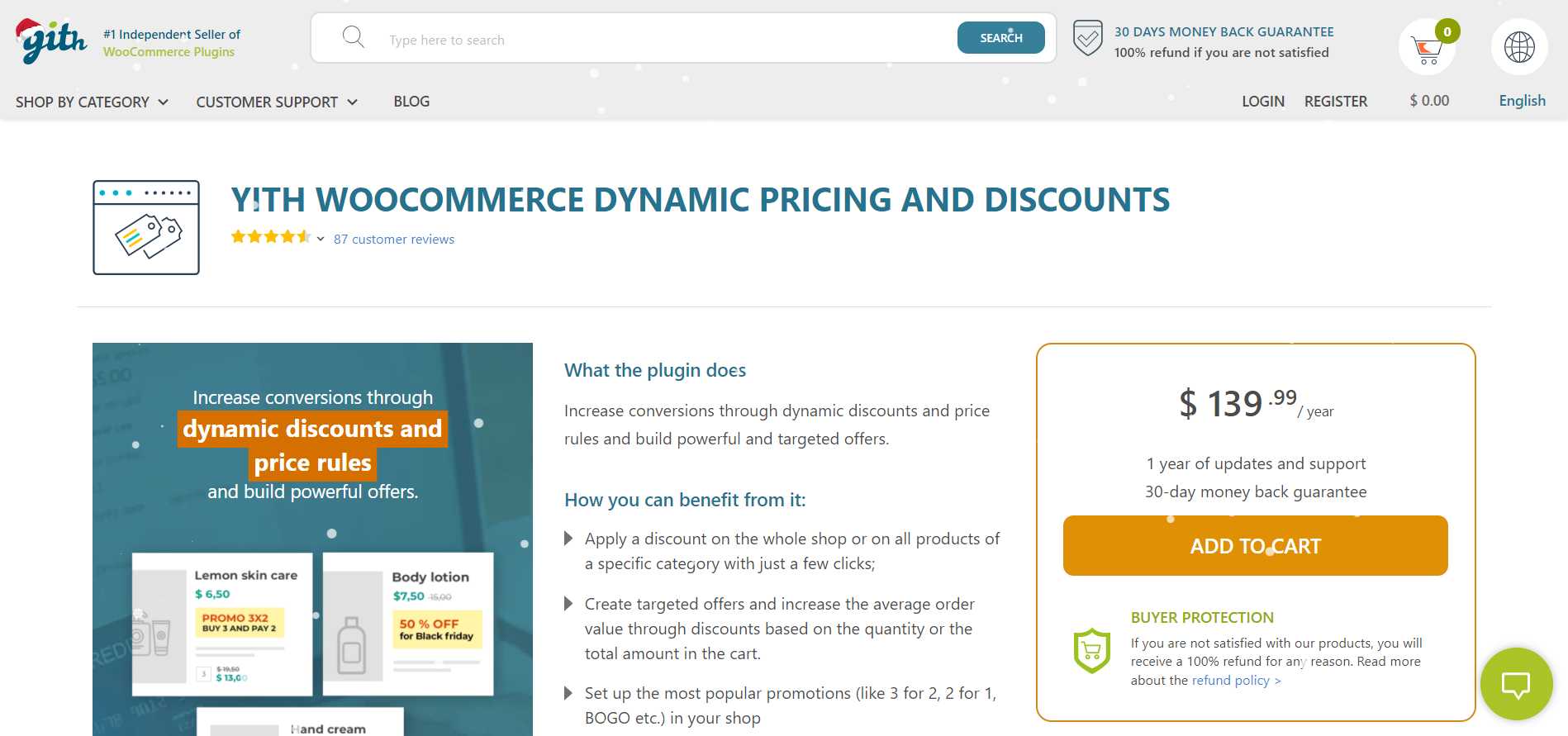
YITH is another popular WooCommerce dynamic pricing plugin. It comprises a variety of dynamic discounts and pricing.
The plugin lets you set dynamic product pricing through price rules, regulations, and conditions. Alongside, you can even set targeted offers based on the quantity bought.
This plugin helps you set discounts for specific users based on the number of products they have purchased or the number of products in their cart.
Key Features:
- An option to showcase the price table vertically or horizontally.
- Schedule offers.
- Provide free shipping based on shopping carts or the final price.
- It has three varying discount modes.
- Provide free products with the help of BOGO.
Pricing: You can buy this plugin for $139.99/ year.
3. Dynamic Pricing
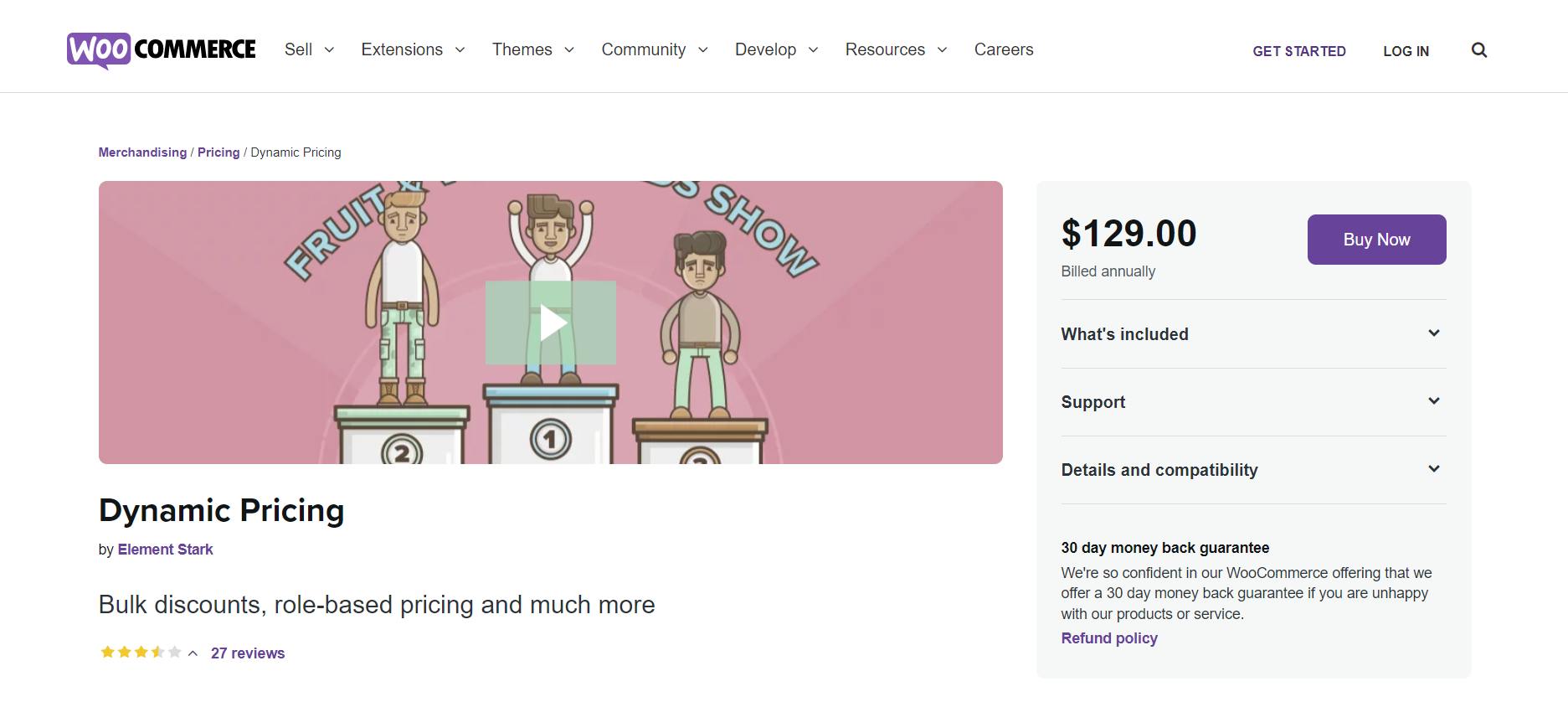
Dynamic Pricing plugin is next on the list. This one is an official plugin designed by the WooCommerce team. It lets you set up dynamic pricing on the store.
This WooCommerce dynamic pricing plugin has various advanced product pricing options, which allow you to set the pricing based on several variables, such as the quantity bought by a specific customer or the total quantity of products purchased.
If you want, you can assign roles to customers, such as gold members, etc. This way, you can identify loyal customers with ease. And then, you can also assign specific discounts to these customers to acknowledge their loyalty to your WooCommerce brand and retain them for a longer time period.
Key Features:
- It has seven varying discount modes.
- Extensive documentation available,
- A feature to assign diverse roles to customers based on their purchase.
- Has expert WooCommerce support.
Pricing: The plugin is available for $129/year.
4. WooCommerce Dynamic Pricing & Discounts
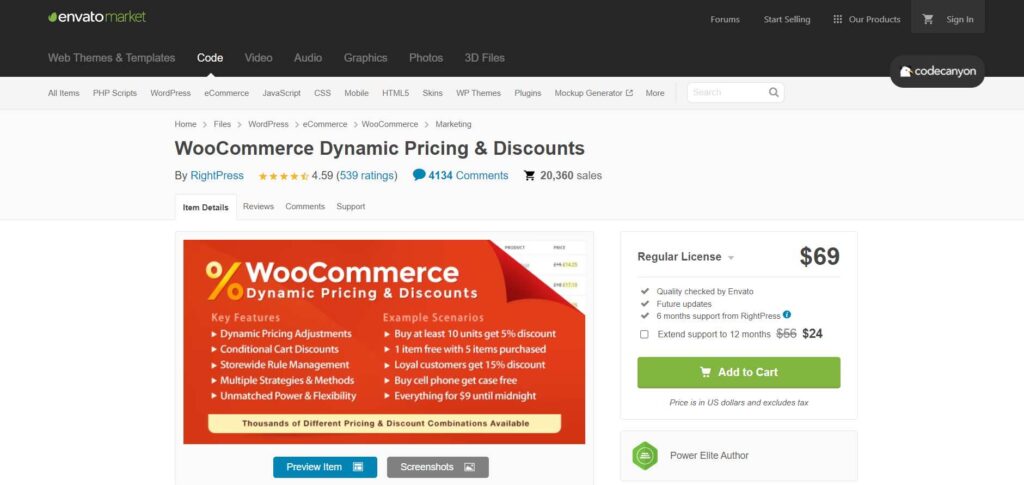
WooCommerce Dynamic Pricing & Discounts plugin is quite popular. It is one of the best-selling plugins with a 4.5-star rating and over 17000 sales.
Although the plugin is quite simple to use, it is extremely powerful and effective at managing dynamic pricing for the WooCommerce store.
Furthermore, this WooCommerce pricing plugin can be used for bundle pricing, scheduled promotions, exclusive discounts, flash sales, and more.
Key Features:
- Tiered pricing.
- Bulk pricing.
- An option to create bundle products.
- Buy One Get One Deal.
- A feature to create product groups based on the quantity purchased.
Pricing: You can buy this plugin at a price of $60.
5. WISDM Customer-Specific Pricing for WooCommerce
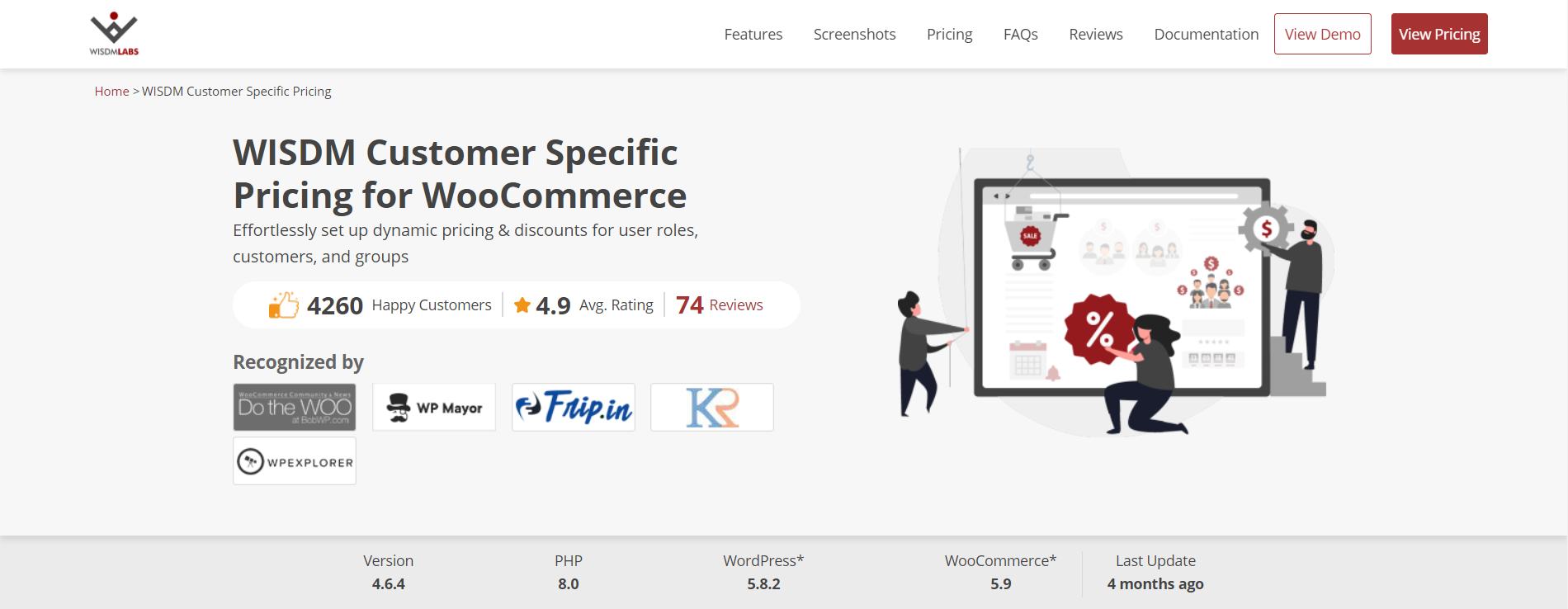
WISDM is another significant WordPress plugin that you can use for dynamic pricing and discounts on your WooCommerce store.
This WooCommerce dynamic pricing plugin allows you to reward the loyal customer base by setting prices, especially for older customers. It can also develop a particular shop page for certain consumers.
You can also set various conditions, such as the total cart value, the number of products in the cart, and more.
Key Features:
- Stock scheduling.
- Individual prices for certain customers.
- An option to add custom messages on the cart page.
- Give exclusive cart discounts.
- Compatible with WordPress multisite.
Pricing: This WooCommerce pricing plugin has three pricing packages available. A year’s subscription costs $80, $99, or $108. However, if you want lifetime access, you must pay $200, $249, or $298, depending on your requirements.
6. Dynamic Pricing and Discount Rules
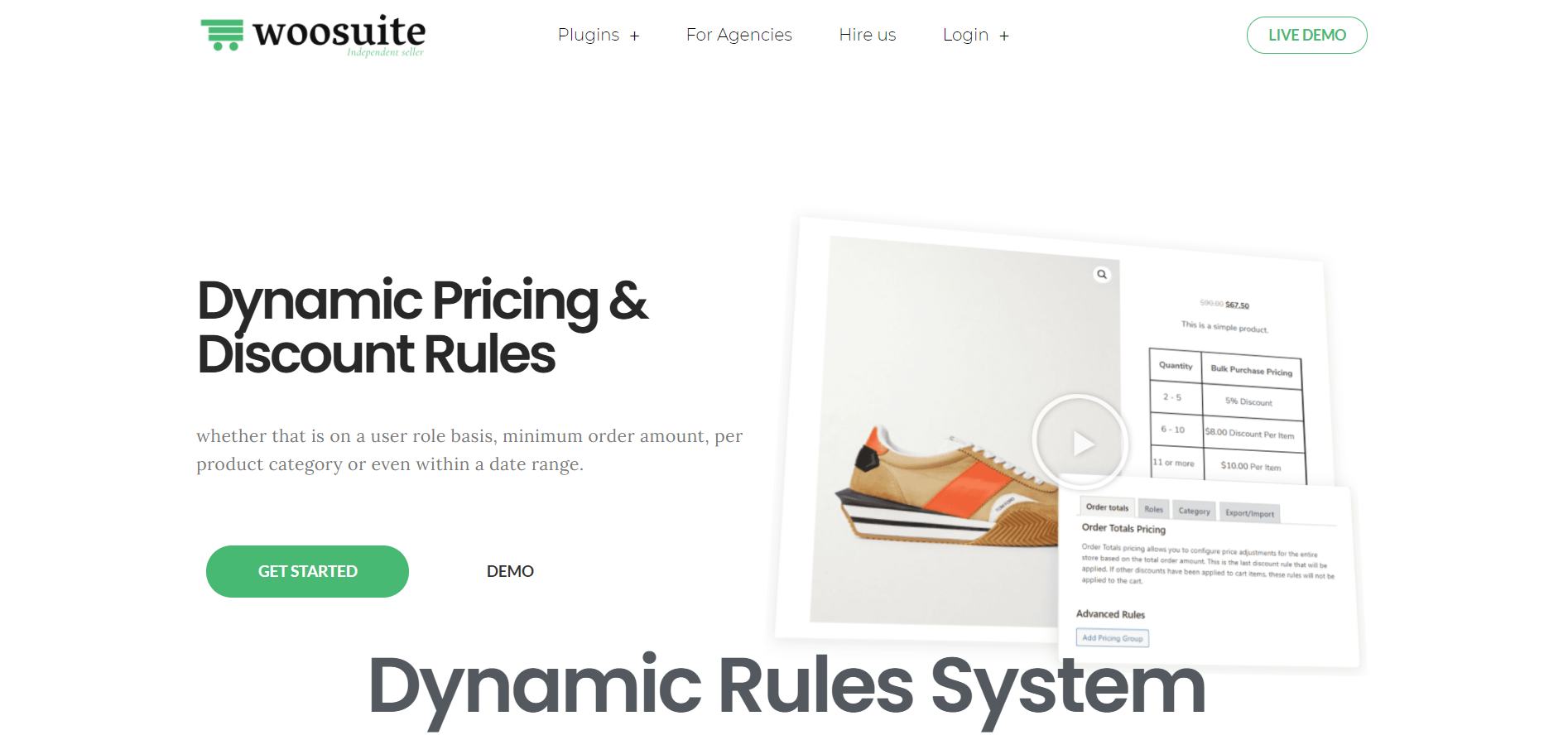
Dynamic pricing and discount rules plugin lets you rapidly apply bulk discounts to products available on your WooCommerce store.
You can install the plugin and add your pricing offers based on given factors in a few minutes.
This WooCommerce pricing plugin supports a ground-breaking UX design that makes applying discounts or defining discount rules easier to make them more enjoyable and straightforward.
Key Features:
- It lets you customize the pricing table’s border colors, titles, and more.
- Provides two types of discounts, such as fixed price and percentage discounts.
- Can apply the discount only if the cart or product meets certain criteria.
- WooCommerce discounts on specific products and quantities.
- Restrict or limit discount rules to specific product lists.
Pricing: This WooCommerce dynamic pricing plugin has three packages. The basic one costs $8.25/month, the professional one costs $12/month, and the all-access package costs $29/month. If you buy at monthly pricing, you will be charged annually. On the other hand, if you want lifetime access, you must pay $249, $357, and $997, respectively.
7. Discount Rules for WooCommerce
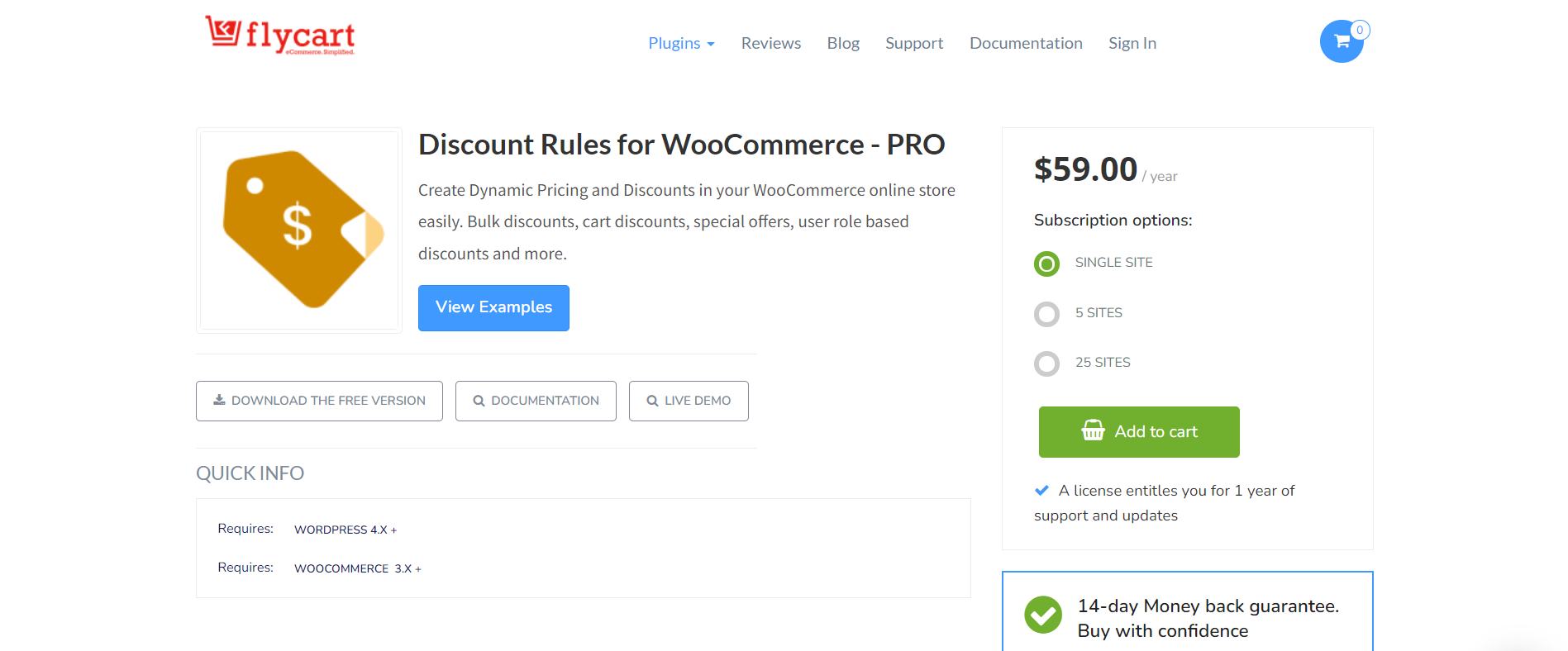
Discount Rules for WooCommerce plugin is rapidly growing in popularity. It is a good option for configuring a variety of discounts on your WooCommerce store.
This plugin helps you create cart discounts, bulk discounts, user role-based discounts, and more.
It also lets you create a Buy One Get One offer and price adjustments based on the shipping destination.
Key Features:
- Choose specific products to exclude from the discount rule.
- Configure and customize an extensive range of features in the store.
- Showcase sales badges for certain products.
- Show a discount table on the product page with advanced formatting options.
- Customizable alerts on the cart page whenever a discount is applied.
Pricing: This WooCommerce pricing plugin costs $59/year for a single website, $89/year for up to 5 sites, and $149/year for 25 sites.
How to Create Coupon Codes with WooCommerce
Before we begin, I hope you’ve installed the WooCommerce plugin, as it is mandatory to create coupon codes. If you haven’t, you could install WooCommerce here.
Now, let’s get started.
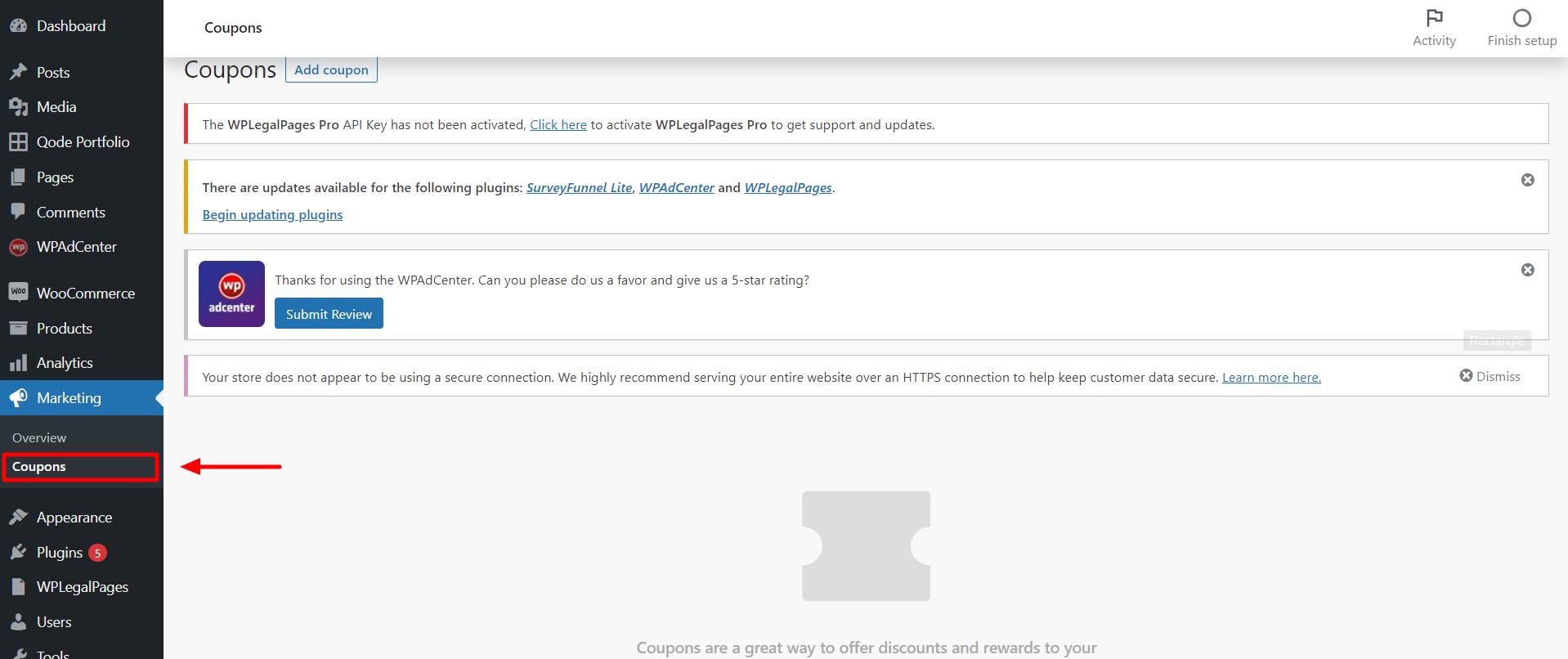
Login to your WordPress dashboard and head over to Marketing > Coupons.
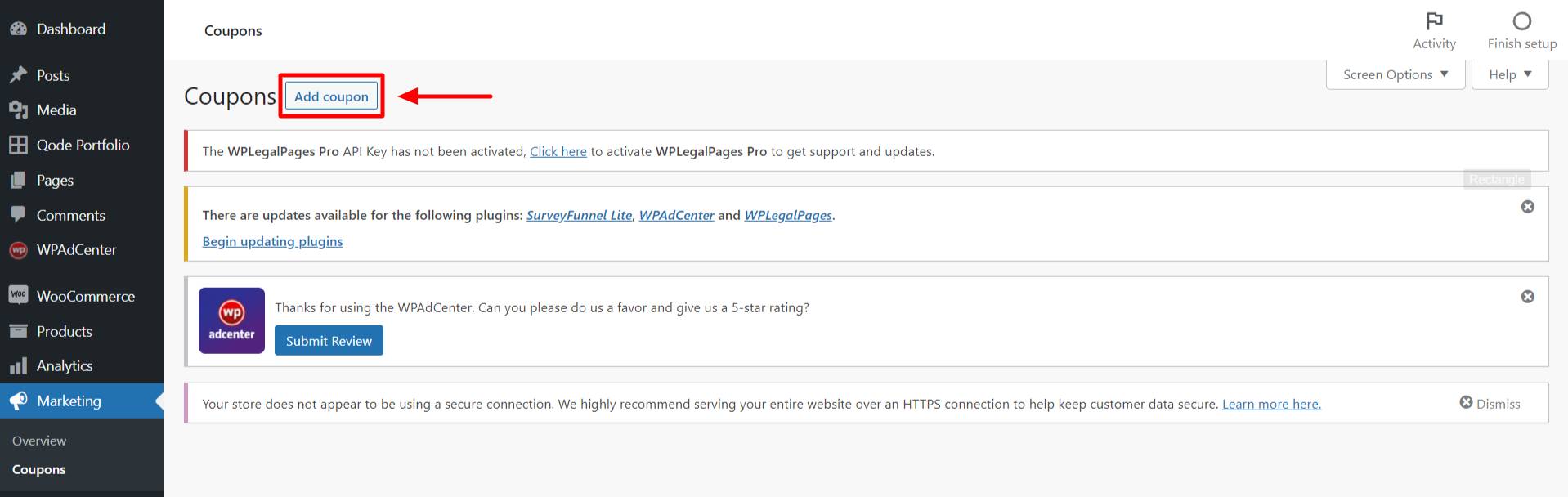
Next, click the ‘Add coupon’ button to create your first coupon.
Now, you have to create a unique name for your coupon code. Remember that the users would use this as the coupon code to avail of your discount. So make sure to check twice, as this could create a lot of confusion for the users.
Also, ensure the coupon code is related to the occasion or purpose you’re offering it. For example, if you’re creating a coupon code for 2022 New Year sales, you could name the coupon HAPPY2022 or NEWYEAR2022 and more like them.
You could also click the ‘Generate coupon code’ button to create a system-generated coupon code.

Provide the necessary description of the coupon code, if needed.
We now move on to the ‘Coupon data’ section, which has three tabs: General, Usage restriction, and Usage limits.
1. General
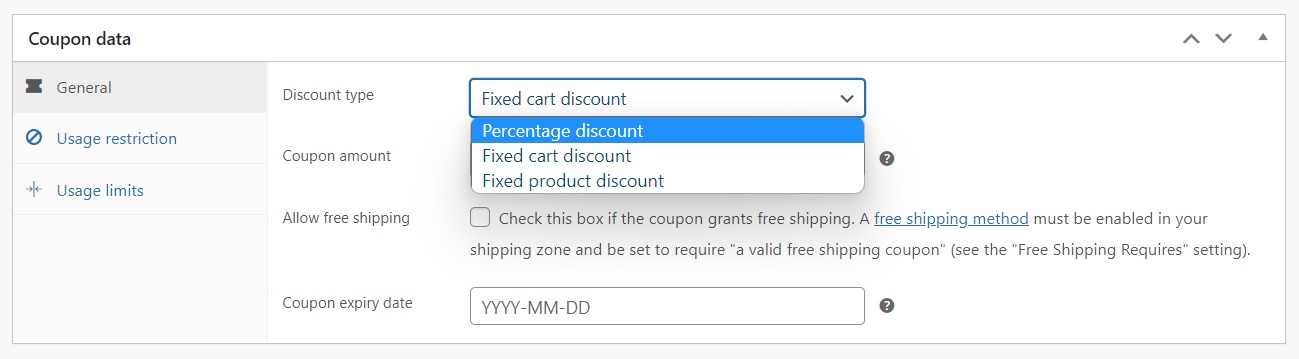
Under the General tab, you can select from the type of discount, enter coupon value, allow free shipping, and set the expiry date.
2. Usage restriction
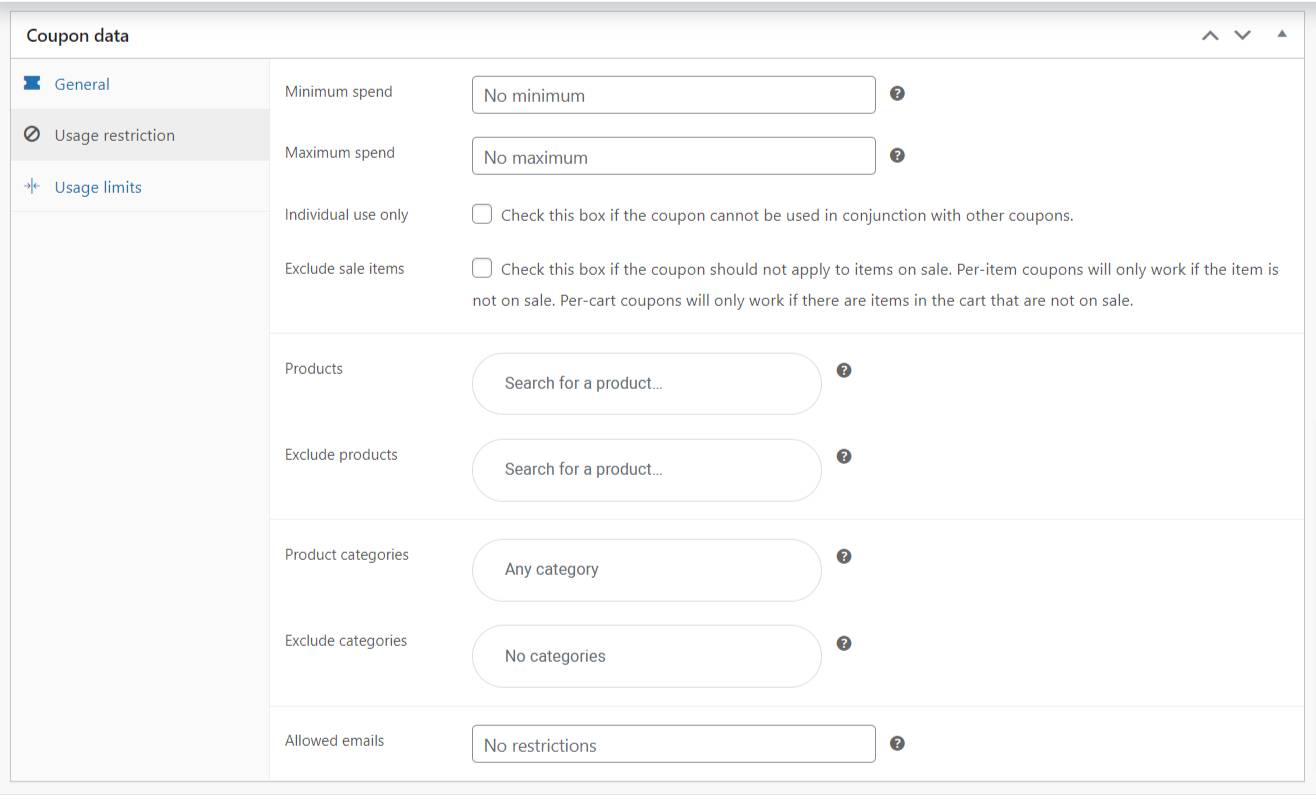
Under this tab, you can set various restrictions to the coupon, such as the minimum and maximum amount to use the coupon.
You can also restrict the coupon so that it does not work in conjunction with other coupons and exclude the items that are on sale for this coupon.
3. Usage limits
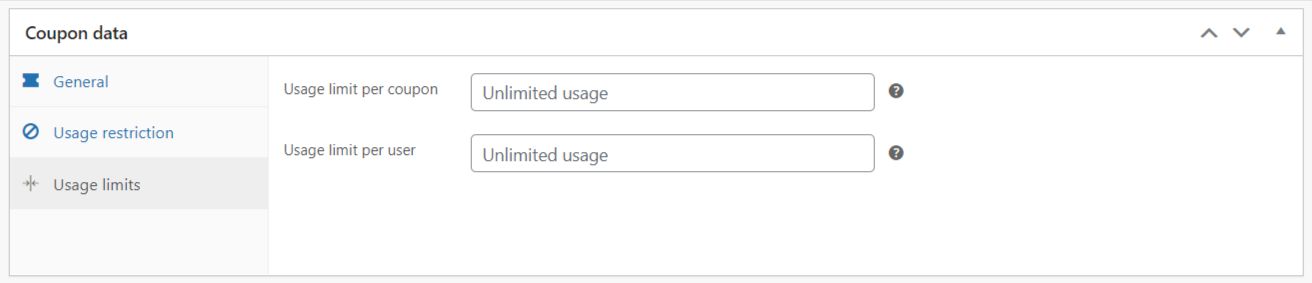
Here, you can limit the number of times this coupon can be used before it becomes void and the number of times a single user can use the coupon.
If you’ve selected the discount type as ‘Percentage discount’ or ‘Fixed product discount,’ an additional option, ‘Limit usage to X items,’ will appear under the ‘Usage limits’ tab.
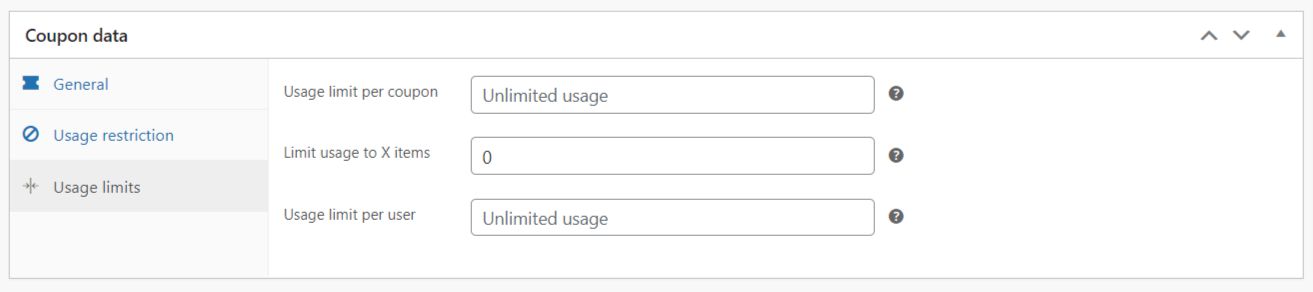
This option allows you to limit the maximum number of individual items this coupon can apply to when using product discounts. You can leave it blank if you want the coupon to apply to all qualifying items in the cart.
After making all the changes, click the ‘Publish’ button to activate the coupon.

Congratulations! You just created your first coupon.
FAQ
Dynamic pricing allows companies to adjust prices quickly to changes in demand. This can help businesses avoid lost sales due to high prices or lost opportunities due to low prices.
WooCommerce pricing is based on different factors, such as purchase quantity, product category, and customer brand location, which can help increase sales and boost profit.
The conditional discount rule for WooCommerce is based entirely on the total amount in the customer’s Cart. The discount is calculated according to the average amount in the shopping cart. Determining the subtotal plays an important role in this scenario.
Go to WooCommerce > Woo Discount Rules > Settings > Product Section to enable this option. You can show the discount symbol with two options: Show only if the rule condition is exactly matched – the discount symbol will only be activated if the discount rule matches.
Dealers or shopkeepers give discounts in the form of coupons. The best example is Nike, which offers 40% off on a purchase of 3-4 pairs of shoes.
Wrapping Up
We hope that you have now acquired a better understanding of the WooCommerce dynamic pricing methodology and plugins.
If you are searching for the best dynamic pricing and discounts plugin for WooCommerce, zero down your requirements and choose one tool from the list at the top accordingly.
Want to learn more about plugins, check out these articles:
- How To Install A WordPress Plugin – Step By Step Beginner’s Guide
- Best WooCommerce WordPress Themes
- How to Build a WooCommerce Website with Elementor
Are you looking to build your WordPress website? Grab Responsive Theme now!