
↓ Skip to Main Content
Cyberchimps Logo

Main Navigation

  • Pro
  • Starter Templates
    • Free Templates
    • Premium Templates
  • Pricing
  • Login
Get Started
Cyberchimps Logo

Off Canvas Menu

  • Pro
  • Starter Templates
    • Free Templates
    • Premium Templates
  • Pricing
  • Login

Installations & Updates

1
  • How to Install and Activate the Responsive Blocks Addons (RBA) Plugin?

General

7
  • Custom CSS feature in Responsive Blocks
  • Responsive Blocks – Block Presets
  • Responsive conditions
  • Display Conditions Extension
  • Animations Extension
  • Pattern Importer
  • Responsive Blocks plugin- Introduction

Blocks

50
  • Container
  • Feature Grid
  • Progress Bar – Responsive Blocks
  • Accordion Block
  • Video Popup
  • WP Search
  • Tabs
  • Taxonomy List
  • Team
  • Testimonial
  • Testimonial Slider – Responsive Blocks
  • Post And Page Grid
  • Section
  • Shape Divider
  • Social Share
  • Spacer
  • Table Of Contents – Gutenberg Blocks
  • Info Block
  • Inline Notice Block
  • Instagram Feed Block
  • Masonry
  • Multi Buttons
  • Portfolio – Responsive Blocks
  • Post Carousel – Responsive Blocks
  • Post Timeline
  • Pricing List
  • Pricing Table – Responsive Blocks
  • Flip Box
  • Google Map – Responsive Blocks
  • Icon List
  • Image Boxes
  • Image Hotspot – Responsive Blocks
  • Image Slider – Responsive Blocks
  • Count Down
  • Count Up
  • Divider – Gutenberg Blocks
  • Expand/Show More
  • Card
  • Content Timeline
  • Popup Block
  • Image Block
  • Contact Form 7 Styler – Responsive Blocks
  • Advanced Column
  • Advanced Heading
  • Advanced Text
  • Anchor Block
  • Blockquote
  • Call/Mail Button
  • Call To Action – Responsive Blocks
  • Form Block 
View Categories
  • Home
  • Docs
  • Responsive Blocks
  • General
  • Responsive Blocks plugin- Introduction

Responsive Blocks plugin- Introduction

Building a website can often seem overwhelming, time-consuming, and expensive. The Responsive Blocks plugin by Cyberchimps makes this process simpler.

With the Responsive Blocks plugin, you can design fast-loading and visually appealing websites effortlessly using just the default WordPress Block Editor, without needing any coding knowledge.

This document gives you an overview of how to use Responsive Blocks by Cyberchimps to build and customise your website.

What is Responsive Blocks?

Responsive Blocks

The Responsive Blocks Plugin is a free plugin offered by Cyberchimps that offers over 50 blocks, designed for Gutenberg. It acts as an added functionality to the default Gutenberg Block Editor.

Moreover, it presents a neat and refined layout for your website and also ensures that your site is lightweight and fast. 

This plugin is especially curated to help users design beautiful and high-functioning websites while avoiding the extra bloat from using third-party page builders. 

The Responsive Blocks plugin helps your website stay fast, SEO optimised, and mobile-friendly. By using Gutenberg, you avoid the extra bloat from using third-party page builders. 

This plugin works wonderfully when paired up with the Responsive Theme by Cyberchimps. It enables you to customise your site quickly and however you like. It offers multiple blog layouts, fonts and colours, a mega menu, and header and footer builders. 

Notable features of Responsive Blocks

  • Template Library: Using this feature, you can import 100+ beautifully designed Gutenberg templates to your site.
  • Plain & Simple UI: The user interface of each block has been kept simple and easy to operate.
  • Responsive Layout: These blocks are AMP optimized, considering AMP is one of the most important ranking factors for search engines.
  • No Coding Knowledge Required: Create fantastic landing pages without a line of code. These blocks are designed for non-coders and coders alike.
  • Easy Customization: The blocks are extremely easy to customize as per your requirements. You can create complex layouts in a very short time.

Installing the Responsive Blocks plugin

To install the Responsive Blocks plugin, click on Add Plugin under Plugins on your WordPress dashboard. Search for the Responsive Blocks plugin in the search bar.
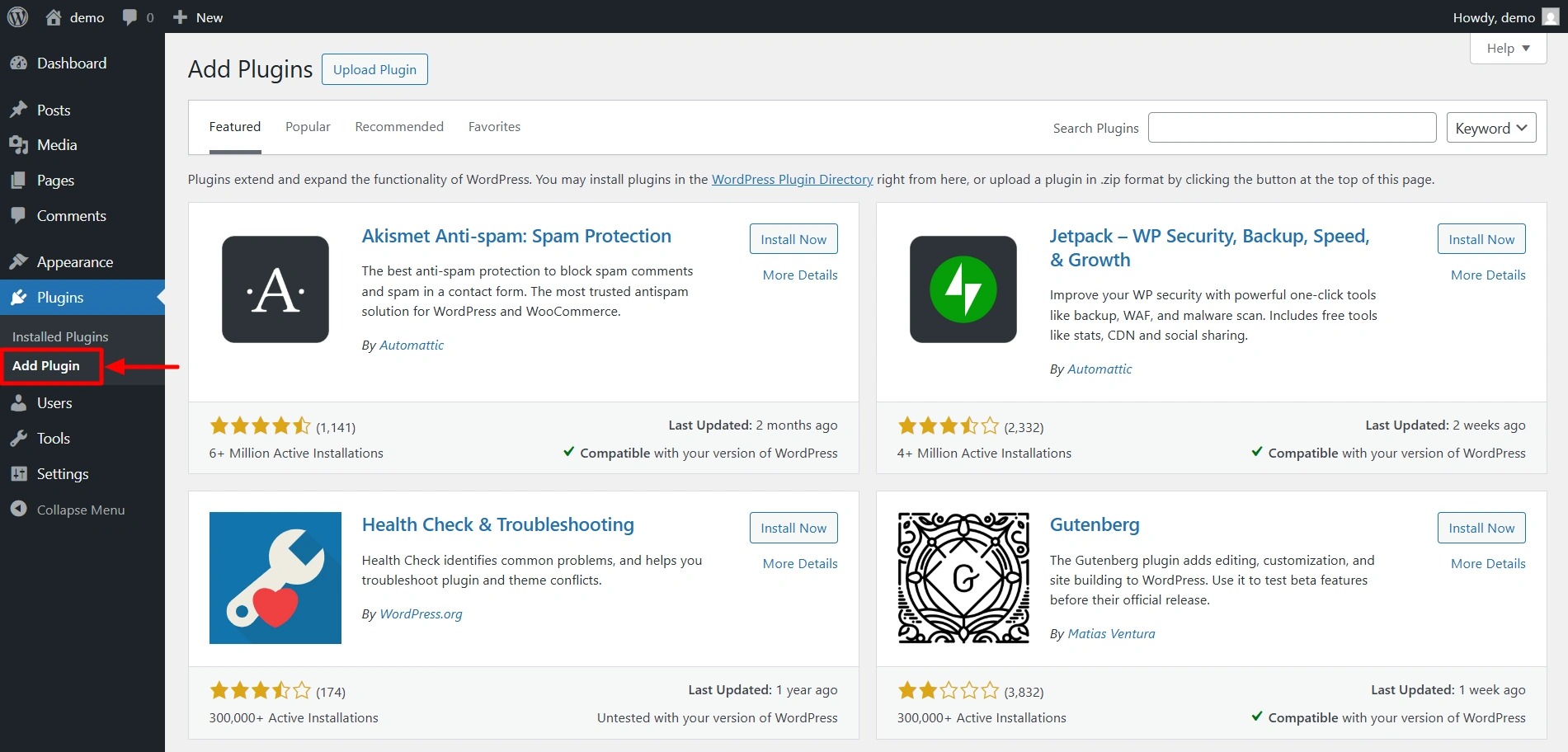
add plugin

Click on Install Now. After the plugin is installed, activate it.

search plugin

How to add a Responsive block?

If you click on the + icon, the Responsive blocks library opens up. You get 50+ Gutenberg blocks to play around with.

Responsive Blocks provides a live preview of your design on the left, along with a beginner-friendly sidebar on the right to customise the blocks.

blocks library

If you add the Image Block to a post, you see these customisation options on the right side. Here in the General settings, you can add your image, add alt text, set the alignment, and control the height and width of the image.

general settings

Here, in the Style settings, you can customise the colors, border styles, box shadows, and more.

style settings

There’s also the advanced tab that lets you add animations, decide block display conditions, adjust the Z-index, and configure additional CSS code.
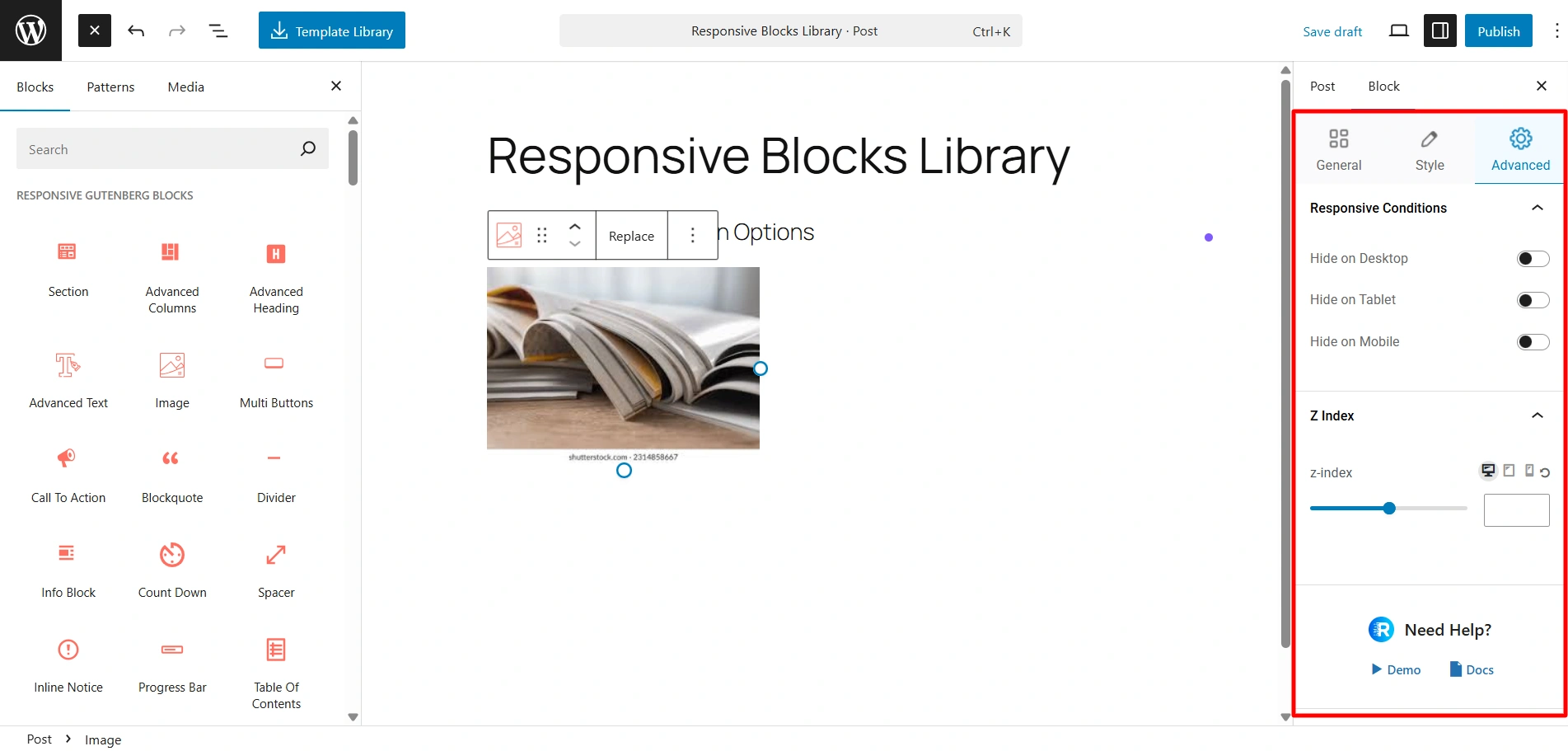
advanced settings

If you click on this Template Library, you get access to our 100+ pre-designed templates compatible with Gutenberg. You can easily import these templates and just start customising.
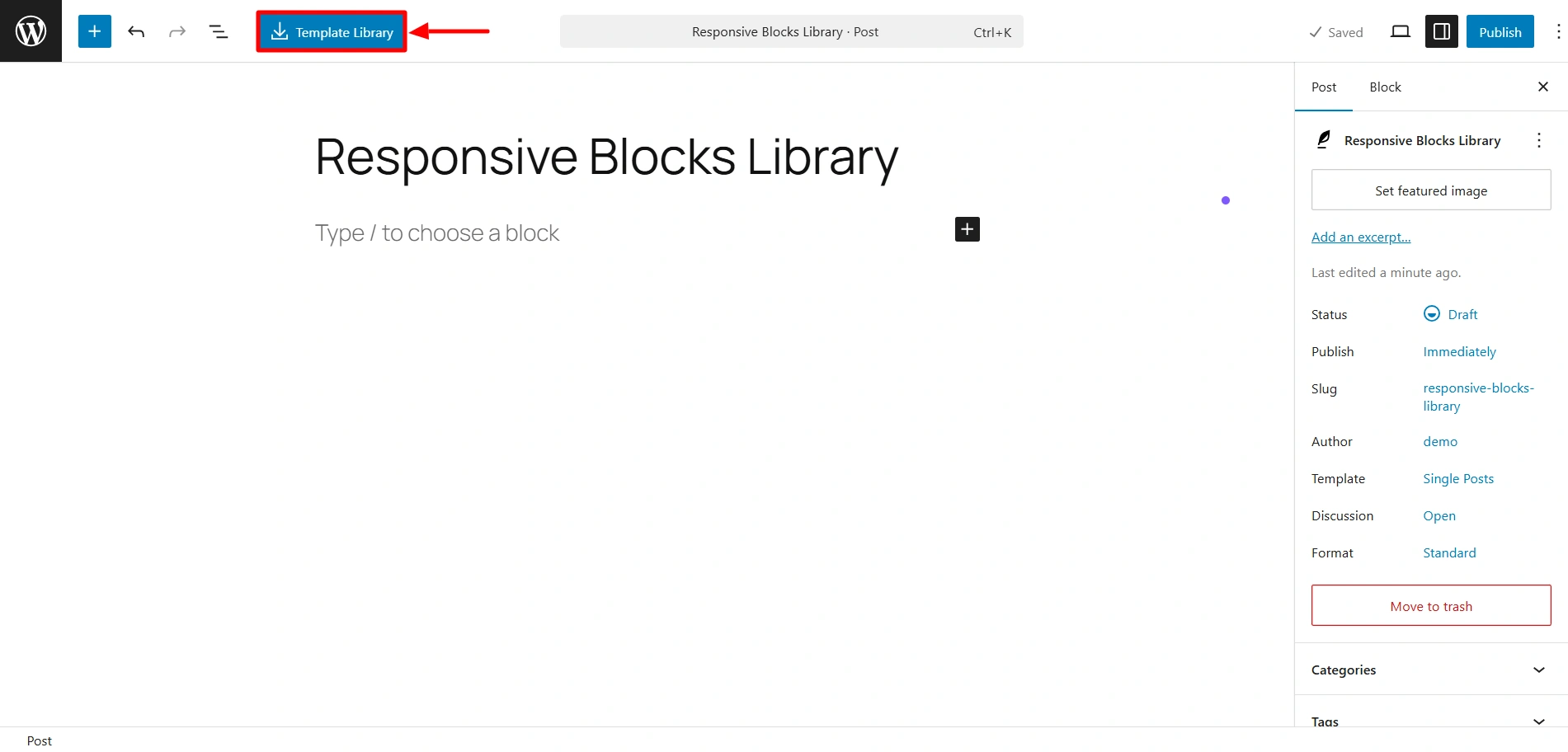
template library

This is the Template library, using which you can import 100+ Gutenberg templates.
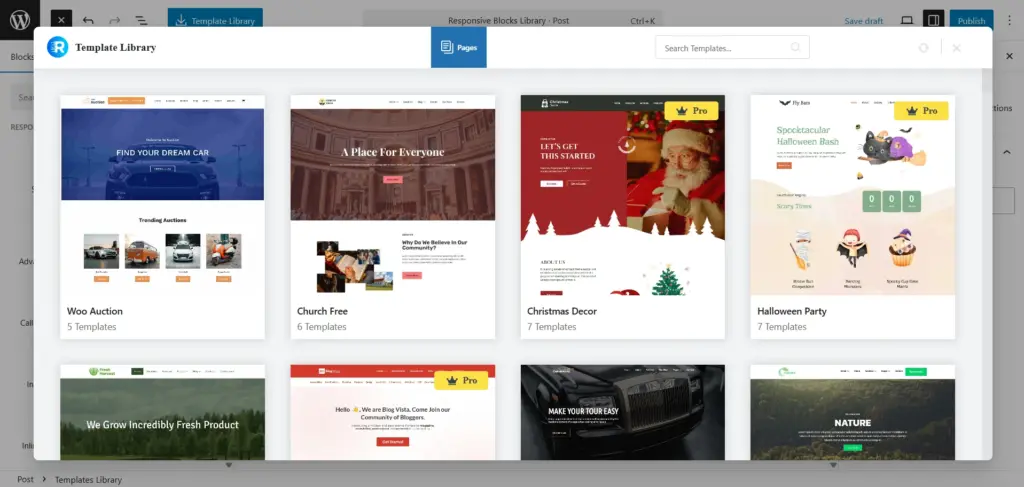
Templates library

If you wish to check out specific settings related to each block, you can check out the documentation.

So what’s stopping you? Try out the Responsive Blocks plugin now for a faster, easier, and chill website-building experience.

Updated on January 24, 2026

What are your Feelings

  • Happy
  • Normal
  • Sad

Share This Article :

  • Facebook
  • X
  • LinkedIn
  • Pinterest
Pattern ImporterCustom CSS feature in Responsive Blocks

Our Products

Responsive Pro

Responsive Addons for Elementor

Starter Templates

Responsive Blocks

WP Legal Pages

GDPR Cookie Consent

Powered by Responsive WordPress theme

Our Products

Responsive Pro

Responsive Addons for Elementor

Starter Templates

Responsive Blocks

WP Legal Pages

GDPR Cookie Consent

Powered by Responsive WordPress theme

Resources

Starter Templates

Responsive Platform

Learn Elementor

Testimonials

Compare Astra/Kadence

TrustPilot

CCPA

Video Tutorials

Resources

Starter Templates

Responsive Platform

Learn Elementor

Testimonials

Compare Astra/Kadence

TrustPilot

CCPA

Video Tutorials

Theme Features

Responsive Features

WooCommerce

Header Footer Builder

Site Builder

Child Theme Generator

Download Free Theme

DFY Website Setup

Theme Features

Responsive Features

WooCommerce

Header Footer Builder

Site Builder

Child Theme Generator

Download Free Theme

DFY Website Setup

Company

About

Pricing

Blog

Brand Assets

Affiliate Program

Contact Us

Terms of Service

GDPR Privacy Policy

GDPR Cookie Policy

Website Design Service

Company

About

Pricing

Blog

Brand Assets

Affiliate Program

Contact Us

Terms of Service

GDPR Privacy Policy

GDPR Cookie Policy

Website Design Service

Support

Login

What’s New

Documentation

Request Support

Video Tutorials

Refund Policy

Service

Discount Coupon

Bug Bounty Program

Support

Login

What’s New

Documentation

Request Support

Video Tutorials

Refund Policy

Service

Discount Coupon

Bug Bounty Program

Copyright © 2010-2026 CyberChimps  

Copyright © 2010-2026 CyberChimps  

Top
Top