
The RAE Duplicator extension makes it easy to copy any post type with just one click. This is helpful when you want to reuse a layout or create similar posts without starting from scratch.
Configure RAE Duplicator
Before you begin, make sure that you have the Responsive Addons for Elementor plugin installed.
To access the settings, open your WordPress dashboard and go to:
Responsive Addons for Elementor > Widgets > Extensions
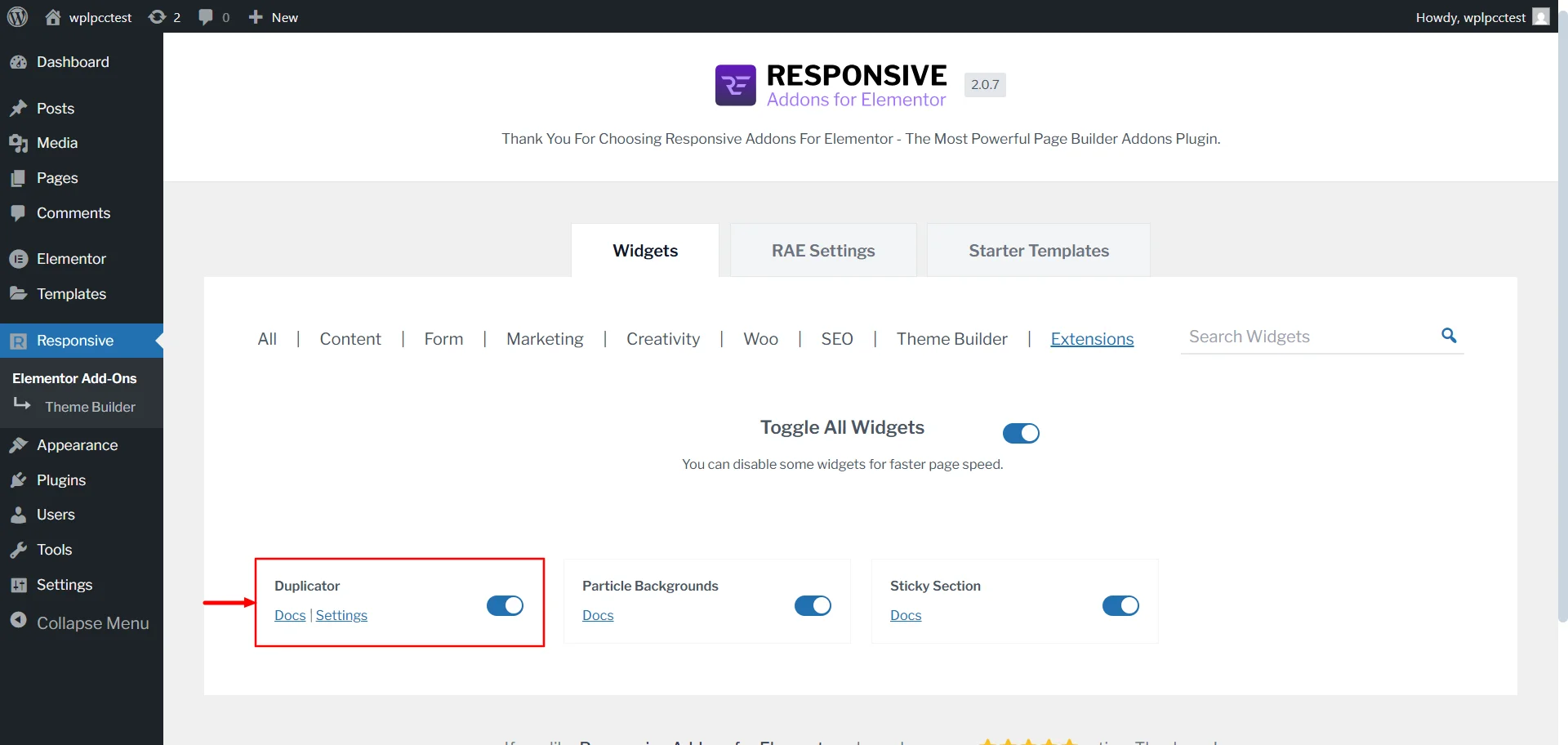
On this page, toggle on the Duplicator widget to activate it. Once it’s activated, choose the post types where you want the RAE Duplicator option to appear.
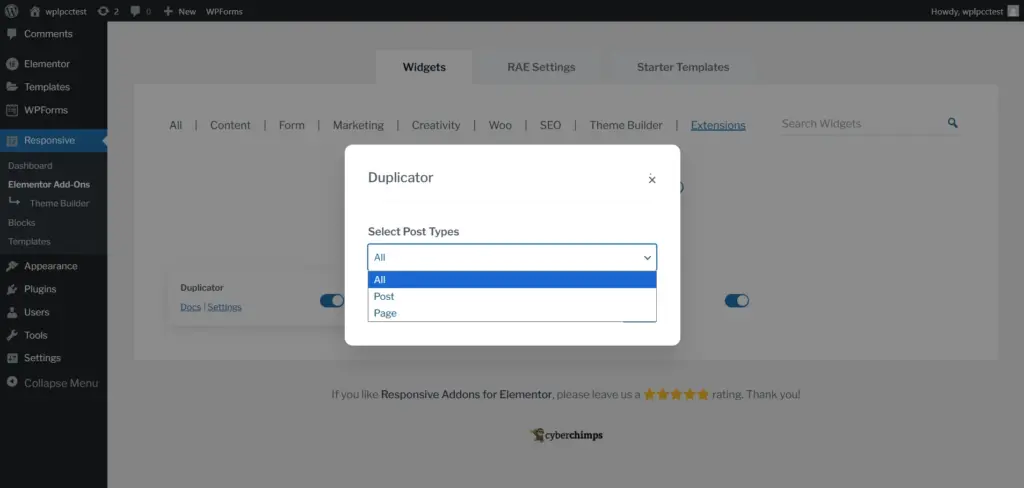
You’ll also find a link to the documentation here if you ever need help or clarification.
How to Use the RAE Duplicator
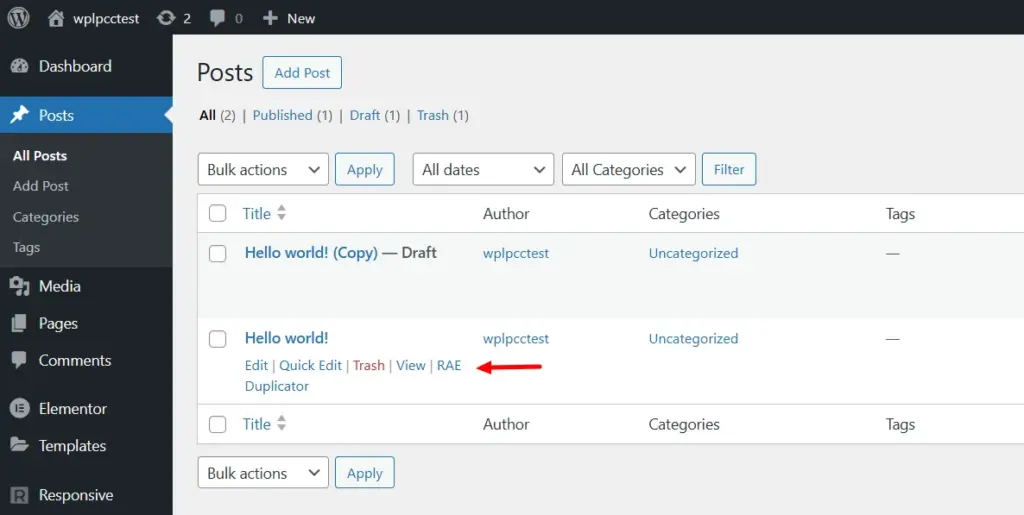
Open your Posts or Pages section, based on the post types you selected earlier.
You will see an action link called RAE Duplicator under each post. Click it once, and the plugin will create a new draft copy of that post.
That is all you need to do. The cloned version will appear in your list, and you can start editing it whenever you are ready.
If you face any issues while using this feature, feel free to contact us. We’re here to help.


