
The Responsive Blocks Plugin provides built-in animation, allowing you to implement nice, smooth transitions to your website content without the need to code.
These options consist of entrance effects, scroll animations, and hover effects. You can apply any of these animations to any given block in just three clicks of a button. Thereby, creating a smoother, more interactive experience for visitors to your site!
How to Enable Animations
Enable the animation block from the dashboard.
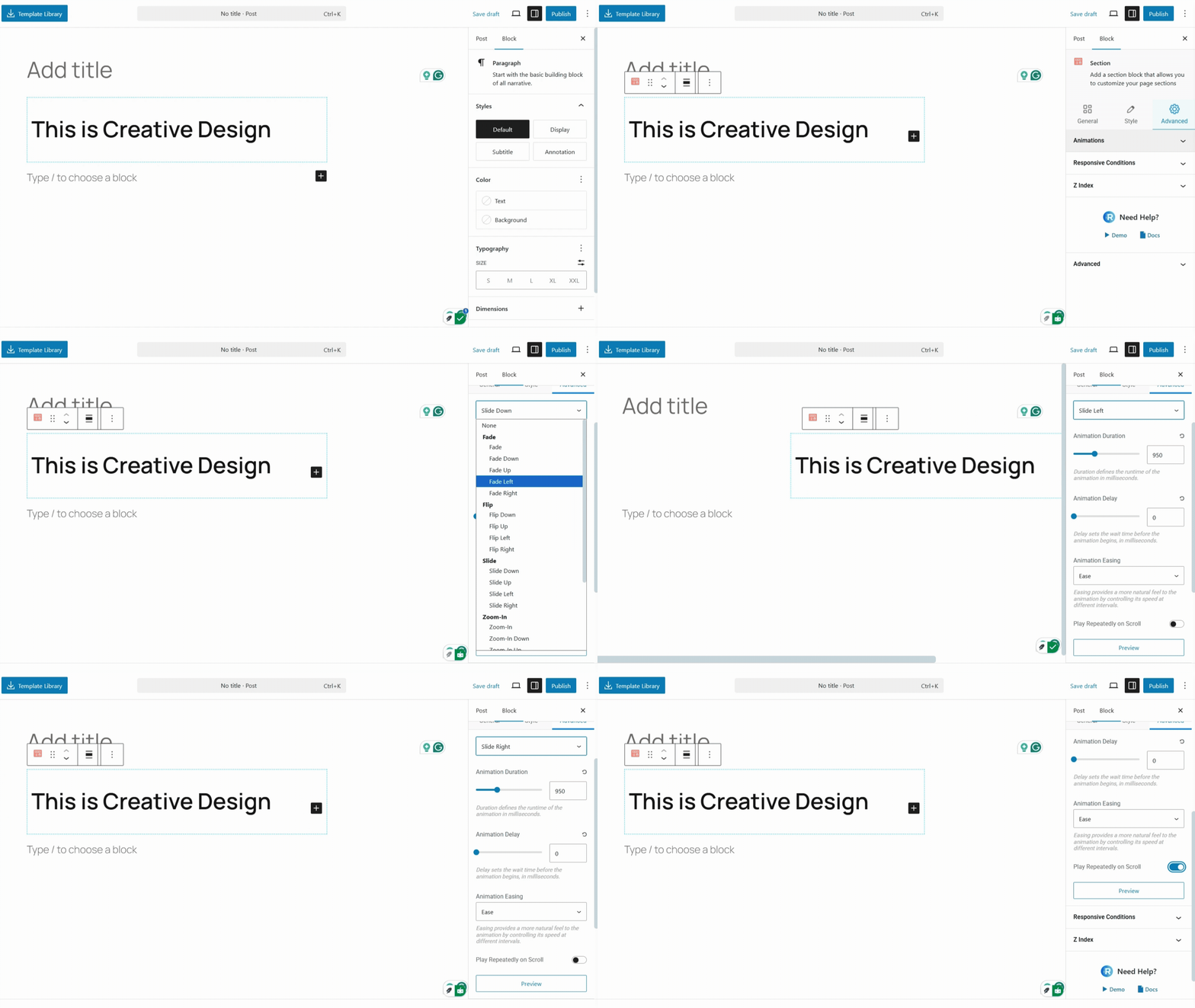
- Select a Block – Open the block editor in WordPress and choose the block you want to animate.
- Open Animation Settings – In the right-side block settings panel, look for the Animation tab.
- Choose Animation Type – Select from the dropdown list of available animations.
- Adjust Options – Configure delay, duration, easing, and repeat settings.
- Preview & Save – Check the live preview and save your changes.
Available Animation Types
You can choose from a wide range of animations to fit your design style:
- Fade Effects
- Flip Effects
- Slide Effects
- Zoom-in Effects
- Zoom-out Effects
Animation Settings
Each animation comes with customizable settings:
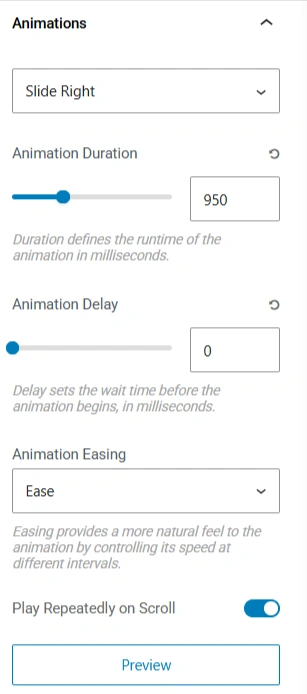
Please note that this feature exclusively functions with Responsive Blocks only.


