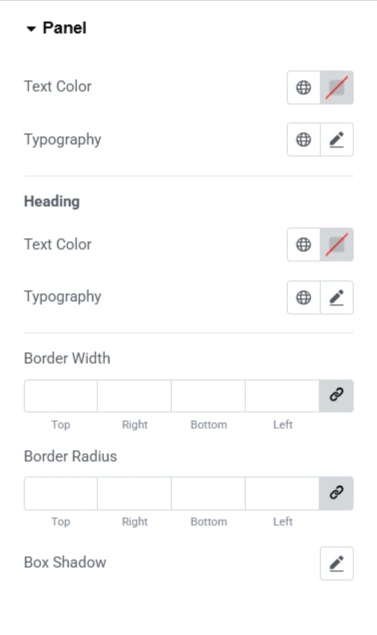
The Product Data Tabs widget from the Responsive Addons for Elementor WordPress plugin neatly organises your product details into structured tabs, which helps in faster and smoother browsing.
The product Data Tabs improves navigation, saves time, and keeps all key information in one place.
How to Add Product Short DescriptionWidget?
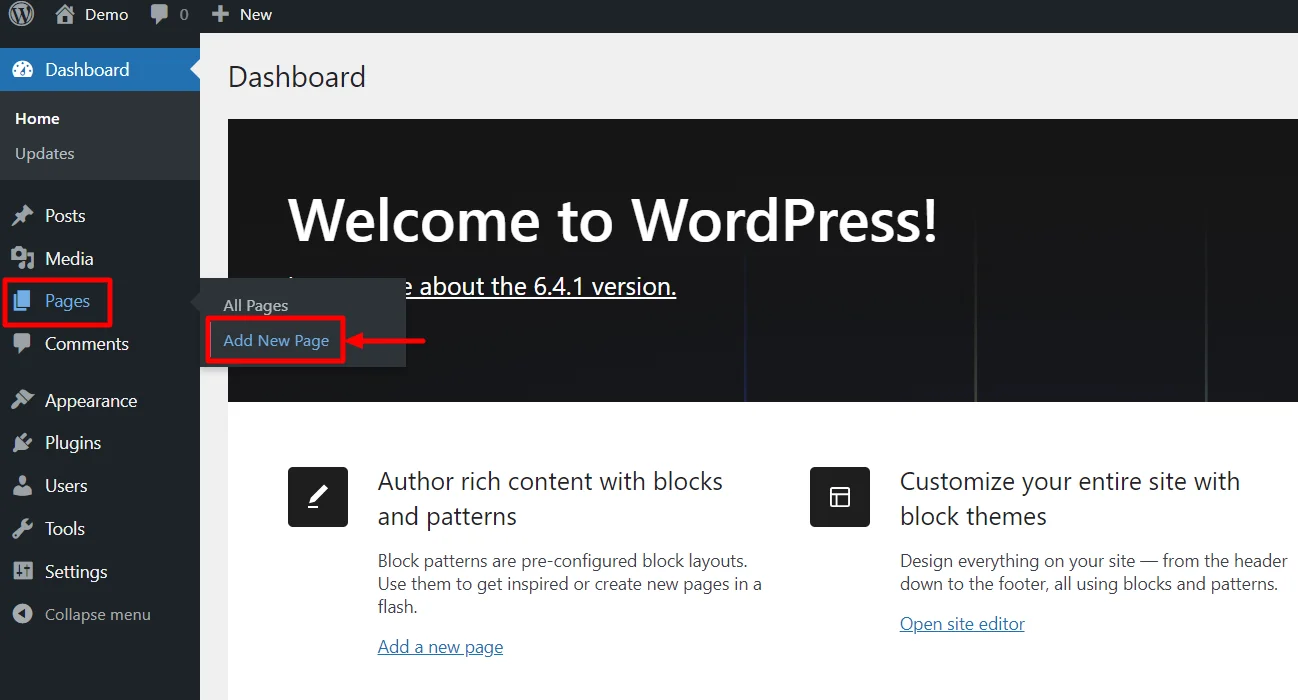
- Go to WordPress Dashboard > Pages > Add New Page.
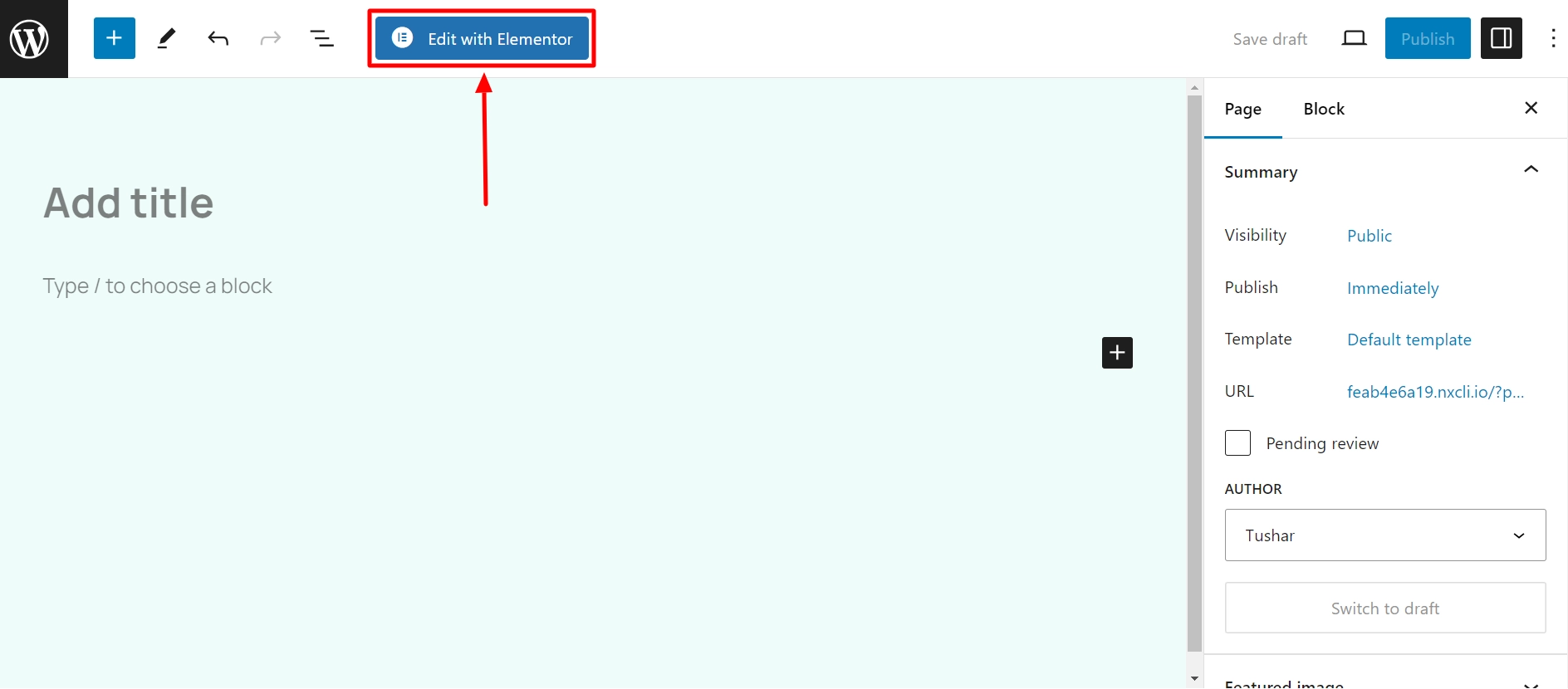
- Click the Edit with Elementor button to add the Product Data Tabs widget.
- Search by Product Data Tabs widget.
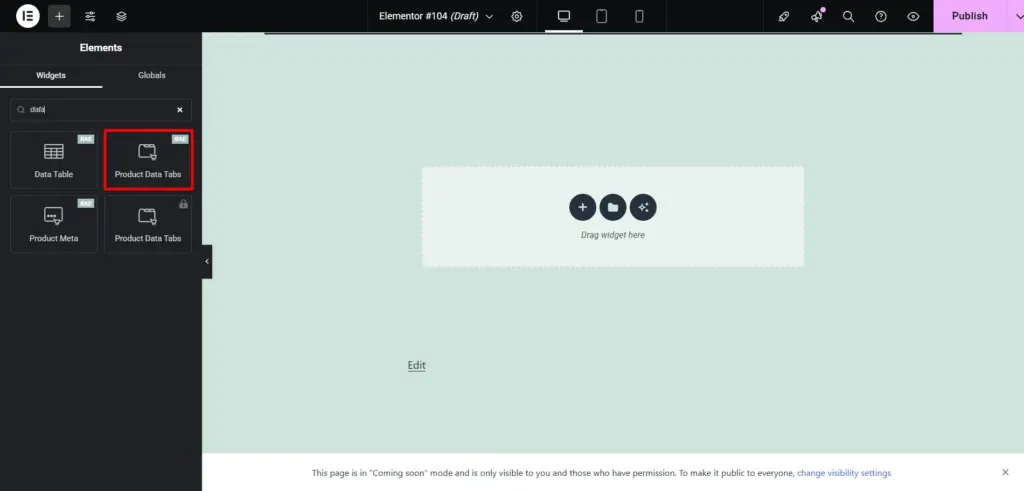
Drag and drop the RAE Product Data Tabs widget onto your product page.