
Use the Responsive Addons for Elementor Product Title widget to confidently showcase your product’s title on your WordPress website. Provide a title for your product and start customizing it using the Elementor Page Editor.
How to Add the Product Title Widget?
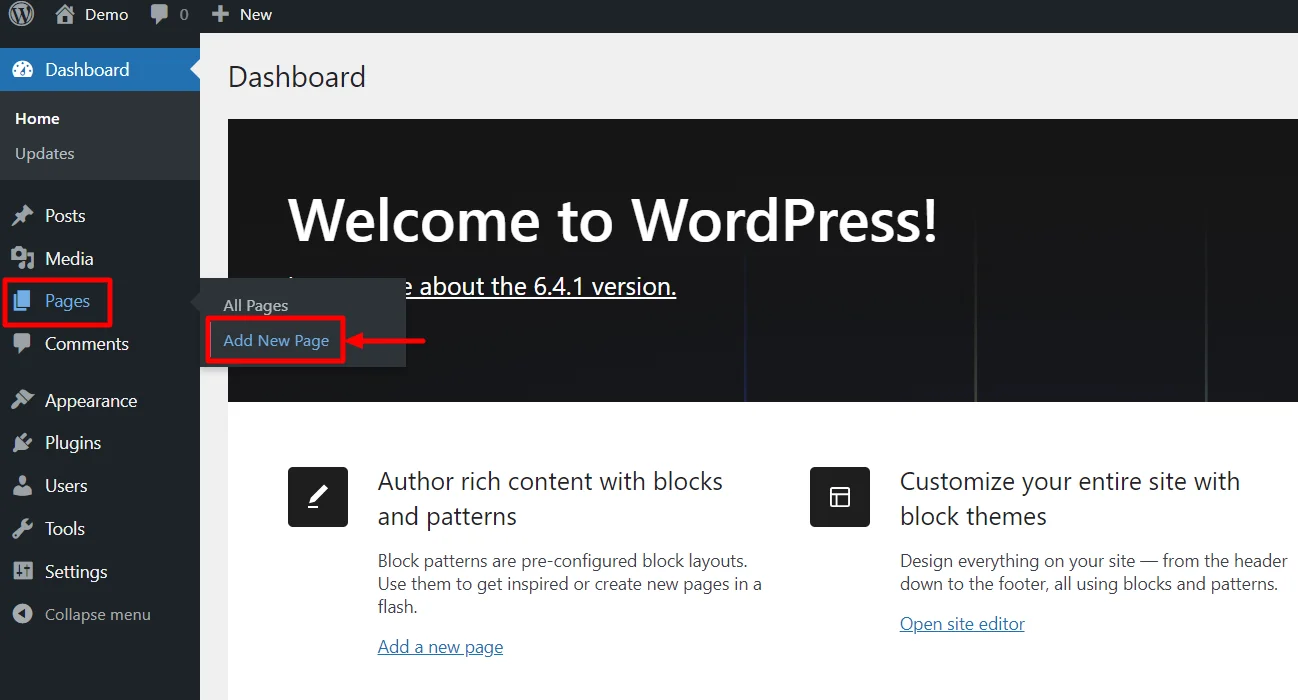
- Go to WordPress Dashboard > Pages > Add New Page.
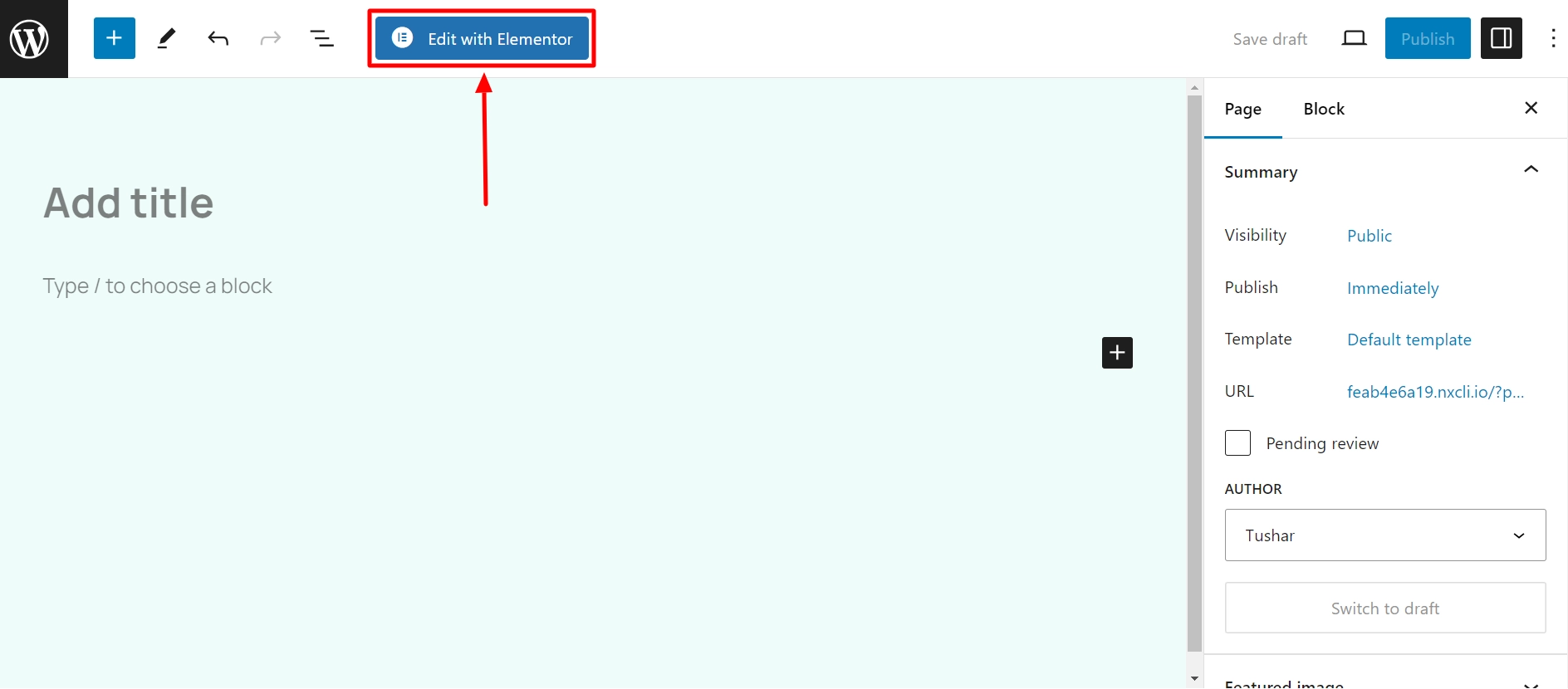
- Click the Edit with Elementor button to add the Product Title widget.
- Search by Product Title and use the widget that has the RAE Badge.

- Drag and drop the RAE Product Title widget onto your product page.
How to Customize the Product Title Widget?
The Product Title widget allows you to customize the content and style of the widget. Upon adding the product title widget, it allows you to edit the following parts:
Content

Under the content tab, you can edit the following:
- Title: Add the title of the product.
- Link: Enter the URL for the item’s link.
- HTML Tag: Select the HTML tag for the title, from H1 to H6, or div, span, or p. These tags also help to make your page more SEO-friendly.
Style
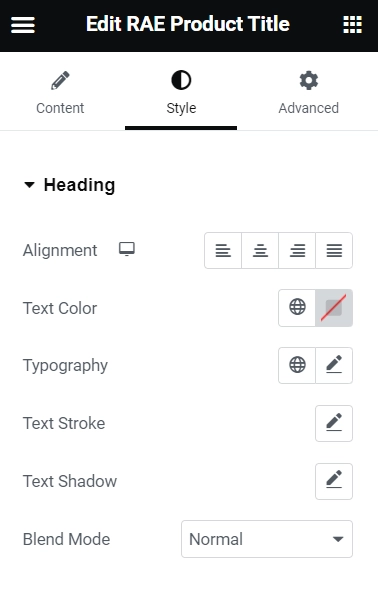
Under the style tab, you get the following options:
- Alignment: Choose Left, Center, Right, or Justified for the alignment of rating stars.
- Text Color: Select the color for the text.
- Typography: Modify the typography options for the text.
- Text Stroke: Adjust the text stroke.
- Color: Choose the stroke color using the color picker.
- Text Shadow: Add a shadow and blur to the text.
- Color: Choose the shadow color using the color picker.
- Blend Mode: Choose from layer effects such as Normal, Multiply, Screen, Overlay, etc.


